
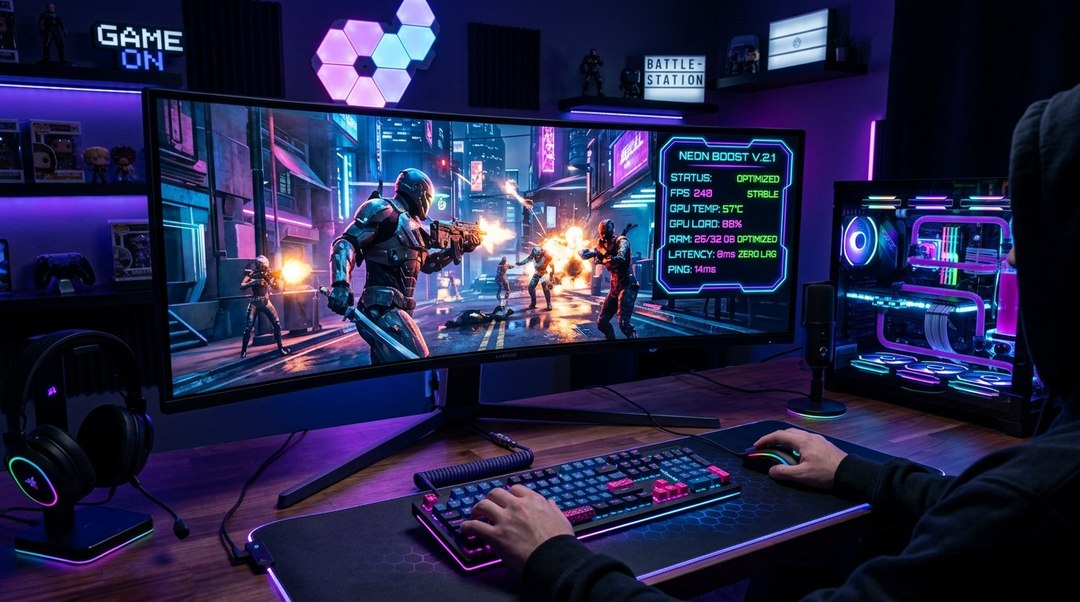
A Game Booster can help improve gaming performance by managing background processes, adjusting selected system settings, and making available computing resources easier to monitor. Modern PC games place significant demands on processors, graphics cards, memory, storage, and network connections. When these components compete with unnecessary background activities, players may experience inconsistent frame rates, delayed responses, or interruptions during gameplay.
However, improving gaming performance requires more than installing optimization software and expecting instant results. Hardware capabilities, graphics settings, system temperatures, drivers, and game optimization all influence performance. Understanding how Game Booster applications and FPS optimization technologies work can help gamers identify genuine improvements while avoiding misleading claims about guaranteed speed increases.
What Is a Game Booster and How Does It Work?
A Game Booster is a software utility designed to help manage certain system activities and settings while games are running. Depending on its features, it may reduce background activity, adjust power settings, provide performance monitoring, or simplify access to gaming-related controls.
The primary goal is to make the gaming environment more consistent and reduce avoidable resource competition. However, optimization software cannot transform low-performance hardware into a substantially more powerful gaming system.
Some Game Booster applications operate automatically when a supported game launches. Others allow users to select optimization settings manually or monitor system performance through a dedicated dashboard.
Understanding Gaming Resource Management
Games rely on several hardware components working together. The CPU handles game logic and other processing tasks, while the GPU renders graphics and system memory stores information needed during execution.
A Game Booster may help identify unnecessary processes consuming these resources. Closing selected applications can sometimes reduce competition for processing time or memory, particularly on systems with limited capacity.
What a Game Booster Cannot Do
Optimization software cannot physically increase the processing capabilities of a CPU or GPU beyond their supported operating limits. It also cannot eliminate performance problems caused by insufficient hardware or poorly optimized game code.
A Game Booster should therefore be considered a system-management tool rather than a guaranteed performance upgrade. Its benefits depend on the computer’s existing configuration and the problems affecting gameplay.
Why Gaming Performance Optimization Matters
Modern games can contain detailed environments, advanced lighting, complex physics, and large numbers of interactive objects. These features place different demands on computer hardware.
Game Booster technology can contribute to a broader performance optimization strategy by helping users monitor resource consumption. However, the most effective improvements often come from identifying the actual performance bottleneck.
A game limited by GPU rendering capacity may benefit more from reducing graphics settings than from closing a few lightweight applications. Likewise, a CPU-limited game may respond differently to optimization changes.
Smooth Gameplay Improves Responsiveness
Consistent frame delivery can make movement and controls feel more predictable. Sudden frame-time spikes may produce noticeable stuttering even when average FPS appears acceptable.
A Game Booster that reduces disruptive background activity may help in certain circumstances. However, consistent frame times depend on hardware, drivers, game design, and operating system behavior.
Performance Problems Affect Different Games Differently
A lightweight competitive game may place different demands on hardware than a large open-world title. Optimization settings that help one game may provide little benefit to another.
Game Booster configurations should reflect actual game requirements rather than applying aggressive system changes universally.
Understanding FPS in Modern Gaming
FPS stands for frames per second. It describes how many individual images a game renders during one second of operation.
Higher FPS can improve perceived smoothness and responsiveness, particularly when the display supports a suitable refresh rate. However, average FPS alone does not describe the entire gaming experience.
A Game Booster may provide FPS monitoring so players can evaluate performance before and after changing settings. Reliable measurements help distinguish genuine improvements from subjective impressions.
Why Stable FPS Matters
A game running at a relatively consistent frame rate may feel smoother than one experiencing large fluctuations. Sudden drops can interrupt movement and make controls feel less predictable.
Game Booster tools that monitor frame rates can help identify these patterns. However, correcting the cause may require graphics adjustments, driver updates, or hardware maintenance.
Average FPS Versus Frame Time
Average FPS describes rendering throughput across a period. Frame time measures how long individual frames take to render.
For example, 60 FPS corresponds to approximately 16.7 milliseconds per frame when frames are delivered at a perfectly consistent rate. Real gameplay often contains variation that affects perceived smoothness.
A useful Game Booster dashboard should ideally provide meaningful performance information rather than displaying only a large average FPS number.
How Game Booster Software Manages Background Applications
Background applications can consume CPU time, memory, storage bandwidth, and network resources. Their effect on gaming performance depends on what they are doing and the hardware available.
A Game Booster may identify selected applications that are safe to close or temporarily restrict. This can be useful when unnecessary software is competing with a demanding game.
However, closing every background process is neither necessary nor advisable. Some services support hardware drivers, security functions, communication tools, or operating system stability.
Reducing Unnecessary CPU Activity
Background updates, file indexing, and other tasks can occasionally compete with games for processor time. The impact depends on processor capacity and task intensity.
A Game Booster may help users identify resource-heavy activity. Closing nonessential applications can sometimes reduce interruptions without requiring advanced system modifications.
Managing Memory Usage
Games require sufficient system memory to load assets and maintain active data. When available RAM becomes limited, the operating system may rely more heavily on storage.
A Game Booster can help identify applications consuming substantial memory. However, forcing memory cleaning repeatedly may provide little benefit and can sometimes reduce performance.
Avoiding Excessive Background Changes
Aggressive optimization utilities may disable services that are useful or necessary. Such changes can create instability or interfere with other applications.
A trustworthy Game Booster should explain which settings it changes and provide a clear way to restore previous configurations.
Game Booster and CPU Performance
The CPU performs many tasks required for gameplay, including simulation, input processing, and coordination with the graphics system. Different games use processor resources in different ways.
Game Booster software may help reduce unnecessary CPU competition by managing selected background tasks. Its effect depends on whether those tasks were actually limiting performance.
CPU-Limited Games
A game becomes CPU-limited when processor-related work restricts the rate at which frames can be produced. Reducing graphics settings may not substantially improve FPS in this situation.
A Game Booster may help if avoidable background CPU activity is contributing to the problem. However, hardware limitations and game engine behavior can remain the dominant factors.
Processor Scheduling
Modern operating systems schedule work across available processor resources. Some optimization tools offer process priority adjustments or gaming modes.
These settings can influence scheduling in certain circumstances, but they do not guarantee higher FPS. Excessively aggressive priority changes may also affect system responsiveness.
CPU Temperature and Throttling
Processors may reduce operating speed when temperatures exceed defined limits. This behavior helps protect hardware but can reduce gaming performance.
A Game Booster that displays CPU temperature can help reveal possible thermal issues. Cleaning cooling systems or improving airflow may be more useful than changing software settings.
GPU Optimization for Better Gaming Performance
The graphics processing unit is responsible for much of the visual rendering work in modern games. GPU capability strongly influences performance at higher resolutions and graphics settings.
Game Booster applications may provide GPU monitoring or shortcuts to relevant configuration options. However, software utilities cannot replace the benefits of sufficient graphics hardware.
Adjusting Graphics Settings
Resolution, shadows, reflections, anti-aliasing, and other visual settings affect rendering demand. Reducing selected settings can improve FPS when the GPU is the limiting component.
A Game Booster may help users compare performance across different configurations. The best settings balance visual quality with stable gameplay.
GPU Driver Updates
Graphics drivers allow games and operating systems to communicate with GPU hardware. Driver updates can include compatibility fixes, performance improvements, and security changes.
Some Game Booster utilities notify users about available updates. Drivers should be obtained from official hardware manufacturers or trusted update channels.
Monitoring GPU Utilization
High GPU utilization can indicate that graphics rendering is a major performance constraint. However, utilization data must be interpreted alongside frame times and other metrics.
A Game Booster dashboard may help players investigate performance behavior. A high utilization percentage is not automatically a fault.
RAM Optimization and Gaming Stability
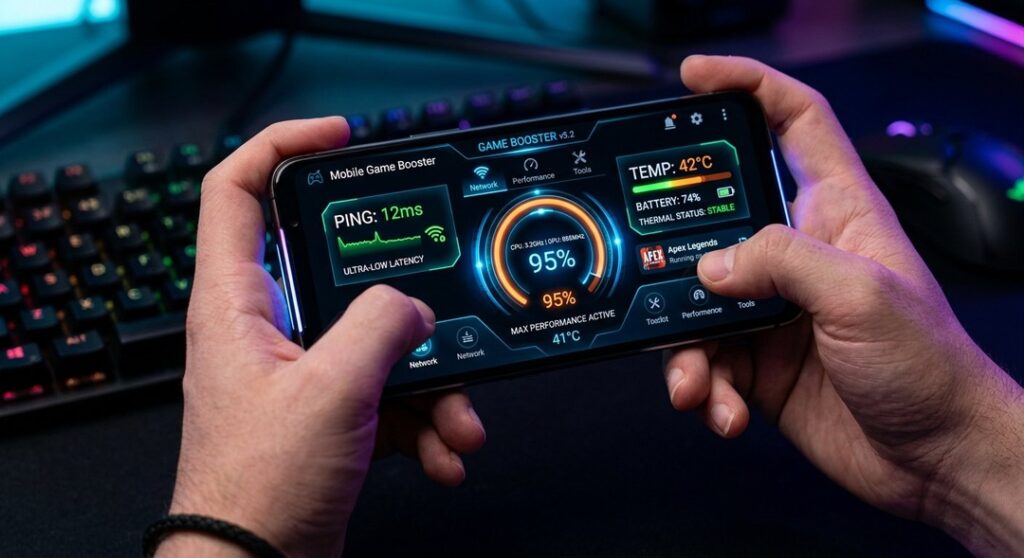
System memory supports active game data and many operating system tasks. Insufficient RAM can contribute to loading delays, stuttering, or increased storage activity.
A Game Booster may identify applications using memory unnecessarily. Closing those applications can help when a system is experiencing genuine memory pressure.
However, unused RAM is not automatically wasted, and modern operating systems manage cached memory dynamically. Artificially forcing memory to remain empty does not necessarily improve gameplay.
How Much RAM Do Games Need?
Memory requirements vary considerably by title, settings, background applications, and operating system. Players should consult the recommended specifications for the games they use.
A Game Booster cannot compensate fully when installed memory is substantially below the game’s requirements. Hardware upgrades may be necessary in such circumstances.
Avoid Unnecessary Memory Cleaning
Some utilities advertise large amounts of freed memory as proof of better performance. This number alone does not establish improved gaming results.
A reliable Game Booster should be evaluated using actual frame-time and gameplay measurements rather than memory-cleaning statistics.
Storage Performance and Game Loading
Storage devices influence game installation, loading, asset streaming, and update performance. Solid-state drives generally provide faster access characteristics than mechanical hard drives.
Game Booster software may help identify storage activity that competes with game loading. However, it cannot make a slow storage device perform like substantially faster hardware.
SSD Benefits for Gaming
Modern games may stream textures and other assets during gameplay. Storage performance can therefore influence loading and certain streaming-related behavior.
Installing games on a suitable SSD may improve these experiences. The exact benefit depends on the game and system.
Background Disk Activity
Large downloads, backups, or file transfers can consume storage bandwidth while a game runs. This may create additional loading pressure.
A Game Booster may help identify competing processes. Pausing unnecessary transfers can sometimes improve consistency.
Game Booster and Network Performance
Online gaming depends on network latency, packet delivery, connection stability, and server conditions. These factors differ from local rendering performance.
A Game Booster with network-monitoring features may help identify certain connection problems. However, it cannot guarantee lower latency to every game server.
Understanding Ping
Ping commonly refers to round-trip network latency measured in milliseconds. Lower latency can improve responsiveness in many online games.
However, actual performance also depends on routing, server processing, packet loss, and network stability. A Game Booster cannot directly control every part of the internet connection.
Reducing Background Network Traffic
Large downloads, cloud synchronization, and streaming can compete for available network capacity. This may affect gaming when the connection becomes congested.
A Game Booster may help users identify or pause unnecessary traffic. The benefit depends on available bandwidth and network conditions.
Wired Versus Wireless Connections
Ethernet connections can provide stable networking under suitable conditions. Wi-Fi performance depends on signal quality, interference, router capability, and distance.
A Game Booster cannot eliminate physical wireless interference. Improving the network setup may be necessary when connection quality is poor.
Game Booster Technology for Competitive Gaming
Competitive games often emphasize responsiveness, stable frame rates, and predictable controls. Players may prefer settings that reduce visual complexity while maintaining important gameplay information.
Game Booster software can support performance monitoring and reduce selected background distractions. However, competitive results depend on many factors beyond computer optimization.
Prioritizing Stable Frame Rates
A stable frame rate can make aiming and movement feel more consistent. Players may choose graphics settings that favor performance over maximum visual detail.
A Game Booster can help compare configurations. Testing should focus on actual gameplay rather than relying only on menu-screen FPS.
Reducing Input Delay
Input latency describes the delay between a player’s action and the corresponding response. It involves several components, including input devices, processing, rendering, and display behavior.
A Game Booster may influence selected software-related factors, but it cannot remove every source of delay. Display settings and hardware also matter.
Avoiding Unnecessary Background Overlays
Overlays can provide useful information, but some may introduce compatibility issues or additional resource use. Their impact varies.
A Game Booster should allow players to evaluate which overlays are necessary. Disabling useful tools without evidence is not automatically beneficial.
Gaming Performance on Laptops
Gaming laptops operate within more limited thermal and power environments than many desktop computers. Their performance can depend heavily on cooling, power settings, and whether they are connected to external power.
A Game Booster may help laptop users monitor temperatures and manage selected system settings. However, manufacturer-specific power management should be respected.
Battery Versus Plugged-In Performance
Some laptops reduce performance while operating on battery power. This can help manage energy consumption and battery limitations.
A Game Booster cannot override every manufacturer-defined power restriction safely. Gamers should follow device guidance when seeking maximum performance.
Cooling and Airflow
Blocked vents and poor airflow can contribute to high temperatures. Laptop cooling systems need unobstructed access to suitable air.
A Game Booster can display monitoring information, but physical maintenance may be necessary when overheating occurs.
Power Profiles
Gaming laptops may provide balanced, quiet, and performance-oriented operating modes. These profiles can influence power consumption, fan behavior, and processing performance.
A Game Booster should work with supported manufacturer controls rather than applying unknown hardware modifications.
Game Booster for Low-End PCs
Older or entry-level computers may have limited CPU, GPU, or memory resources. These systems can be more sensitive to background applications.
A Game Booster may provide useful improvements when unnecessary processes consume a meaningful share of available resources. However, the benefit depends on the specific bottleneck.
Prioritize Essential Settings
Lowering demanding graphics options may provide larger improvements than installing multiple optimization utilities. Resolution and rendering effects can have substantial performance impacts.
A Game Booster can help monitor the results of these changes. Players should compare settings under similar gameplay conditions.
Close Unnecessary Applications
Web browsers with many open tabs, background launchers, and other applications can consume memory and processing resources.
Closing unneeded software before gaming may help limited systems. Essential security and operating system processes should remain active.
Consider Hardware Limitations
Some games simply require more computing capacity than older systems provide. No utility can guarantee smooth performance below minimum requirements.
A Game Booster should help users identify realistic limitations rather than promise impossible results.
Windows Gaming Optimization Features
Modern Windows systems include gaming-related settings and performance-management features. These can influence background behavior and game operation.
Before installing third-party Game Booster software, users should examine available built-in tools. Some desired functions may already be present.
Windows Game Mode
Windows includes Game Mode, which is designed to support gaming-related system behavior. Its effect can vary according to Windows version, hardware, and workload.
A third-party Game Booster should be evaluated against this existing functionality. Using several overlapping optimization tools may provide little additional value.
Graphics Settings
Windows provides selected graphics preferences and related configuration options. Supported systems may allow users to choose graphics performance settings for individual applications.
A Game Booster should not make unexplained changes to these preferences. Users should understand how to restore previous settings.
Startup Applications
Unnecessary startup applications can consume resources before a game begins. Windows includes tools for reviewing startup behavior.
Managing these applications may improve general system responsiveness. A Game Booster is not always required for this task.
Game Booster for Android Gaming
Mobile gaming performance depends on smartphone hardware, operating system behavior, temperatures, battery condition, and game optimization.
Some Android manufacturers provide built-in gaming modes or utilities. Third-party Game Booster applications may offer additional monitoring or selected management features.
Managing Background Activities
Background applications can consume system resources, although Android already manages many processes automatically.
A Game Booster may provide shortcuts to supported performance settings. Aggressively terminating applications can sometimes create additional battery or performance overhead.
Touch Response and Display Settings
Some devices offer gaming-specific touch or refresh-rate controls. Their availability depends on the manufacturer and hardware.
A Game Booster cannot create a higher physical display refresh rate than the device supports. Marketing claims should be evaluated carefully.
Temperature Management
Smartphones may reduce performance when temperatures become excessive. This helps protect components and maintain safe operation.
A Game Booster cannot eliminate thermal limits. Reducing graphics demand or improving environmental conditions may be more appropriate.
Game Booster for iPhone and iPad Gaming
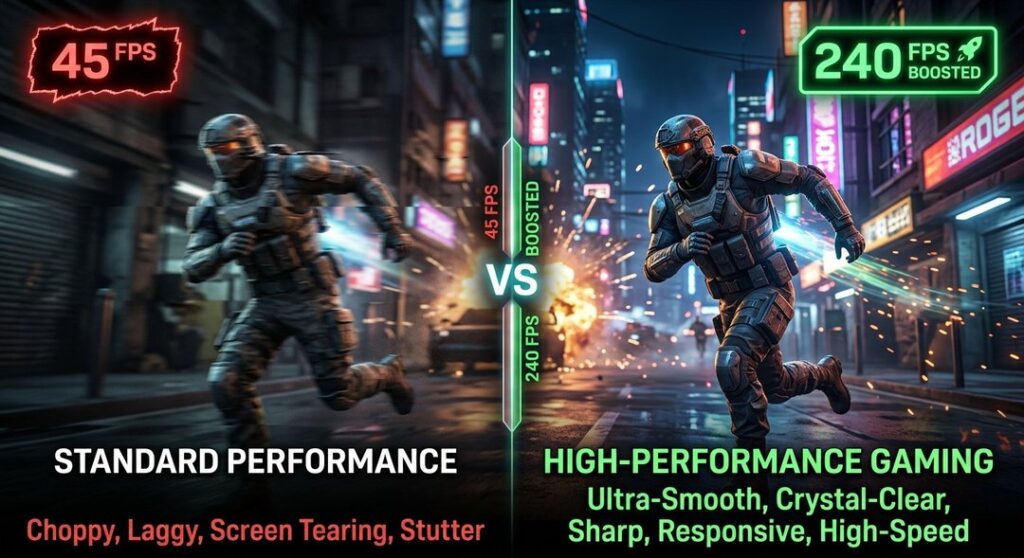
Apple devices use integrated hardware and operating system controls to manage application performance. Third-party applications generally have more limited access to system-wide process management than on conventional desktop operating systems.
A Game Booster advertised for iOS should therefore be evaluated carefully. Claims about unrestricted RAM cleaning or direct GPU overclocking may not reflect actual platform capabilities.
Built-In Gaming Features
Supported Apple devices and operating system versions may provide gaming-related optimizations. Available functions depend on the device and software version.
Users should consult official Apple documentation for current capabilities. A third-party utility should not be assumed necessary.
Managing Storage and Updates
Keeping adequate storage available and maintaining compatible software can support normal device operation.
However, a Game Booster cannot guarantee higher FPS simply by deleting files. The relationship between storage availability and gameplay depends on actual device conditions.
AI-Powered Game Booster Technology
Artificial intelligence is increasingly used in software products for monitoring, recommendations, and automated configuration. Gaming utilities may apply similar approaches to performance management.
An AI-supported Game Booster might analyze selected system metrics and recommend configuration changes. However, the presence of AI does not guarantee better optimization.
Automated Performance Recommendations
Software can compare resource use with known settings and suggest adjustments. These recommendations may save users time when they are accurate.
A Game Booster should explain important changes rather than modifying settings without transparency. Users need enough information to judge the consequences.
Detecting Performance Patterns
Monitoring tools can identify repeated frame-time spikes or periods of high resource use. This information may help narrow down possible causes.
However, identifying correlation does not automatically establish causation. A Game Booster should support investigation rather than present every alert as a confirmed diagnosis.
Avoiding Misleading AI Claims
Some products use AI terminology without clearly explaining the underlying functionality. Automated rules are not necessarily advanced machine learning systems.
Players should assess the tool’s measurable results. Clear reporting and reliable operation matter more than promotional terminology.
Game Booster and FPS Booster Differences
The terms Game Booster and FPS Booster are often used interchangeably. However, products may emphasize different features.
A Game Booster typically focuses on broader gaming-related system management, while an FPS Booster may emphasize frame-rate optimization. Neither term represents a standardized technical certification.
General System Optimization
General optimization tools may manage selected background processes, power settings, or monitoring features.
Their effectiveness depends on whether the changes address genuine performance problems.
Frame-Rate Optimization
FPS-oriented utilities may recommend graphics changes or provide performance monitoring. Some also include background process management.
A Game Booster should be tested using frame-time and FPS data before users conclude that it provides meaningful improvements.
How to Choose the Right Game Booster
Many performance utilities advertise dramatic improvements, but their capabilities differ substantially. Some provide useful monitoring and control, while others rely on exaggerated claims.
Choosing a Game Booster should involve reviewing features, security, compatibility, transparency, and measurable results.
Check Operating System Compatibility
A utility should support the operating system and version installed on the device. Compatibility information should come from official product documentation.
Using unsupported software can create instability. A Game Booster should not require unnecessary system modifications.
Review Optimization Features
Useful functions may include:
- Background process monitoring
- FPS monitoring
- CPU and GPU utilization tracking
- Temperature monitoring
- Game-specific profiles
- Power setting controls
- Performance reporting
- Clear restoration options
- Compatibility information
- Update notifications
A Game Booster does not need every feature to be useful. The best tool addresses the problems the user actually experiences.
Evaluate Security and Privacy
Optimization utilities may request elevated system permissions. Such access can create risks if software is poorly designed or malicious.
Download a Game Booster only from trustworthy sources and review its permissions. Avoid utilities that require disabling essential security protections without a legitimate reason.
Free Versus Paid Game Booster Software
Free utilities can provide useful monitoring and basic optimization. Paid products may offer additional features, support, or integrated tools.
However, purchasing a Game Booster does not guarantee stronger performance. Some paid features duplicate capabilities already available through the operating system or hardware manufacturer.
Free Optimization Tools
Free tools may provide system monitoring, selected configuration options, or gaming profiles. Their suitability depends on reliability and transparency.
Users should still review privacy policies and installation behavior. Free software can contain advertising or unwanted bundled components.
Premium Performance Utilities
Paid applications may include advanced reporting, automation, or customer support. These features can be useful for certain users.
Before purchasing a Game Booster, compare the benefits with available free alternatives. Subscription costs should be justified by actual functionality.
Game Booster Security Risks to Avoid
Software promising dramatic performance gains can attract users who are frustrated with slow systems. Unfortunately, some downloads may contain unwanted applications or harmful code.
A Game Booster should not require users to ignore basic cybersecurity precautions. Performance improvements are not worth compromising account or device security.
Avoid Unofficial Downloads
Unverified websites may distribute modified installers or software bundles. These can introduce malware or unwanted changes.
Use official developer websites or reputable software distribution channels. Verify the publisher where practical.
Be Careful With Administrator Access
Some optimization tasks require elevated permissions. However, such permissions provide substantial control over the computer.
A trustworthy Game Booster should explain why access is needed. Users should be cautious about granting unrestricted permissions to unfamiliar developers.
Avoid Registry Cleaning Claims
Some utilities advertise registry cleaning as a way to produce large gaming speed improvements. These claims are often exaggerated.
Unnecessary registry modifications can create instability. A Game Booster should not encourage risky changes without clear evidence and recovery options.
How to Test Whether a Game Booster Actually Works
Performance improvements should be measured rather than assumed. A proper comparison helps determine whether optimization software produces meaningful results.
Testing a Game Booster requires consistent game settings, similar scenes, and comparable system conditions.
Establish a Baseline
Record performance before enabling optimization features. Useful measurements may include average FPS, frame-time behavior, and relevant resource utilization.
Run the same game under repeatable conditions where practical. A single short test may not represent normal gameplay.
Apply One Change at a Time
Changing several settings simultaneously makes it difficult to identify which adjustment produced the result.
A Game Booster should allow users to enable or disable individual features where possible. Controlled comparisons provide clearer evidence.
Compare Frame-Time Stability
An increase in average FPS may be less valuable if frame-time spikes become more frequent.
Evaluate both throughput and consistency. A Game Booster that improves one metric while worsening another may not provide a better experience.
Repeat the Test
Gaming performance can vary because of background updates, temperatures, game scenes, and other factors.
Repeat comparisons under similar conditions. A reliable Game Booster benefit should be reasonably reproducible.
Common Gaming Performance Mistakes
Players sometimes install multiple optimization utilities without first identifying the cause of poor performance. This can add complexity without solving the problem.
A Game Booster should be one part of a structured troubleshooting process rather than the first and only response.
Installing Too Many Optimization Apps
Multiple utilities may attempt to control similar settings or processes. This can create conflicts and make troubleshooting harder.
Choose a manageable set of tools. A Game Booster should not need several competing applications to perform basic functions.
Ignoring Hardware Temperatures
Thermal throttling can reduce performance when cooling is insufficient. Background process management will not resolve blocked airflow or failing fans.
Monitor temperatures using trustworthy tools. Physical maintenance may be necessary.
Using Maximum Graphics Settings
Ultra settings can place heavy demands on GPUs. Some visual features create substantial performance costs.
Reducing selected options may improve gameplay with limited visible differences. A Game Booster can help measure the results.
Overlooking Game Updates
Game developers release patches that may address performance and compatibility issues. Outdated versions can contain known problems.
Keep games and relevant software updated through official channels. Optimization utilities cannot replace game-specific fixes.
Best Graphics Settings for Higher FPS
Graphics settings influence how much work the GPU performs. Their impact varies by game engine and hardware.
A Game Booster may help users monitor changes while testing different configurations. Adjustments should prioritize the visual features that matter most.
Resolution
Higher rendering resolutions require more pixels to be processed. Reducing resolution can improve performance when the GPU is limiting frame output.
However, image clarity may decrease. Resolution scaling technologies can provide additional options on supported hardware.
Shadows
High-quality shadows can increase rendering demand. Lowering shadow detail may improve performance in some games.
The visual impact depends on the title. Test settings rather than assuming every game responds identically.
Reflections
Advanced reflections can be computationally demanding, especially when ray tracing is involved.
Reducing reflection quality may help GPU-limited systems. A Game Booster can assist with monitoring but does not replace graphics configuration.
Texture Quality
Texture settings influence memory requirements and visual detail. Their performance impact depends heavily on available video memory.
Reducing texture quality may help when VRAM is insufficient. However, lowering it unnecessarily may provide little FPS improvement.
Frame Generation and Upscaling Technologies
Modern graphics systems may support technologies that reconstruct images or generate additional displayed frames. These features can improve perceived smoothness under suitable conditions.
However, frame generation and upscaling are not equivalent to a Game Booster utility. They depend on game support, graphics hardware, and specific rendering technologies.
Upscaling
Upscaling renders at a lower internal resolution and reconstructs an image for display. Supported technologies may improve performance compared with native rendering.
Image quality and results vary. Players should compare supported modes using their own hardware.
Frame Generation
Frame generation creates additional displayed frames using supported algorithms. It can improve displayed frame rates, but responsiveness depends on underlying rendering and latency behavior.
A Game Booster cannot provide these capabilities unless the hardware, software, and game support them.
Maintaining Your PC for Better Gaming Performance
Regular maintenance can help prevent performance problems caused by heat, storage issues, or software conflicts. It should be based on actual system needs.
A Game Booster may support monitoring, but hardware care remains important.
Clean Cooling Components
Dust accumulation can restrict airflow through fans and heat sinks. This may increase temperatures during demanding games.
Clean equipment using manufacturer-approved methods. Disconnect power and follow appropriate safety guidance.
Maintain Storage Space
Games and updates may require substantial storage capacity. Extremely limited free space can interfere with certain operations.
A Game Booster cannot substitute for adequate storage management. Remove unnecessary files using safe operating system tools.
Keep Drivers and Software Updated
Compatible driver and operating system updates can improve stability or resolve known problems.
Use official update sources and maintain backups where appropriate. Avoid installing unofficial driver packages advertised as gaming performance fixes.
The Future of Game Booster Technology
Gaming performance tools will continue evolving alongside hardware, operating systems, and game engines. Monitoring, automated configuration, and AI-assisted recommendations may become more integrated.
However, future Game Booster software will still operate within hardware and software limitations. Reliable performance gains must be demonstrated rather than assumed.
Smarter System Monitoring
More detailed performance data can help identify bottlenecks. Useful tools may connect frame-time information with CPU, GPU, and memory behavior.
A Game Booster that explains these relationships can support better decisions. Data presentation should remain understandable to ordinary users.
Better Game-Specific Profiles
Different games benefit from different settings. Automated profiles may help users apply suitable configurations more quickly.
However, profiles should remain adjustable. A Game Booster should allow users to prioritize visual quality, performance, or other preferences.
Greater Integration With Hardware
Hardware manufacturers increasingly provide dedicated monitoring and performance utilities. These can offer access to supported device-specific controls.
Third-party Game Booster software should complement these tools rather than conflict with them.
A Practical Gaming Optimization Checklist
Before installing additional utilities, evaluate the system’s current condition. Basic troubleshooting can identify problems that do not require specialized software.
Useful checks include:
- Confirm game hardware requirements
- Update compatible graphics drivers
- Review unnecessary startup applications
- Monitor CPU and GPU temperatures
- Check available system memory
- Evaluate storage performance
- Test graphics settings
- Review network stability
- Check supported power profiles
- Measure average FPS and frame times
- Compare performance before and after optimization
- Avoid unnecessary background utilities
A Game Booster can help with selected parts of this process. However, the strongest improvements come from addressing the actual cause of poor performance.
FAQ’s
What is a Game Booster?
A Game Booster is software designed to manage selected system resources, background activity, and gaming-related settings. Its goal is to support more consistent performance, although results vary.
Can a Game Booster increase FPS?
A Game Booster may improve FPS when unnecessary background activity or unsuitable settings affect performance. It cannot overcome every hardware limitation or guarantee a specific increase.
Is Game Booster software safe to use?
Reputable utilities can be safe when obtained from trustworthy sources and used appropriately. Avoid unknown downloads, unnecessary administrator permissions, and aggressive system modifications.
Does a Game Booster reduce gaming lag?
It may reduce certain local performance interruptions or background network activity. However, internet latency, server problems, and hardware limitations require separate solutions.
Do low-end PCs benefit from Game Booster tools?
Some low-end systems may benefit when background applications consume limited resources. However, graphics settings and hardware requirements often have a greater influence on performance.
Is a free Game Booster better than a paid one?
Neither is automatically better. Compare features, security, transparency, maintenance, and measurable performance results before selecting a utility.
Conclusion
A Game Booster can be a useful addition to a gaming setup when unnecessary background activity, resource competition, or poorly configured settings affect performance. Features such as FPS monitoring, process management, performance profiles, and system diagnostics can help players understand how their computers behave during demanding games. However, genuine improvements depend on the underlying hardware, game optimization, and the specific performance problem being addressed.
The most effective strategy combines reliable Game Booster tools with appropriate graphics settings, updated drivers, adequate cooling, suitable hardware, and consistent performance testing. Rather than trusting promises of instant FPS increases, gamers should measure frame rates, monitor frame-time stability, and make controlled adjustments. With realistic expectations and informed optimization choices, players can create a smoother, more responsive gaming experience without unnecessary software or risky system modifications.
Leave a Reply