
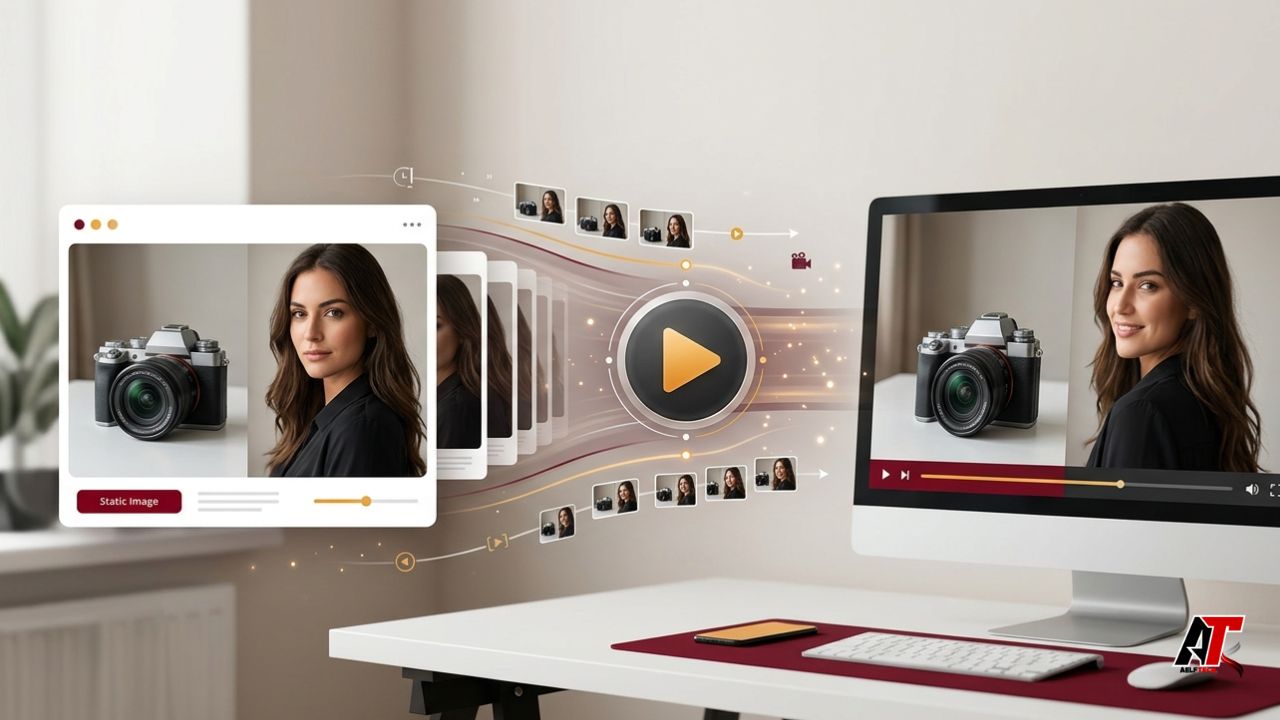
A few years ago, turning a still photograph into a convincing video required animation software, editing skills, and plenty of time. In 2026, the same basic task can begin with one image and a short written instruction. AI image-to-video tools can add camera movement, facial expressions, environmental motion, depth, and atmosphere to a static visual within minutes. That shift explains why creators, online sellers, marketers, teachers, and small businesses are rapidly experimenting with this format.
Most people already have useful images: product photographs, portraits, illustrations, property photos, food shots, travel pictures, screenshots, or branded graphics. Instead of arranging another shoot, they can repurpose those assets into short clips for websites, advertisements, presentations, Instagram Reels, TikTok, YouTube Shorts, and LinkedIn. This guide explains how to turn any image into a video for free, how to write better prompts, which mistakes to avoid, and why the workflow has become so popular in 2026.
What Does Image-to-Video AI Actually Do?
Image-to-video AI studies the visible information in a picture and predicts how that scene could move over time. It may estimate depth, separate the main subject from the background, infer body or object movement, and generate additional frames between the starting image and the final moment. The result is not simply a slideshow or a zoom effect. A strong model can create wind moving through hair, fabric folding naturally, steam rising from a cup, a camera circling a product, or clouds drifting behind a building.
AI does not magically repair every weakness in a poor source file. A sharp, well-lit image with a clear subject gives the system more reliable information. A crowded composition, tiny face, distorted hands, heavy text, or low resolution can lead to flickering, warped details, and inconsistent motion. Think of the picture as the first frame of a short film: the cleaner that first frame is, the easier it becomes to create believable movement.
Why Image-to-Video Is Everywhere in 2026
The rise of image-to-video is connected to a larger change in content production. Wistia’s 2026 State of Video report says companies are producing more video even while many budgets remain flat, and it describes AI as increasingly becoming standard practice in video workflows. The report also identifies product, educational, social, and webinar videos as major areas of investment. In that environment, tools that create more video from existing assets are naturally attractive.
There is also a practical platform reason. Social feeds reward motion because moving visuals can communicate a story, demonstration, or emotional moment faster than a single static post. A five-second product reveal, a subtle portrait animation, or a moving before-and-after scene can stop the scroll without requiring a full production crew. Businesses can test several versions of the same concept, creators can publish more regularly, and agencies can show clients a visual idea before spending money on filming.
How to Turn Any Image Into a Video for Free
The exact buttons vary between platforms, but the most reliable workflow follows the same sequence. A service such as Seedance AI can provide an online starting point for image-to-video creation. The site presents itself as an independent platform and states that it is not affiliated with ByteDance, so users should distinguish the website from the model developer and review the platform’s current terms before uploading sensitive or commercial material.
First, select an image you have the right to use. Choose a clear photograph or artwork with one obvious subject, enough empty space around important details, and lighting that supports the desired mood. For social media, consider the final format before uploading. A vertical 9:16 source is usually more convenient for Reels, Shorts, and TikTok, while 16:9 suits YouTube, websites, presentations, and landscape advertisements.
Second, upload the image and write a motion prompt. Describe what should move, how the camera should behave, and what should remain stable. For example: ‘The camera slowly pushes toward the coffee cup while gentle steam rises; morning sunlight shifts softly across the table; keep the logo and packaging unchanged.’ This is more useful than a vague instruction such as ‘make it cinematic’ because it gives the model a subject action, camera direction, atmosphere, and constraint.
Third, generate a short version and inspect it closely. Look at faces, hands, logos, text, product shapes, and the edges of moving objects. If the result contains distortion, simplify the prompt instead of adding more instructions. Generate two or three alternatives from the same source image, because variation is normal in generative systems. The first output is a draft, not a guaranteed final clip.
Fourth, download or export the best version, then finish it in a basic editor if necessary. Trim weak opening or closing frames, add captions, insert licensed music, and resize the clip for each platform. Free access may involve credits, queue limits, resolution restrictions, watermarks, or changing model availability, even when a platform advertises a free starting option. Always check the current export conditions before building a client project around a specific tool.
Using Seedance 2.0 for More Controlled Results
For users who want more advanced control, Seedance 2.0 is presented as a multimodal video option that can work from images and written direction. The model’s April 2026 research paper describes a unified system that supports text, image, audio, and video inputs, with short-form generation designed for clips measured in seconds. However, the controls and limits available through any third-party website may differ from the underlying research model, so the platform interface should remain the practical source of truth for users.
The greatest benefit of a more capable model is not simply ‘more motion.’ It is better adherence to the starting subject, more coherent camera movement, and stronger continuity across the clip. This matters for product shots, fashion visuals, character-based storytelling, and branded content, where a beautiful video is still unusable if the product changes shape or the person’s identity drifts. Use modest motion first, confirm consistency, and only then try faster movement or more complex scene changes.
How to Write an Effective Image-to-Video Prompt
A useful prompt can be built from five parts: subject, action, camera, environment, and constraints. The subject identifies the person or object. The action explains the movement. The camera describes the viewer’s perspective. The environment adds secondary motion or lighting. The constraints protect details that must remain consistent.
For a product image, try: ‘A premium wristwatch rests on dark stone. The second hand moves naturally while the camera makes a slow clockwise orbit. Soft amber reflections travel across the metal. Preserve the exact watch face, logo, proportions, and background.’ For a portrait, try: ‘The woman gives a subtle natural smile and gently turns toward the window. Her hair moves slightly in a soft breeze. Use a slow handheld push-in, realistic skin texture, and no change to facial identity or clothing.’
Keep prompts focused. Combining a dramatic camera spin, full body movement, weather changes, background transformation, and multiple new objects in one short clip creates opportunities for failure. One clear action and one clear camera move usually produce a more polished result. Words such as slow, subtle, stable, natural, locked, gentle, and continuous are particularly useful when you want realism rather than spectacle.
Best Images to Animate
Product photography is one of the strongest use cases because a small amount of motion can make a listing or advertisement feel more premium. Try slow rotation, a camera slide, controlled reflections, floating particles, or subtle environmental movement. Avoid asking the product to bend, open, or transform unless the source image clearly shows how its parts are constructed.
Portraits can work well when the face is large enough to read and the requested movement is restrained. A blink, soft smile, slight head turn, or gentle camera push is safer than complex speech or exaggerated gestures. Landscapes are also suitable because clouds, water, trees, fog, traffic, and changing light provide natural motion without requiring perfect facial consistency.
Common Problems and How to Fix Them
Flickering usually appears when the model cannot maintain small details from frame to frame. Reduce the amount of motion, choose a cleaner source image, and explicitly request a stable subject. If a logo or written label changes, keep it away from moving areas and plan to overlay the correct text during editing rather than relying on the generator to preserve every letter.
Unnatural faces and hands often result from small, blurry, or partially hidden features. Use a higher-resolution crop and ask for minimal body movement. If the camera move feels chaotic, replace ‘dynamic cinematic camera’ with a specific instruction such as ‘slow dolly in’ or ‘locked camera with gentle background motion.’ Specific language gives the system fewer ways to misunderstand the scene.
Practical Business Uses
Online stores can animate catalogue images into short product reveals, collection teasers, seasonal advertisements, or landing-page backgrounds. Real estate professionals can add subtle camera movement to room photographs, although generated movement should never be used to invent features that a property does not have. Restaurants can animate steam, pouring sauces, or table ambience around existing food photography.
Service businesses can turn a branded graphic into an animated announcement, transform a case-study image into a short social post, or create motion around a client testimonial. Educators can animate diagrams, maps, and illustrations to introduce a lesson. Designers can use the method for mood boards and pre-visualization. The team aelftech.com can also use image-to-video concepts as part of broader content, website, and digital marketing workflows where a static asset needs a more engaging presentation.
The important business advantage is versioning. One photograph can produce a calm website loop, a faster social clip, a dramatic advertisement, and a presentation opener. Instead of treating every video as a separate production, teams can develop a family of content from one approved visual asset.
Copyright, Consent, and Responsible Use
The ease of AI video creation does not remove copyright, privacy, or publicity rights. Use photographs, artwork, music, trademarks, and characters that you own, have licensed, or are legally permitted to use. Obtain consent before animating a real person’s likeness, especially for commercial promotion, political messaging, sensitive topics, or realistic speech and behavior.
These precautions are not theoretical. In March 2026, Reuters reported that ByteDance had put the global launch of its Seedance 2.0 model on hold following copyright disputes and efforts to add safeguards against unauthorized intellectual-property use. The lesson for everyday users is straightforward: do not prompt a tool to imitate protected characters, celebrities, living artists, or branded entertainment properties merely because the software can attempt it.
Responsible publishing also includes disclosure where viewers could mistake synthetic media for real footage. A short note such as ‘AI-generated animation from a still image’ is often enough. For news, evidence, reviews, or documentary contexts, stronger disclosure and source preservation may be necessary. Trust is more valuable than a few extra views.
How to Get Better Results Without Paying
Free credits are most valuable when you plan before generating. Crop and improve the source image first, decide the final aspect ratio, and write two prompt variations in advance. Begin with short clips and modest motion. Once the model preserves the subject correctly, use remaining generations to test mood, pacing, or camera movement rather than changing everything at once.
Finally, remember that the AI-generated clip does not have to do everything. Captions, logos, calls to action, transitions, and audio are often more reliable when added afterward in a conventional editor. Let the generator handle visual motion, then use editing tools for precision. This hybrid approach is faster and usually looks more professional.
Final Thoughts
In 2026, image-to-video AI is popular because it solves a real content problem: audiences and platforms want more motion, while creators and businesses do not always have more time or budget. The technology turns photographs and designs that already exist into flexible video starting points. It reduces production barriers, encourages experimentation, and makes short-form visual storytelling accessible to people without traditional animation skills. The best results still depend on human judgment. Use a strong source image, request one believable action, describe the camera clearly, generate alternatives, and inspect the output before publishing. Respect ownership and consent, disclose synthetic content when context requires it, and treat free plans as an opportunity to test rather than an unlimited production guarantee. With that approach, almost any suitable image can become a useful, attention-holding video without turning the process into a complicated editing project.
Leave a Reply