
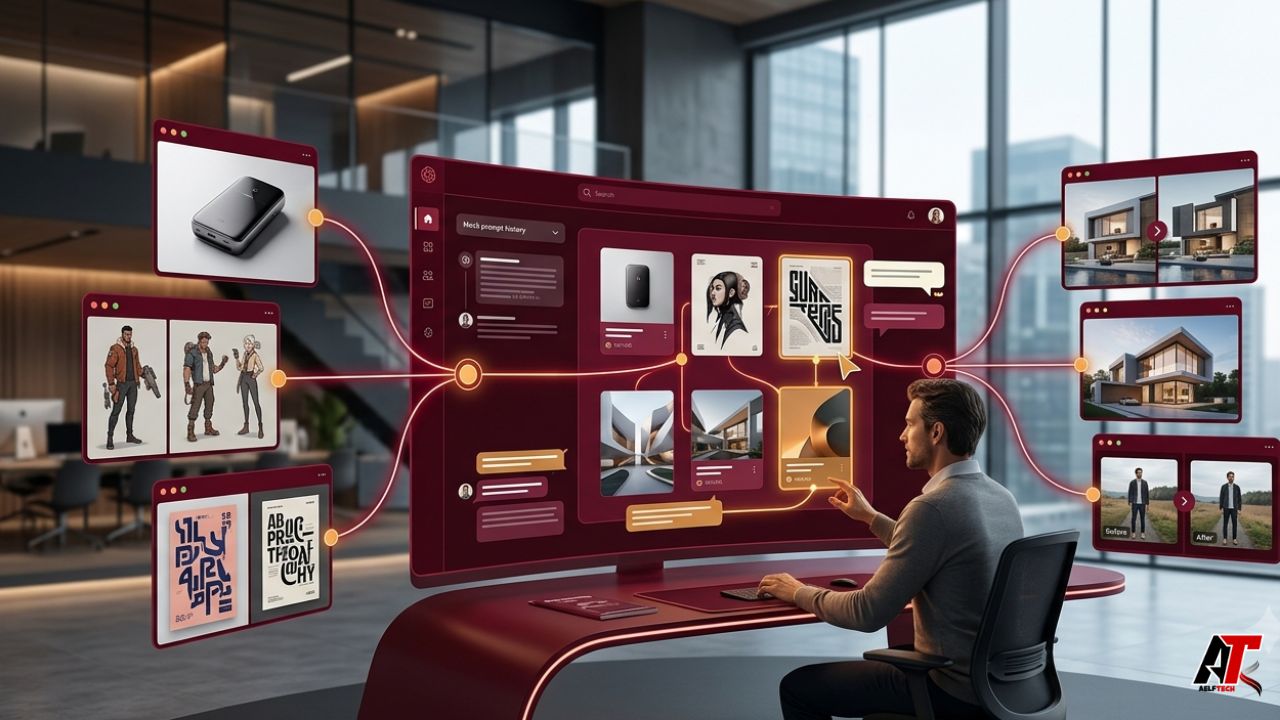
AI image generation no longer revolves around finding one permanent winner. New models appear quickly, established models split into fast and premium tiers, and specialized tools improve different parts of the process. One model may excel at typography, another at photorealism, another at character consistency, and another at rapid concept sketches. The creative question is therefore changing from “Which model is best?” to “How do we use the right model without breaking the workflow?”
That shift makes the workspace more important than the individual engine. A connected workspace can preserve prompts, reference images, versions, comments, permissions, output settings, and approved brand rules while the team moves between models. Without that layer, every model switch creates another browser tab, another file download, another naming problem, and another opportunity to lose the reasoning behind a good result.
The strongest creative systems in 2026 are not simply model menus. They are operating environments for visual work. They help people explore widely, compare fairly, edit deliberately, and deliver assets with a traceable history.
The Model Explosion Changes the Bottleneck
When only a few image generators were widely available, access felt like the advantage. Today, access is increasingly easy. The harder problem is coordination. Google, for example, distinguishes image models by speed, cost, latency, resolution, and production complexity. Its current guidance positions Nano Banana 2 as an all-around option, Nano Banana Pro for complex professional assets, and the earlier fast model for high-volume, low-latency work.
That variety is useful, but it creates decision overhead. A designer must decide which engine to use, which reference format it accepts, whether a prompt should be rewritten, what aspect ratio is supported, how much a batch costs, and whether the result can be edited later. The more models a team adds, the less practical it becomes to manage those choices manually.
A Great Workspace Turns Models Into Capabilities
A weak interface presents a list of model names. A strong workspace translates those names into creative capabilities. Instead of expecting every user to memorize technical differences, it can route work according to intent: quick ideation, text-heavy poster, product mockup, character edit, background replacement, high-resolution campaign image, or low-cost batch generation.
This distinction matters because most users do not want a model. They want an outcome. The workspace should help them choose the most suitable route, while still allowing experts to control the engine, resolution, aspect ratio, reference strength, and other settings when necessary.
What a Multi-Model AI Image Workspace Should Preserve
The value of a workspace becomes clearest when you look at what usually disappears during a model switch. A downloaded image rarely carries the full creative context. The final PNG may survive, while the prompt, negative instructions, reference set, seed, model version, edit history, and approval notes vanish.
- Prompt history: Keep the original brief, refinements, rejected directions, and final wording together.
- Reference lineage: Record which photos, sketches, palettes, or previous generations influenced the result.
- Model and settings: Save the engine, version, resolution, aspect ratio, batch size, and editing mode.
- Versions and decisions: Show why one option was selected and what changed between rounds.
- Rights and provenance: Retain information about source assets, usage permissions, and available content credentials.
- Delivery context: Connect the approved visual to the campaign, channel, size, deadline, and owner.
When these elements remain attached to the work, teams can reproduce successful directions, audit risky outputs, and hand projects between people without starting again.
Prompt Portability Is More Than Copy and Paste
The same prompt does not behave identically across models. Engines interpret style words, camera language, text placement, reference images, and negative constraints differently. A literal copy-and-paste workflow can produce misleading comparisons because one model may require concise instructions while another responds better to a structured creative brief.
A capable workspace can store one master brief and adapt it for each engine. It may convert a brand requirement into locked style instructions, map a canvas size to the nearest supported aspect ratio, or warn that a certain model does not support the same reference method. This lets users compare models on the creative goal rather than on accidental prompt formatting.
Side-by-Side Comparison Creates Better Decisions
Model hopping is inefficient when results are scattered across separate tabs and download folders. A shared canvas changes the evaluation process. Outputs can be placed next to one another, labeled by model, and reviewed against the same criteria: composition, text accuracy, product fidelity, realism, brand fit, editability, speed, and cost.
Adobe Firefly Boards illustrates this direction by allowing users to generate with Adobe and partner models, use references from the canvas, remix images, share boards, comment, and collaborate in real time. Its model menu includes several families, but the board remains the stable place where the creative conversation happens. That is the deeper pattern: engines change; the project space persists.
The Workspace Becomes the Memory of the Project
Creative work is iterative, but most image generators are optimized around the latest request. A workspace can remember the entire project. It knows that the blue packaging was approved, the earlier character face must remain consistent, the legal team rejected a claim on the poster, and the social version needs extra negative space for mobile text.
This memory reduces prompt drift. Instead of repeatedly explaining the brand, users can reuse approved references, color palettes, layouts, and instructions. Adobe’s Style Kits offer a concrete example of this idea by saving and sharing style settings so collaborators can generate variations within approved brand rules. The principle applies beyond one platform: consistency should live above the model, not depend on one employee remembering the perfect prompt.
Collaboration Matters More Than Solo Generation
A striking image is rarely the final business deliverable. Marketing may need to confirm the message, design may refine the hierarchy, product teams may check factual details, and legal reviewers may question likenesses or source material. Sending loose images through email or chat strips away context and produces confusing feedback such as “use the second one” after another batch has already been generated.
A connected workspace anchors comments to the right version, shows approval status, identifies the creator, and limits who can publish or spend credits. This is especially important when non-designers are allowed to generate campaign assets. The workspace can make experimentation open while keeping final production controlled.
Model Routing Can Reduce Cost and Waiting Time
Not every task deserves the most expensive model. Teams often waste budget by using premium generation for early exploration, then generate dozens of near-identical alternatives because the brief is still unsettled. A smarter workflow uses fast, economical engines for rough directions and reserves high-resolution or reasoning-heavy models for selected concepts.
Routing can also happen by task. A text-focused model can handle packaging copy, an editing model can preserve a product while changing the background, and a high-volume model can create localized variants. A tool such as the linked Nano Banana AI Image Generator demonstrates how multiple fast, Pro, new-generation, and edit-oriented engines can be presented inside one browser interface. The wider lesson is not that one menu solves every workflow; it is that model choice becomes more useful when it is connected to a consistent creation process.
Governance Cannot Be an Afterthought
More model access also creates more governance questions. Which models are approved for client work? Can confidential reference images be uploaded? Are generated assets marked with provenance information? What happens when a model is retired or replaced? Who owns the prompt library, and how are brand assets protected?
A professional workspace should expose these decisions rather than hide them. It can maintain an approved-model list, show usage terms, restrict sensitive projects, log generation history, and retain content credentials when available. Adobe states that Firefly Boards uses Content Credentials to support transparency about how content was created. Google states that images from its Gemini image generation include SynthID watermarking. These signals do not replace human review, but they make responsible operations easier.
A Practical Workspace Evaluation Checklist
Before adopting a multi-model platform, test the workflow rather than judging the homepage. A polished model gallery can look impressive while basic production tasks remain awkward.
- Model access: Does it offer genuinely different strengths, or several labels with little practical explanation?
- Persistent history: Can you recover prompts, references, settings, and earlier versions later?
- Comparison tools: Can outputs from different engines be reviewed on one canvas with clear labels?
- Editing continuity: Can a selected image move from generation to targeted edits without losing its history?
- Brand controls: Can approved colors, styles, layouts, and reference assets be reused or locked?
- Collaboration: Are comments, permissions, approvals, and handoffs built into the project?
- Cost visibility: Can users see credit or price differences before launching a batch?
- Provenance and policy: Does the workspace retain source information and explain model-specific terms?
- Export quality: Does it support the formats, sizes, transparency, and downstream tools your team needs?
Build the Process Around the Brief, Not the Model
A durable workflow begins with a model-neutral brief. Define the audience, message, subject, composition, channel, dimensions, brand constraints, prohibited elements, and success criteria before generation. Then select models according to the task and compare them inside the same project space.
After the first round, narrow the direction before paying for final resolution. Attach feedback to versions, preserve approved references, and document important edits. When the asset is accepted, store the final file with its creation history and usage context. This structure prevents the team from treating each generation as an isolated experiment.
The Competitive Advantage Moves Up the Stack
Image models will continue to improve, specialize, and change. Some will become faster; others will deliver stronger typography, editing, realism, or brand control. A business that builds its entire process around one model risks disruption whenever pricing, availability, policy, or quality changes.
A well-designed workspace reduces that dependence. It lets the organization replace an engine without replacing its creative memory, collaboration habits, prompt library, approval system, or asset structure. The advantage moves up the stack—from access to a particular model toward the ability to coordinate many models reliably.
Final Thoughts
When image models multiply, choosing a generator remains important, but it is no longer the whole decision. The larger value comes from the environment that connects generation to references, comparison, editing, brand rules, feedback, governance, and delivery.
The best workspace does not force every project through one engine. It makes model choice flexible while keeping the work itself coherent. That is what turns rapid AI experimentation into a repeatable creative operation. For more practical analysis of emerging digital tools and workflows, visit aelftech.com.
Leave a Reply