
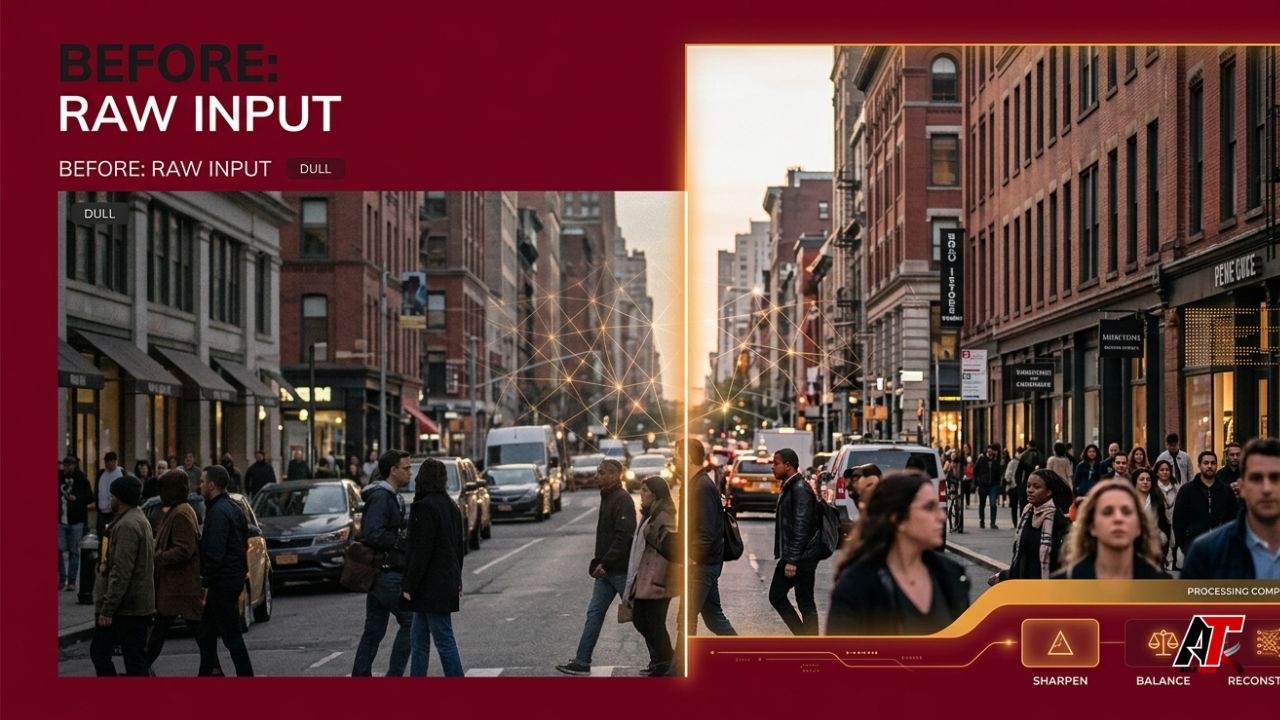
A good photograph can still look disappointing when it is too dark, slightly blurry, noisy, faded, or too small for modern screens. Traditional editing can correct many of these problems, but it often requires technical knowledge and several manual adjustments. AI image enhancers simplify the process by analyzing a photo, identifying its weaknesses, and applying targeted corrections within seconds.
Unlike a basic filter that changes the entire picture in the same way, an AI-powered enhancer attempts to understand different areas. It may treat a face differently from a sky, protect the edges of a product, reduce grain in a dark background, and improve color without making skin tones look unnatural. The result is usually a cleaner, sharper, and more balanced image that remains close to the original.
What Is an AI Image Enhancer?
An AI image enhancer is a software tool that uses machine learning to improve the perceived quality of a digital image. Depending on the tool, it may correct exposure, increase sharpness, remove noise, repair compression artifacts, improve colors, restore faces, or enlarge a photo through super-resolution.
Modern systems are trained on large image collections so they can learn common visual patterns, including facial features, fabric texture, building edges, and smooth skies. When an image contains noise, blur, or missing pixels, the model predicts what a cleaner version could look like.
This approach makes enhancement fast and convenient. However, it also explains why users must review the result. The software can reconstruct plausible detail, but it cannot always recover the exact information the camera failed to capture. [1]
How AI Image Enhancers Analyze a Photo
The process normally begins with image analysis. The model examines brightness, color balance, edges, textures, faces, objects, and signs of damage. It may identify low-light noise, motion blur, JPEG blocks, washed-out highlights, or poor resolution.
After analysis, the tool applies one or more correction stages. Some applications use convolutional neural networks, while newer platforms may use transformer or diffusion-based models. These systems compare patterns in the damaged photo with patterns learned during training. They then estimate cleaner pixels while trying to preserve the subject’s shape and natural texture.
Most AI image enhancers rely on the following core processes.
1. AI Noise Reduction Creates Cleaner Images
Digital noise appears as colored speckles, grain, or rough patches, especially in photos taken at night or with a high camera ISO. Traditional noise reduction can smooth the entire picture and remove useful details with the grain.
AI denoising is more selective. It attempts to distinguish random noise from meaningful features such as eyelashes, hair, fabric, grass, and text. The software can smooth flat areas, including walls and skies, while protecting stronger edges. Research on deep-learning denoising shows that neural networks can be trained to handle several types of image noise and degradation. [5]
This is useful for indoor events, smartphone images, old scans, and product photos captured in imperfect lighting. The smoothest result is not always the best one. Excessive denoising can create waxy skin and plastic-looking surfaces, so moderate settings usually appear more natural.
2. Sharpening and Deblurring Improve Clarity
A soft image may result from slight camera movement, missed focus, low-quality lenses, resizing, or repeated compression. AI sharpening looks for important edges and increases local contrast around them. This can make eyes, clothing, architecture, and product outlines appear more defined.
Deblurring is more difficult. Deep-learning models attempt to estimate how the blur occurred and reconstruct a sharper version. Modern research covers motion blur, defocus blur, faces, and text. These methods can improve mildly blurred images, but severe motion blur remains challenging because the original detail may be spread across many pixels. [6]
Users should expect improvement rather than a perfect rescue. A slightly soft portrait may become suitable for social media, while a heavily blurred sign or tiny line of text may remain unreliable. Newly visible details should not automatically be treated as factual evidence.
3. Super-Resolution Enlarges Small Photos
Normal resizing makes an image larger by interpolating between existing pixels. It increases dimensions, but it does not add captured detail. AI super-resolution uses a trained model to predict higher-resolution patterns from the low-resolution input.
Some systems create sharper edges and more realistic textures by comparing the image with visual patterns learned from high-quality examples. Diffusion-based super-resolution can progressively refine a small image into a larger result. Adobe also provides AI-powered Denoise, Raw Details, and Super Resolution features for improving image quality. [2][3][4]
This technology is valuable when enlarging an old photo, improving a crop, preparing a marketplace listing, or creating a larger social graphic. Still, predicted detail is not identical to camera-captured detail. Hair strands, skin texture, and tiny objects may look convincing while being partly estimated by the model.
4. Exposure and Color Correction Improve Balance
Poor lighting can hide a subject in shadow, create harsh highlights, or make an image look flat. AI enhancers evaluate the tonal range and adjust shadows, midtones, highlights, and local contrast. Instead of brightening everything equally, a tool may lift a dark face while controlling a bright background.
Color correction works in a similar way. The model can detect an unwanted blue, green, or orange cast and estimate a more neutral white balance. It may also improve saturation while trying to preserve natural skin tones.
These corrections help smartphone photos taken under mixed lighting and product photographs where accurate color matters. The goal should be a believable image, not an aggressively processed picture with crushed blacks, glowing edges, or extreme saturation.
5. Face Restoration Rebuilds Portrait Details
Portrait-focused models detect facial landmarks such as eyes, eyebrows, lips, and the outline of the face. They can improve lighting, reduce noise, sharpen features, and repair damage in scanned photographs.
Face restoration can make old or compressed portraits more engaging, but it requires caution. When the source contains very little facial information, the model may generate features that do not perfectly match the real person. Keep the enhanced version alongside the original scan. For journalism, legal evidence, historical research, or identity verification, disclose the enhancement and avoid treating reconstructed features as confirmed facts.
Why AI-Enhanced Photos Often Look Better
People usually judge image quality through clarity, lighting, color, contrast, and visible detail. AI enhancement improves several of these signals at the same time. A brighter face is easier to recognize, cleaner edges make the subject stand out, and reduced noise creates a more professional appearance.
The improvement is also local rather than purely global. A basic preset might sharpen noise in the sky or oversaturate skin. A stronger AI system can apply different adjustments to different regions, helping the subject and background remain visually balanced.
AI enhancement also saves time. Beginners can try an AI Image Enhancer App to automate exposure, color, contrast, sharpness, and noise corrections in one workflow. The result can then be refined with smaller manual adjustments.
Common Uses of AI Image Enhancers
Content creators use these tools to prepare social posts, YouTube thumbnails, blog graphics, and portfolio images. Clearer subjects and improved lighting make visual content easier to understand on small screens.
Online sellers use enhancement to clean backgrounds, clarify product edges, and reveal fabric or surface texture. Sellers should keep colors accurate and avoid creating details that could misrepresent an item.
Families can improve scanned prints, faded photographs, and compressed images received through messaging apps. Designers and marketing teams can enhance visuals for websites, presentations, advertisements, and email campaigns. A low-resolution asset may become more usable after careful upscaling, but it must be checked at the final display or print size.
For more practical guides on AI tools and digital workflows, explore aelftech.com.
How to Get Better Results
Start with the highest-quality original available. A full-resolution file gives the model more information than a screenshot or compressed social download.
Choose the right mode. Use denoise for grain, sharpen for mild softness, upscale for small dimensions, and color correction for lighting problems. Applying every effect at maximum strength can make the result artificial.
Process one problem at a time when possible. Reduce noise before sharpening because strong sharpening can exaggerate grain. Correct exposure and white balance before adding creative color changes.
Compare the before-and-after versions at 100 percent zoom. Inspect eyes, hair, text, product edges, fabric, foliage, and repeating patterns. Warning signs include halos, invented letters, duplicated textures, unnatural skin, or painted-looking detail.
Keep the original file and save the enhanced version separately. Match the output to its purpose. A social media image does not require the same resolution as a large print, and unnecessary upscaling may increase file size and artificial detail.
What AI Image Enhancers Cannot Fix
AI tools do not perform miracles. Fully white highlights contain little or no recoverable information. Pure black areas may also lack usable detail. Severe motion blur, extreme pixelation, and tiny text can remain impossible to reconstruct accurately.
An enhancer may also misunderstand unusual textures. Jewelry, hands, hair, patterned clothing, small logos, and repeating architecture can change unexpectedly. Face models may over-smooth skin, while upscaling may generate realistic-looking details that were not recorded.
Privacy is another concern. Before uploading private family photos, client work, identification documents, or copyrighted material, review the platform’s privacy and data-handling terms. Sensitive images may be safer in trusted desktop software.
AI Enhancement vs. Manual Editing
AI enhancement is ideal for speed, accessibility, and routine corrections. It provides a useful first pass for people without advanced editing skills. Manual editing offers greater control over masks, curves, layers, color channels, and detailed retouching.
The strongest workflow often combines both. AI can remove noise, improve resolution, or balance initial exposure. A human editor can then correct artifacts, refine colors, protect important details, and make sure the final image suits its purpose.
How to Choose the Right Tool
Choose a tool that supports your required file types and output size. Check whether it adds a watermark, limits resolution, compresses downloads, or charges for high-quality exports.
A useful enhancer should provide a clear before-and-after preview and reasonable control over intensity. Separate options for denoising, sharpening, color repair, and upscaling are helpful because different images need different treatment.
Also review privacy policies, deletion practices, and commercial-use terms. Businesses should confirm that client and product images can be processed under the service’s conditions. Most importantly, test the platform with realistic images rather than relying only on promotional samples.
Final Thoughts
AI image enhancers improve photos through intelligent analysis and automated correction. They can reduce noise, sharpen edges, repair color, balance exposure, restore portraits, remove compression artifacts, and enlarge small files. Their main advantage is the ability to apply different corrections to different image areas.
The technology works best when the source still contains useful information. Mild noise, dull lighting, soft focus, and limited resolution are good candidates. Severe blur, missing highlights, and unreadable text are much harder to repair.
A successful result should look cleaner without appearing invented. By using the best source file, moderate settings, close inspection, and a preserved original, users can benefit from AI enhancement while maintaining accuracy and visual credibility.
Frequently Asked Questions
Do AI image enhancers really improve photo quality?
Yes. They can improve perceived quality by correcting noise, sharpness, exposure, color, contrast, and resolution. The result depends on the condition and size of the original image.
Can AI make a blurry photo completely clear?
AI can improve mild softness and certain types of blur. It usually cannot perfectly restore severe motion blur, missed focus, or detail that was never captured.
Does AI upscaling create real details?
AI upscaling predicts plausible new pixels and textures. The result may look realistic, but predicted detail should not be confused with verified information from the original scene.
Are AI-enhanced photos suitable for business use?
They can be useful for websites, social media, presentations, and product listings. Businesses should review accuracy, privacy, commercial-use terms, and visible artifacts before publishing.
Leave a Reply