
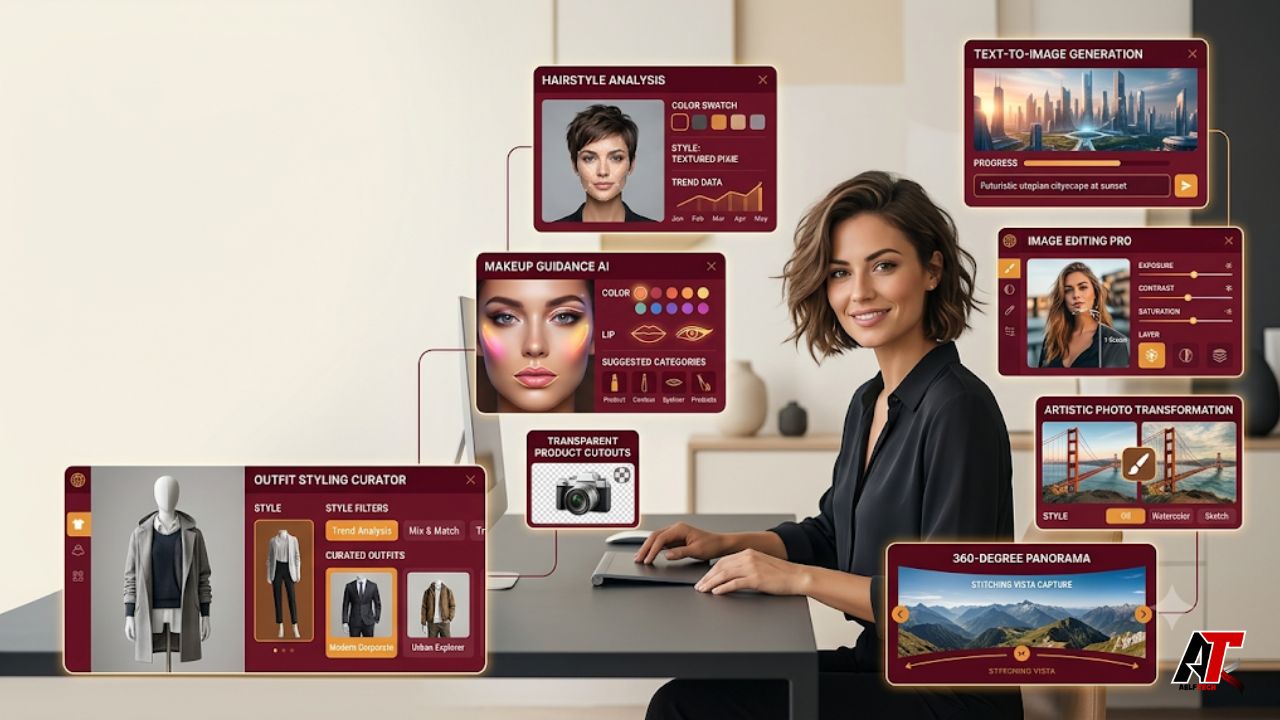
AI image creation has moved far beyond typing a short prompt and hoping for a usable result. In 2026, creators expect tools that understand layout, preserve important details, render readable text, edit reference images, and produce assets in the right format for social media, websites, campaigns, and client work.
That is where GPT Image 2 and focused creator platforms become useful. OpenAI describes GPT Image 2 as a state-of-the-art model for high-quality image generation and editing, with text and image inputs, flexible sizes, and high-fidelity reference handling. Instead of offering one blank prompt box for every task, ChatImage packages image generation into focused workflows for posters, portraits, style guides, object cutouts, 360 scenes, and other practical jobs.
This guide reviews the top Chat Image tools powered by GPT Image 2, explains what each tool does best, and shows how creators can choose the right workflow without wasting credits or time.
What Makes GPT Image 2 Useful for Creators?
GPT Image 2 arrived during a major shift from novelty image generation to production-focused visual work. The model is designed for both generation and editing, which means a creator can start from a written brief, upload a reference, or combine both approaches.
Its biggest practical advantages include stronger prompt following, more accurate text rendering, improved multilingual typography, flexible aspect ratios, and better visual consistency during edits. These improvements matter because a marketing image is not successful simply because it looks attractive. The headline must be readable, the product must remain recognizable, the composition must fit the channel, and later revisions should not destroy the parts that already work.
A platform such as chat image makes these capabilities easier to access through browser-based controls. Users can select resolution, quality, aspect ratio, and task-specific options without building an API workflow or mastering advanced design software.
1. ChatImage GPT Image 2 Generator
Best for: Posters, thumbnails, product visuals, social graphics, concept art, and branded creative directions.
The main ChatImage generator is the most flexible tool in the collection. It supports text-to-image creation for new concepts and image-to-image editing when a reference needs to guide the style, composition, product details, or overall direction.
This is the right starting point for creators who already know what they want to make. A detailed prompt can define the subject, audience, mood, camera angle, lighting, color palette, typography, layout, and final aspect ratio. Reference-image mode is more useful when the job involves an existing product photo, brand asset, interface, room, person, or campaign visual.
The generator is especially valuable for iterative work. Rather than rebuilding a design from the beginning, users can request focused changes such as moving a logo, replacing clothing, simplifying a background, correcting text, adjusting lighting, or resizing a composition for another platform.
Use it when the brief is custom and cannot be solved by a one-purpose preset.
2. AI Hairstyle Changer
Best for: Salon planning, makeover content, personal styling, beauty creators, and client consultation references.
The AI Hairstyle Changer turns one clear portrait into a structured hairstyle guide. According to its current workflow, the tool can analyze face shape and generate haircut ideas, hair-color directions, match scores, and maintenance guidance. It also offers multiple resolutions, quality levels, aspect ratios, and multilingual output.
Its strongest benefit is decision support. Many hairstyle apps only place random wigs or preset cuts over a face. This tool aims to create a more organized report that helps users compare length, volume, fringe, color, and everyday maintenance before making a real salon decision.
For better results, upload a recent front-facing photo with clear lighting, visible facial features, and minimal filters. Avoid sunglasses, extreme angles, heavy shadows, or photos where the face is too small.
Creators can use the output for transformation reels, beauty blog content, salon consultations, or personalized style posts. However, the result should be treated as a visual recommendation, not a guarantee of how a real haircut will behave with a person’s exact hair density, texture, growth pattern, or styling routine.
3. AI Makeup Analysis Tool
Best for: Beauty planning, cosmetic content, event preparation, makeup artist briefs, and product-shopping guidance.
The AI Makeup tool analyzes a portrait and produces a visual guide instead of applying one generic filter. The report may include undertone direction, flattering lip and blush colors, eye looks, brow guidance, makeup finishes, colors to avoid, and comparisons between natural, soft-glam, warm, or bold styles.
A clean image is essential. Natural daylight, minimal existing makeup, and a front-facing angle help the system read visible skin tone and facial structure more clearly. Heavy filters or strong color grading may lead to less useful recommendations.
The tool is best viewed as a creative and planning assistant. Lighting, camera processing, and screen calibration can change how colors appear, so final shade choices should still be checked in real conditions.
4. AI Outfit Generator
Best for: Personal style guides, wardrobe planning, shopping content, fashion creators, headshots, events, and stylist briefs.
The AI Outfit Generator builds a visual style guide from a portrait. It can suggest color directions, silhouettes, outfit categories, occasion-based looks, shoes, accessories, and styles to avoid. Users can choose a broad automatic analysis or focus on categories such as dresses, necklines, tops, jackets, outerwear, or complete outfits.
This is more practical than a random virtual outfit generator because it creates a reusable framework. Creators can turn the result into a capsule-wardrobe post, a before-and-after styling video, a shopping checklist, or a personalized fashion consultation graphic.
For accurate-looking results, use a well-lit portrait that clearly shows the face, hair, upper body, and natural coloring. Remember that a single photo cannot perfectly measure body proportions or fabric behavior, so use the guide as inspiration rather than exact tailoring advice.
5. 360 World Image Generator
Best for: Interior previews, real estate concepts, travel content, venue marketing, VR backgrounds, game ideas, and immersive presentations.
The 360 World tool expands one scene photo into a 16:9 equirectangular panorama. The completed image opens in a browser-based viewer where users can drag, zoom, auto-rotate, reset the angle, and explore the scene before downloading it.
It works best with rooms, streets, gardens, venues, landscapes, and architecture that provide enough spatial information. A close-up portrait or tightly cropped object gives the model little context for building a believable surrounding world.
Creators can use the result for a virtual property preview, an immersive travel post, a pitch deck, a restaurant showcase, a concept environment, or a background for 3D and VR experiments. Generated areas are imaginative extensions, so they should not be presented as documentary proof of a real location.
6. AI Image Cutout
Best for: E-commerce assets, product catalogs, Canva and Figma workflows, presentation design, animation preparation, and layered editing.
The AI Image Cutout tool lets users draw rough boxes around several objects in one image, name each target, and generate separate transparent cutouts. Outputs can include individual PNG files or a layered PSD with named layers.
This is a major workflow improvement for creators working with flat lays, room photos, mood boards, product collections, or busy scenes. Traditional background removers often focus on one main subject. Here, multiple products or elements can be separated in a single project without uploading the same image repeatedly.
Always make sure you own the image or have permission to extract and reuse its elements. A clean cutout does not automatically grant usage rights.
7. Image Face Swap
Best for: Consented creative edits, entertainment concepts, character mockups, personalized campaigns, and visual experimentation.
The Image Face Swap tool uses a source face and a target photo, then blends the new face while accounting for angle, lighting, and visible skin tone. It can also target a selected person when the destination image includes multiple faces.
For legitimate creative work, this can speed up casting mockups, costume concepts, themed portraits, or internal campaign previews. A clear source portrait and a high-quality target image with compatible angles usually produce more natural results.
This tool also requires the strongest ethical controls. Only use faces with clear permission. Do not create deceptive political content, fake evidence, harassment, impersonation, or misleading endorsements. Creators should label synthetic or heavily edited visuals when an audience could reasonably mistake them for real events.
8. Ghibli-Style Filter
Best for: Warm illustrated portraits, travel memories, social posts, gift concepts, and stylized before-and-after content.
The Ghibli-style workflow transforms an uploaded photograph into a soft, hand-painted animation-inspired image. Its no-prompt approach makes it suitable for users who want a quick stylistic result without writing a detailed art-direction brief.
Creators should avoid presenting the output as official Studio Ghibli artwork or using protected characters and logos. A safer editorial description is “whimsical hand-painted animation style” or “warm storybook-inspired illustration.”
How to Choose the Right Chat Image Tool
Choose the main generator when you need maximum creative control. Choose the hairstyle, makeup, or outfit tool when you want a structured personal-style report without writing prompts. Use the 360 generator for immersive environments, the cutout tool for production assets, face swap for consent-based composites, and the illustration filter for fast stylistic transformations.
Before generating, define the final use: website hero, Instagram post, Pinterest graphic, YouTube thumbnail, product listing, presentation, or print piece. Then select the matching aspect ratio and quality. Use 1K for drafts and quick social tests; choose 2K or higher-quality settings when details, typography, cropping flexibility, or client review matter.
A strong input also saves credits. Give the model clean reference images, clear instructions, correct spelling for visible text, and a defined hierarchy. Mention what must remain unchanged during edits. When a result is close, request one focused revision at a time instead of changing the entire brief.
Final Thoughts
The most useful AI image tools in 2026 are not the ones that generate the most random variations. They are the ones that turn a real creative task into a clear workflow. ChatImage combines GPT Image 2 generation and editing with focused tools for styling, immersive scenes, asset extraction, and visual transformation.
For creators, marketers, e-commerce teams, and designers, the main advantage is speed without completely giving up control. The tools can help produce drafts, references, campaign concepts, and reusable assets, but professional judgment still matters. Review text, check anatomy and product accuracy, confirm rights and consent, and never publish a generated claim as fact without verification.
For more practical AI, SEO, design, and digital workflow guides, explore aelftech.com and build a process where artificial intelligence supports creativity rather than replacing careful creative direction.
Frequently Asked Questions
Is GPT Image 2 better for editing or generation?
It supports both. It can generate new images from text and edit uploaded references. The better choice depends on whether you are starting with a blank concept or preserving an existing subject, brand asset, layout, or product.
Do ChatImage tools require prompt-writing skills?
The main generator benefits from detailed prompts, but focused tools such as hairstyle, makeup, outfit, cutout, and 360 workflows are designed to reduce or remove prompt writing.
Can GPT Image 2 create readable text in images?
GPT Image 2 is designed to improve text rendering and multilingual visual output. Even so, creators should proofread every visible word before publishing, especially prices, dates, product names, and legal statements.
Are AI-generated images safe for commercial use?
Commercial suitability depends on platform terms, source-image rights, trademarks, consent, and the content of the output. Review the current license and avoid using copyrighted characters, unauthorized faces, or third-party assets without permission.
What is the best ChatImage tool for social media creators?
The main generator is the most flexible choice for thumbnails, posts, posters, and campaign graphics. Hairstyle, makeup, outfit, and illustration tools are useful when the content focuses on personal transformation or lifestyle topics.
Leave a Reply