
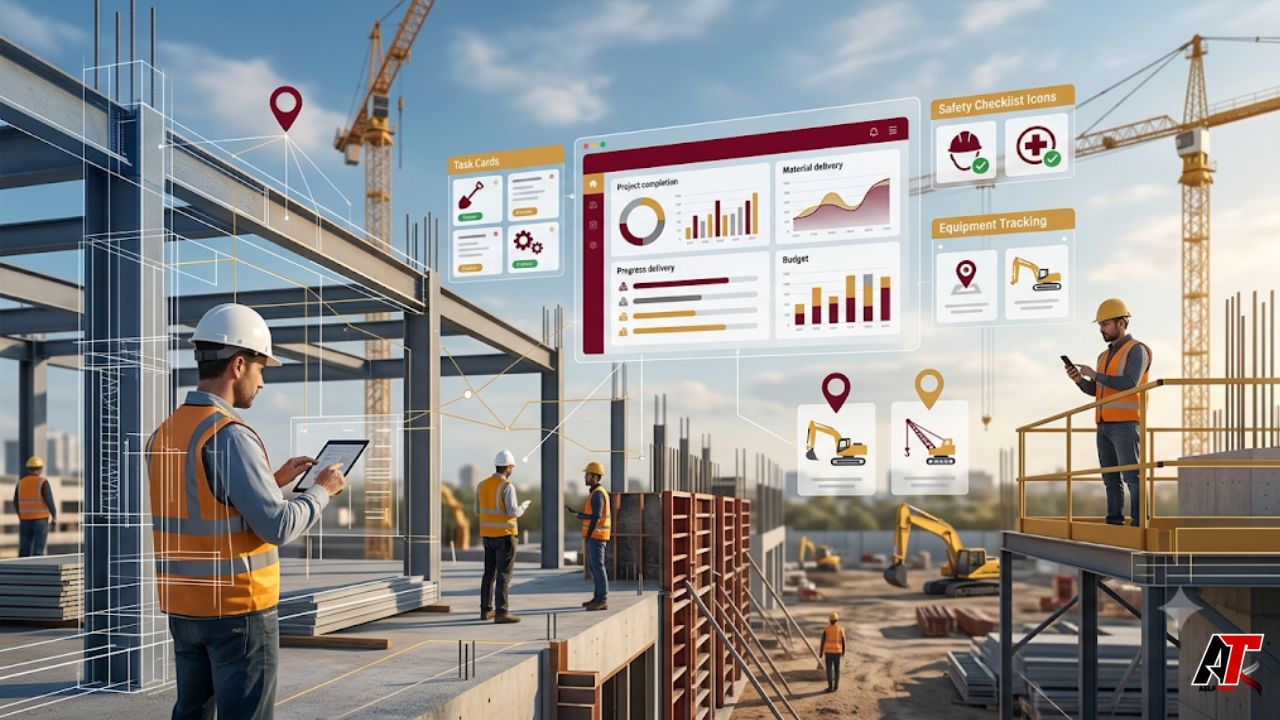
Construction has always been a fast-moving business. Every job site has crews, subcontractors, inspections, deliveries, drawings, approvals, safety checks, and client expectations moving at the same time. When those details are handled through paper forms, scattered spreadsheets, phone calls, or long email threads, even a small delay can create costly confusion.
That is why construction app development is becoming a serious operational investment. A well-built app can connect field teams with the office, organize project data, and make daily decisions easier. It does not replace experienced supervisors or project managers. Instead, it gives them cleaner information, faster reporting, and better control over work that is already happening on site.
This guide explains how construction apps are reshaping job site workflows, which features matter most, and what construction companies should consider before choosing or building a digital solution.
Why Job Site Workflows Need Better Digital Systems
Traditional construction workflows often depend on people passing information manually. A foreman writes notes in the field. A project manager waits for a report. An office team updates a spreadsheet later. By the time everyone sees the same information, the job site may have already moved on.
This gap creates real problems. Teams may work from outdated plans. RFIs may sit unanswered. Safety issues may be reported late. Change orders may lose context. The issue is not usually poor effort. It is that manual systems are too slow for modern project demands.
What Construction App Development Really Means
Construction app development means creating mobile apps, web dashboards, portals, and custom tools for construction teams. These tools can support field reporting, document access, task tracking, inspections, time entry, equipment logs, cost visibility, and system integrations.
Some companies use off-the-shelf software. Others need custom apps because their workflow is unique. A specialty contractor may need a mobile inspection app. A general contractor may need daily reports connected to project management software. A developer may need a dashboard that combines cost, schedule, photos, and approvals in one place.
Real-Time Communication Between Field and Office
One of the biggest benefits of construction apps is faster communication. A worker can report an issue with a photo. A supervisor can assign it to the right person. A project manager can review the update from the office without waiting for a meeting or a long email chain.
The best part is context. Instead of a random message, the update can be tied to a task, location, drawing, checklist, or inspection record. This makes the conversation easier to understand later and helps teams solve problems before they become delays.
Plans, Drawings, and Revisions Stay Easier to Control
Outdated drawings are a common cause of rework. If crews follow an old plan, the result can be wasted material, delayed schedules, and frustrated clients. Construction apps help by giving field teams access to the latest approved files from a phone or tablet.
A good app can organize drawings by project, trade, area, version, and date. It can also show revision history and control who can view or edit information. This matters because many decisions happen on site, where crews need quick answers without leaving the work area.
Daily Reports Become Faster and More Reliable
Daily reports are important, but they are often treated as extra admin work. Crews may complete them after hours or copy details from memory. A digital reporting workflow lets teams capture progress, weather, labor, deliveries, delays, photos, and safety notes throughout the day.
This creates a stronger project record. If there is a dispute, delay claim, quality issue, or client question, managers can review organized information instead of searching through notebooks, texts, emails, and photo galleries.
Task Management Gets Clearer
Busy job sites need clear responsibility. When nobody knows who owns a task, work can stall. Construction apps turn field work into trackable items with owners, due dates, status updates, photos, comments, and priority levels.
This visibility helps supervisors see what is open, blocked, overdue, or completed. It also helps subcontractors understand expectations. The goal is not to micromanage workers. The goal is to remove confusion so teams can finish work with fewer surprises.
Safety Workflows Move From Paper to Prevention
Safety is one of the strongest reasons to invest in construction app development. Paper checklists are easy to lose and hard to audit. Digital safety workflows can include inspections, incident reports, toolbox talk records, hazard photos, corrective actions, and sign-offs.
When a serious issue is reported, the right people can be notified quickly. This supports faster response and better documentation. Apps do not replace training, supervision, or safety culture, but they make important safety steps easier to follow consistently.
Resource Tracking Improves Project Visibility
Projects depend on materials, labor, tools, and equipment arriving at the right place at the right time. If a delivery is missed or labor hours are entered late, managers may not see the impact until the budget or schedule is already under pressure.
Apps can track deliveries, inventory, equipment status, tool assignments, and time entries. They can also help office teams reduce duplicate data entry. When field data flows into reporting tools, leaders get a clearer view of project health.
Integrations Make Construction Apps More Valuable
Many companies already use project management, accounting, document control, and scheduling platforms. The challenge is that these systems do not always share data smoothly. A custom app can connect field workflows with the tools a company already trusts.
For example, contractors may need apps that connect project documents, RFIs, submittals, costs, or field updates with internal dashboards. Companies such as Bolder Apps build mobile and web app solutions for different business needs, including construction-related workflows.
For teams working with Autodesk-related systems, it can also help to review Bolder Apps deep expertise with the Autodesk Construction Cloud as a resource for custom apps, integrations, and field tools connected to construction cloud workflows.
Custom Apps vs. Off-the-Shelf Construction Software
Off-the-shelf software can be a good first step. It may already include common features such as punch lists, document storage, schedules, and reporting. However, it may not fit every process, especially when a company has a unique field workflow or needs deeper integrations.
Custom app development makes sense when teams are repeating the same manual tasks, copying data between systems, or using spreadsheets for mission-critical work. The app should solve a measurable problem. It should save time, reduce errors, improve visibility, or help teams work with less friction.
High-Impact Construction App Features
| Feature | How It Improves the Workflow |
| Mobile daily reports | Captures progress, labor, delays, weather, and photos during the workday. |
| Digital plan access | Keeps crews aligned with the latest approved drawings and revisions. |
| Task and punch lists | Clarifies ownership, deadlines, status, and follow-up actions. |
| Safety checklists | Makes inspections, hazards, incidents, and corrective actions easier to track. |
| Offline mode | Allows field teams to keep working when internet service is weak. |
| System integrations | Connects field data with project management, accounting, or reporting tools. |
What Companies Should Check Before Building an App
Before building anything, construction companies should map the workflow they want to improve. Who uses it? What information is collected? Where does that data go next? Which steps cause the most delay? These questions help the development team design around real job site behavior.
Companies should also plan for adoption. A simple app that crews use every day is better than a complex tool nobody opens. Training, leadership support, role-based permissions, and a clear launch plan are just as important as the code itself.
How Apps Improve Decision-Making
Good project decisions depend on good information. Apps help managers see current photos, task status, open issues, safety reports, and field notes without waiting for weekly summaries. This helps leaders spot risks earlier and respond with more confidence.
For digital teams writing about construction technology, aelftech.com can use this topic to explain how software strategy, user experience, and workflow design work together in real business environments.
Final Thoughts
Construction app development is reshaping job site workflows by closing the gap between the field and the office. It helps teams communicate faster, document work better, track tasks clearly, improve safety processes, and make project data easier to trust.
The real value comes from solving practical problems. A construction app should not make daily work harder. It should remove friction from the tasks crews already perform. When an app is designed around real workflows, it becomes a useful operating tool, not just another piece of software.
For contractors and construction technology companies, the direction is clear. Connected digital workflows are becoming essential for better control, fewer delays, and stronger project visibility. The companies that invest wisely today will be better prepared for the connected job sites of tomorrow.
FAQs
What is construction app development?
Construction app development is the process of creating mobile, web, or custom software tools that help construction teams manage field work, documents, tasks, reporting, safety, and communication.
Why are construction apps important for job sites?
They help field and office teams share accurate information faster. This improves communication, reduces paperwork, supports safety workflows, and gives managers better project visibility.
Should every contractor build a custom app?
No. Some contractors can use existing software. A custom app is usually better when a company has a repeated workflow problem that standard tools do not solve well.
Leave a Reply