
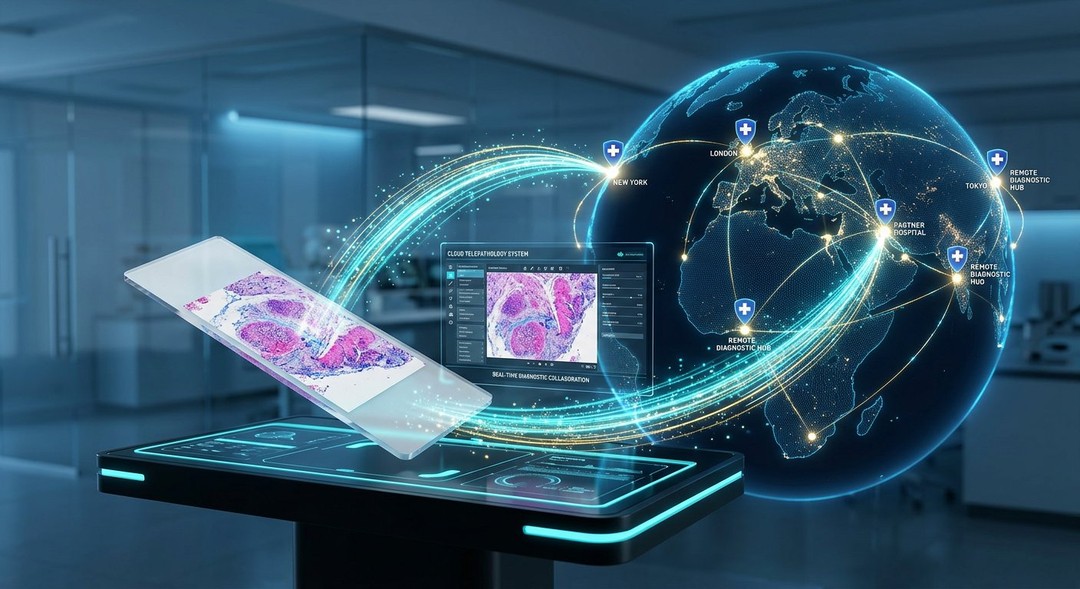
Pathology laboratories handle complex processes that extend far beyond assigning medical codes or preparing billing information. Every specimen must be received, identified, processed, examined, documented, and reported accurately. As laboratories face growing demands for efficiency, traceability, and reliable communication, pathology software has become an important component of modern diagnostic operations. These systems can help coordinate workflows, organize information, and support professionals responsible for delivering accurate laboratory results.
Although medical coding remains essential for reimbursement and administrative reporting, pathology software performs a much broader role. Depending on its design, it may support specimen tracking, laboratory information management, diagnostic reporting, quality assurance, digital pathology integration, and communication with other healthcare systems. Understanding these capabilities can help laboratory managers, pathologists, healthcare administrators, and technology decision-makers identify solutions that meet operational needs without compromising patient safety or data integrity.
What Is Pathology Software?
Pathology software refers to digital applications and information systems designed to support the clinical, operational, and administrative activities of pathology laboratories.
These systems may be used in anatomical pathology, clinical pathology, molecular diagnostics, cytology, histology, and other laboratory disciplines.
The exact functions depend on the software category and intended use.
Some platforms primarily manage laboratory information.
Others focus on digital slide viewing, image analysis, reporting, workflow automation, or billing integration.
A comprehensive pathology software environment may combine several applications through interfaces and shared data systems.
Why Pathology Laboratories Need Specialized Software
Pathology workflows involve multiple stages and different professional responsibilities.
A specimen collected from a patient may pass through receiving, accessioning, preparation, examination, and reporting.
Each stage requires accurate identification and documentation.
Manual systems can make it difficult to coordinate information across these activities.
Digital tools may reduce repetitive data entry, improve record retrieval, and support standardized workflows.
However, software cannot eliminate every source of error.
Its effectiveness depends on appropriate configuration, staff training, validation, and ongoing quality management.
Pathology Software vs General Medical Software
General medical software may focus on patient appointments, clinical records, prescriptions, or billing.
Pathology software addresses laboratory-specific requirements such as specimen identification, test workflows, diagnostic reporting, and result management.
Some healthcare organizations integrate laboratory systems with electronic health records.
This allows authorized clinicians to access laboratory results within broader patient records.
However, integration quality depends on technical compatibility and implementation.
How Pathology Software Goes Beyond Medical Coding
Medical coding translates diagnoses, procedures, and services into standardized codes used for administrative, statistical, and reimbursement purposes.
In pathology, coding may involve systems such as CPT, ICD-10-CM, and other applicable classifications.
However, coding represents only one part of laboratory operations.
Pathology software can support the clinical and operational processes that occur before and after coding.
For example, a laboratory may need to track a biopsy specimen from receipt through preparation and microscopic examination.
The system may also support report creation, quality checks, and communication with the ordering clinician.
These activities involve different requirements from billing.
The Difference Between Coding and Laboratory Management
Coding focuses on classification and administrative representation.
Laboratory management focuses on coordinating the work needed to produce reliable diagnostic information.
Both functions are important, but they address different needs.
A pathology software platform that supports laboratory workflows may provide operational value even when billing is handled by a separate system.
7 Powerful Benefits of Pathology Software Beyond Coding
Modern pathology software can support several areas of laboratory performance.
The following seven capabilities explain why these systems are relevant to healthcare organizations.
1. Streamlined Specimen Tracking and Identification
Specimen identification is a critical component of laboratory safety.
Each sample must remain correctly associated with the patient and requested examination.
Errors involving specimen identity can have serious clinical consequences.
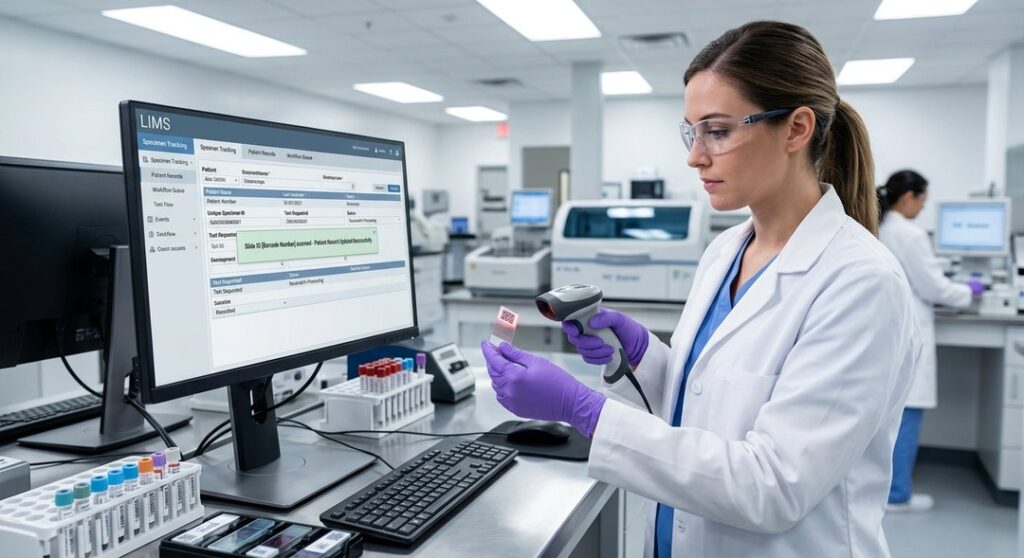
Pathology software can support traceability through unique accession numbers, barcode labels, and recorded workflow events.
How Digital Specimen Tracking Works
When a specimen arrives, laboratory staff may register it in the information system.
The software can assign or record a unique identifier.
That identifier may then be used during processing, storage, and reporting.
Barcode scanning can help staff confirm specimen identity at defined checkpoints.
However, barcode technology does not replace established verification procedures.
Laboratories must still follow appropriate specimen acceptance and identification policies.
Benefits of Specimen Traceability
Digital tracking may help laboratories:
- Locate specimens during processing.
- Identify workflow delays.
- Record specimen status.
- Support audit trails.
- Improve communication between departments.
- Reduce unnecessary manual searches.
- Maintain organized laboratory records.
The practical benefits depend on whether the system is used consistently.
2. Improved Laboratory Workflow Management
Pathology laboratories often process different specimen types requiring different procedures.
A routine blood test follows a different workflow from a complex surgical pathology specimen.
Pathology software can help organize these activities through configurable workflows.
Managing Multiple Laboratory Stages
A surgical pathology workflow may include accessioning, gross examination, tissue processing, embedding, sectioning, staining, microscopic review, and final reporting.
Software can record progress through these stages.
This may help laboratory managers understand where work is accumulating.
Identifying Operational Bottlenecks
Workflow data can reveal delays between processing steps.
For example, laboratory managers may identify an increase in cases waiting for slide preparation.
This information can support staffing and resource planning.
However, software does not automatically resolve staffing shortages or equipment limitations.
Operational improvements require appropriate management decisions.
Supporting Standardized Processes
Consistent workflows may reduce variation in administrative tasks.
Templates and status indicators can help staff follow established procedures.
Nevertheless, laboratories must allow appropriate professional judgment when cases require additional investigation.
3. More Efficient Diagnostic Reporting
Diagnostic reports communicate important information to clinicians.
Clear, accurate, and timely reporting is essential for appropriate patient management.
Pathology software can support report preparation through structured templates, text tools, and standardized data fields.
Structured Reporting
Structured reports organize findings into defined sections.
Depending on the examination, these may include specimen details, clinical information, diagnostic findings, and relevant measurements.
For certain cancer reporting applications, standardized protocols may help improve completeness.
However, laboratories should use templates appropriate to the relevant professional standards and jurisdiction.
Reducing Repetitive Documentation
Software may allow authorized users to insert commonly used terminology or structured information.
This can reduce repetitive typing.
However, automatically generated text must be reviewed carefully.
Incorrect template selections or copied information can introduce significant errors.
Report Review and Authorization
A well-designed system can support defined review and authorization workflows.
Only appropriately authorized professionals should finalize diagnostic reports.
Pathology software should preserve accountability rather than allowing automated tools to issue unsupported clinical conclusions.
4. Better Quality Assurance and Audit Readiness
Quality management is essential in clinical laboratories.
Laboratories must monitor procedures, investigate errors, and maintain records that demonstrate compliance with applicable requirements.
Pathology software can help organize this information.
Digital Audit Trails
Audit trails record relevant system activities.
Depending on the application, they may document:
- User access.
- Changes to records.
- Report amendments.
- Specimen status updates.
- Authorization events.
- Workflow timestamps.
- System configuration changes.
These records can support investigations and quality reviews.
However, audit trails must be properly configured and protected against unauthorized alteration.
Quality Control Monitoring
Some laboratory systems can record quality control information and identify results requiring attention.
The appropriate functionality depends on the type of testing.
For example, clinical chemistry quality control requirements differ from anatomical pathology quality assurance activities.
Software should support established laboratory procedures rather than replace them.
Accreditation and Regulatory Requirements
Laboratories may operate under requirements associated with CLIA, CAP accreditation, ISO 15189, or other applicable standards.
The relevant rules depend on location, services, and accreditation arrangements.
Pathology software may help maintain required documentation.
However, purchasing software does not automatically establish regulatory compliance.
5. Integration With Healthcare Information Systems
Pathology results are most useful when they reach the appropriate clinical professionals.
Pathology software can support communication with electronic health records and other healthcare platforms.
Laboratory Information System Integration
A laboratory information system, or LIS, manages laboratory data and workflows.
It may exchange information with hospital information systems, electronic health records, and billing applications.
Integration can reduce duplicate data entry when properly implemented.
HL7 and FHIR Standards
Healthcare interoperability commonly involves standards such as HL7 messaging and Fast Healthcare Interoperability Resources, known as FHIR.
These standards support structured exchange of healthcare information.
However, compatibility depends on specific implementations.
A vendor’s claim of supporting a standard does not automatically guarantee seamless integration with every hospital system.
Improving Information Availability
Electronic result delivery can help authorized clinicians access laboratory information.
However, systems must preserve patient identity, data accuracy, and appropriate access controls.
Reliable communication is particularly important for urgent or critical results.
6. Support for Digital Pathology and Image Management
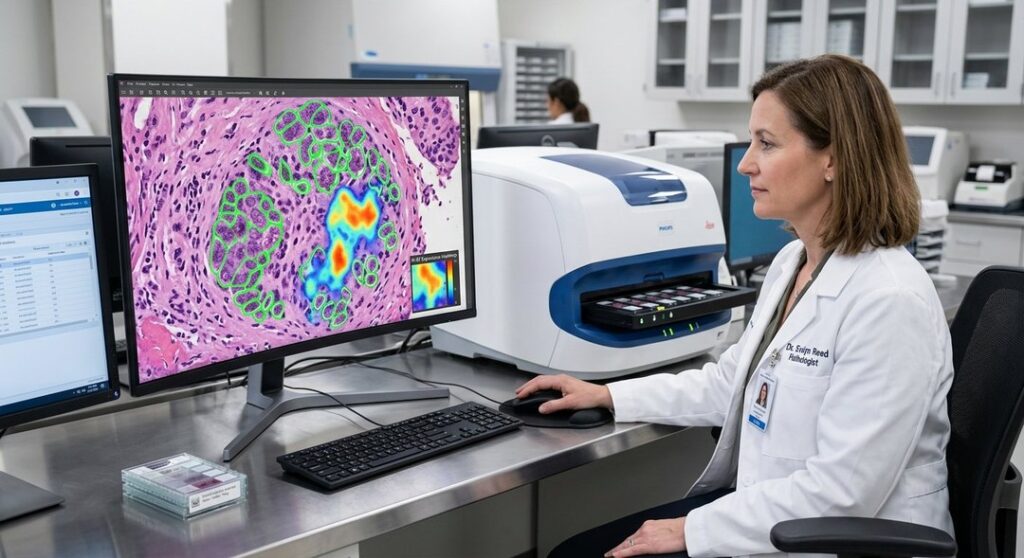
Digital pathology involves creating, managing, and reviewing digital representations of pathology slides.
Whole-slide imaging systems can convert glass slides into detailed digital images.
Pathology software may support storage, viewing, annotation, and image retrieval.
Digital Slide Viewing
Authorized pathologists may review digital slides using compatible displays and software.
However, clinical diagnostic use requires appropriate validation and compliance with applicable regulatory requirements.
Not every image viewer is suitable for primary diagnosis.
Remote Collaboration
Digital images can support consultation between qualified professionals.
This may be useful when specialized expertise is located elsewhere.
However, remote review requires secure access, adequate image quality, and appropriate clinical procedures.
Artificial Intelligence Applications
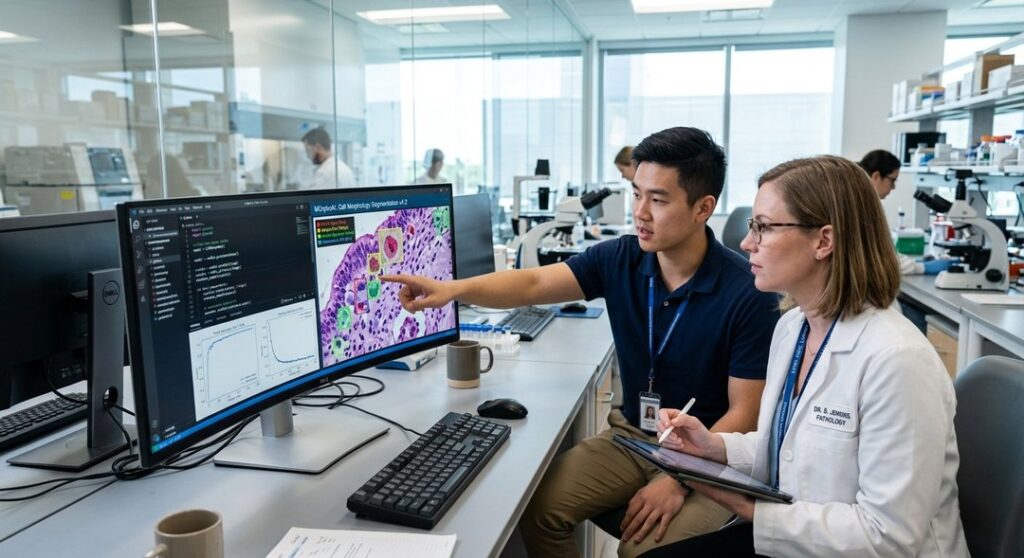
Some digital pathology systems incorporate AI-assisted image analysis.
These tools may help identify patterns, quantify selected features, or prioritize areas for review.
However, AI performance varies by intended use, training data, and validation.
AI-generated findings should not be treated as independently definitive unless supported by the applicable regulatory authorization and clinical evidence.
7. Improved Operational Reporting and Decision Support
Laboratory managers need information about workload, turnaround times, resources, and service performance.
Pathology software can provide dashboards and operational reports.
Monitoring Turnaround Times
Turnaround time is a common laboratory performance measure.
However, its definition varies.
Some laboratories measure from specimen receipt to final report.
Others use different starting points or milestones.
Software can support consistent measurement when definitions are clearly established.
Understanding Workload Distribution
Operational data can show case volumes by department, specimen type, or processing stage.
This information may support staffing and equipment planning.
However, workload should not be assessed solely by case count.
Complex cases may require substantially more professional effort than routine specimens.
Supporting Financial Planning
Laboratory systems may provide information about test volumes, resource use, and administrative activity.
These data can support budgeting.
However, financial analysis should account for staffing, equipment, supplies, overhead, and reimbursement arrangements.
Different Types of Pathology Software
Pathology technology includes several categories.
Understanding the differences helps healthcare organizations select appropriate systems.
Laboratory Information Systems
An LIS supports laboratory workflows, specimen records, testing information, and result management.
It is often central to laboratory operations.
Laboratory Information Management Systems
A laboratory information management system, or LIMS, may support sample management, workflows, inventory, and data handling.
LIMS platforms are used in clinical, research, environmental, and industrial laboratories.
The distinction between LIS and LIMS varies by vendor and application.
Digital Pathology Software
Digital pathology platforms focus on image management, slide viewing, annotation, and related workflows.
Some systems include AI-assisted tools.
Pathology Reporting Software
Reporting platforms support structured report creation, review, and communication.
They may operate independently or as part of a broader LIS.
Medical Coding and Billing Software
Coding and billing applications support administrative classification and reimbursement workflows.
They may integrate with pathology systems.
Quality Management Software
Quality management platforms help organize incidents, corrective actions, audits, and compliance documentation.
Not every laboratory requires a separate application for each function.
Pathology Software Categories Compared
| Software Category | Primary Function | Typical Users |
|---|---|---|
| LIS | Laboratory workflows and results | Laboratory staff and pathologists |
| LIMS | Sample and process management | Clinical and research laboratories |
| Digital pathology platform | Whole-slide image management | Pathologists and specialists |
| Reporting software | Diagnostic report preparation | Pathologists and reporting teams |
| Coding software | Medical classification and billing support | Coding and revenue cycle teams |
| Quality management system | Audits and corrective actions | Quality managers |
| Analytics platform | Operational performance reporting | Laboratory administrators |
| These categories may overlap. | ||
| A pathology software vendor may combine several capabilities within one platform. |
How Pathology Software Supports Patient Safety
Patient safety is one of the most important considerations in laboratory technology.
Incorrect specimen identification, reporting errors, and communication failures can affect clinical decisions.
Software can support safer workflows through structured information management.
However, technology also introduces risks.
Configuration mistakes, incorrect data mapping, system outages, and inappropriate user permissions can create new problems.
Positive Patient Identification
Reliable patient identification procedures help ensure that results are associated with the correct individual.
Barcode systems may support these procedures.
However, laboratories must maintain appropriate verification practices.
Critical Result Communication
Some laboratory results require urgent communication.
Pathology software may help identify and document critical result notifications.
The exact procedures should follow laboratory policies and applicable professional requirements.
Report Amendments
Diagnostic reports sometimes require corrections or additional information.
Systems should preserve the history of relevant amendments.
Authorized users must be able to identify which report version is current.
Data Integrity
Laboratory information should remain accurate, complete, and protected throughout its lifecycle.
Appropriate backups, access controls, and change management procedures are essential.
Pathology Software and Automation
Automation can support laboratory efficiency by reducing repetitive tasks.
However, automated processes require careful validation.
Automated Accessioning
Some systems can receive electronic test requests and populate relevant information.
This may reduce manual entry.
However, incoming data must be verified and matched to the correct specimen.
Barcode-Based Workflows
Barcode scanning can help record specimen movement.
The technology depends on correct labels, functioning scanners, and reliable system integration.
Automated Report Templates
Templates may improve consistency.
However, they should not replace professional interpretation.
Instrument Integration
Certain pathology software systems connect with laboratory instruments.
This may enable electronic transfer of results.
Interfaces must be tested to ensure accuracy.
Workflow Notifications
Automated alerts can notify staff when cases require attention.
However, excessive notifications may create alert fatigue.
The system should prioritize clinically and operationally meaningful information.
Benefits of Cloud-Based Pathology Software
Cloud-based applications are increasingly used across healthcare technology.
However, cloud deployment is only one option.
Some laboratories prefer locally hosted systems or hybrid arrangements.
Potential Advantages
Cloud-based pathology software may offer:
- Centralized access for authorized users.
- Vendor-managed infrastructure components.
- Flexible deployment options.
- Remote access capabilities.
- Potentially simplified software updates.
- Scalable computing resources.
- Centralized monitoring tools.
These advantages depend on the vendor’s architecture and service agreement.
Important Cloud Security Considerations
Cloud systems must protect sensitive healthcare information.
Organizations should evaluate encryption, access controls, backups, audit logging, and incident response procedures.
In the United States, HIPAA requirements may apply.
A cloud provider’s general security claims do not automatically establish that a specific implementation is compliant.
Cloud vs On-Premises Software
| Consideration | Cloud-Based Systems | On-Premises Systems |
|---|---|---|
| Infrastructure | Hosted externally | Managed locally |
| Maintenance | Often shared with provider | Primarily organizational responsibility |
| Remote access | May be easier to configure | Requires suitable infrastructure |
| Upfront spending | Depends on subscription model | May involve infrastructure investment |
| Data control | Governed by contracts and architecture | Greater direct infrastructure control |
| Internet dependency | Often significant | Varies by configuration |
| Security responsibilities | Shared under defined arrangements | Primarily managed internally |
| Neither deployment model is inherently more secure. | ||
| Security depends on technical controls, governance, and implementation quality. |
How Pathology Software Improves Collaboration
Pathology workflows involve several professional groups.
Technicians, pathologists, clinicians, administrators, and IT specialists may all interact with laboratory information.
Software can support communication by providing controlled access to relevant records.
Collaboration Between Laboratory Departments
Different departments may need to coordinate specimen processing and reporting.
Shared workflow information can improve visibility.
Communication With Clinicians
Electronic reports can support timely access to diagnostic information.
However, urgent findings may require additional direct communication.
Specialist Consultations
Digital images and secure information sharing can support consultations.
Appropriate consent, privacy, and regulatory requirements must be followed.
Multidisciplinary Care
Pathology results are often considered alongside imaging, clinical history, and other findings.
Reliable information exchange can support multidisciplinary discussions.
Choosing the Right Pathology Software
Selecting pathology software requires careful evaluation.
The best system depends on laboratory size, services, workflow complexity, and integration requirements.
Identify Operational Needs
Begin by documenting existing workflows.
Determine where delays, duplication, or information gaps occur.
Define Essential Features
Common requirements may include:
- Specimen accessioning.
- Barcode tracking.
- Diagnostic reporting.
- Audit trails.
- User permissions.
- EHR integration.
- Quality control support.
- Operational dashboards.
Not every laboratory needs every advanced capability.
Evaluate System Compatibility
Confirm whether the software supports existing instruments and information systems.
Integration should be demonstrated rather than assumed.
Consider Scalability
Laboratories may experience changes in workload or services.
Software should support reasonable growth.
However, scalability claims should be tested against realistic usage expectations.
Review Vendor Support
Implementation support, training, incident response, and maintenance arrangements are important.
Laboratories should understand the vendor’s responsibilities.
Assess Total Ownership Costs
The purchase or subscription price may not represent the complete cost.
Training, integration, migration, validation, infrastructure, and ongoing support can add expenses.
Common Challenges When Implementing Pathology Software
Technology implementation can disrupt established workflows if not managed carefully.
Data Migration
Moving historical records between systems can be complex.
Data integrity must be maintained.
Workflow Configuration
Software must reflect appropriate laboratory procedures.
Poor configuration can create unnecessary steps or unsafe shortcuts.
Staff Training
Employees need role-appropriate training.
A system that is difficult to use may encourage workarounds.
Validation
Clinical laboratory systems require appropriate validation before use.
Validation should reflect the intended application and regulatory environment.
Cybersecurity
Healthcare organizations are exposed to cyber risks.
Pathology software should be included in broader security and continuity planning.
Change Management
Successful implementation requires communication and ongoing evaluation.
Training alone is not sufficient.
The Role of AI in Pathology Software
Artificial intelligence is an important area of research and product development in digital pathology.
AI tools may assist with image analysis, pattern recognition, and selected quantitative tasks.
However, capabilities vary significantly.
Image Analysis
AI systems may identify features within digital slides.
Some applications focus on detecting or measuring specific tissue characteristics.
Clinical use requires appropriate evidence and authorization.
Workflow Prioritization
Software may help flag cases requiring additional attention.
However, prioritization errors can create safety risks.
Human oversight remains essential.
Data Extraction
Natural language processing may help organize information from reports.
Extracted data must be validated before clinical or administrative use.
Limitations of AI
AI systems may produce incorrect outputs.
Performance can vary across laboratories, scanners, staining protocols, and patient populations.
Pathology software incorporating AI should be evaluated for its specific intended use.
Cybersecurity and Data Privacy in Pathology Software
Pathology systems manage sensitive patient information.
Unauthorized access, data loss, or system downtime can disrupt healthcare operations.
Access Controls
Users should receive permissions appropriate to their responsibilities.
Role-based access can reduce unnecessary exposure.
Encryption
Encryption can help protect information during transmission and storage.
However, encryption is only one component of security.
Audit Logging
System logs can support monitoring and investigations.
They should be protected and reviewed according to organizational policy.
Backup and Recovery
Laboratories need reliable backup procedures and tested recovery plans.
Downtime planning should address how essential services continue when systems are unavailable.
Regulatory Requirements
Data protection obligations vary by jurisdiction.
In the United States, HIPAA may apply to covered entities and business associates.
Other regions have different legal frameworks.
Organizations should obtain appropriate compliance guidance.
Pathology Software for Small Laboratories
Small laboratories may have different requirements from large hospital networks.
Budget constraints, staffing levels, and testing volumes influence technology decisions.
Essential Features First
Smaller organizations may prioritize accessioning, reporting, and basic workflow management.
Advanced analytics may be less urgent.
Avoid Unnecessary Complexity
An overly complicated system can create additional administrative work.
Software should match actual laboratory requirements.
Consider Support Availability
Smaller laboratories may have limited internal IT resources.
Vendor support can therefore be especially important.
Plan for Future Growth
A system should accommodate reasonable expansion without requiring unnecessary expenditure.
Pathology Software for Large Healthcare Organizations
Large laboratories often manage high specimen volumes and complex integrations.
They may require multi-site workflows, advanced reporting, and extensive access controls.
Multi-Location Operations
Centralized systems can support standardized processes across different sites.
However, local workflow differences may require configuration.
Enterprise Integration
Large organizations may connect pathology systems with EHRs, billing platforms, and other clinical applications.
Integration testing is essential.
Advanced Analytics
Operational dashboards can support capacity planning.
However, data interpretation must account for case complexity.
Governance and Standardization
Clear policies help ensure consistent use across departments.
How Much Does Pathology Software Cost?
Pathology software pricing varies widely.
Costs depend on software category, deployment model, user numbers, integration requirements, and support arrangements.
Common Cost Components
Potential expenses include:
- Software licensing or subscriptions.
- Implementation services.
- Data migration.
- System integration.
- Hardware and infrastructure.
- Validation activities.
- Employee training.
- Maintenance and technical support.
- Security and backup services.
Organizations should request detailed quotations.
Subscription vs Perpetual Licensing
Subscription models involve recurring charges.
Perpetual licensing may involve larger upfront expenditure and separate maintenance fees.
Neither structure is automatically more economical.
The correct comparison considers total ownership costs over the intended service period.
Measuring ROI From Pathology Software
Return on investment should be based on measurable operational outcomes.
Laboratories may evaluate changes in administrative workload, reporting turnaround times, error rates, or system maintenance expenses.
However, improvements cannot be assumed.
Establish a Baseline
Measure current performance before implementation.
This creates a reference point for evaluating changes.
Identify Relevant Metrics
Useful measures may include:
- Specimen processing time.
- Report turnaround time.
- Manual data entry requirements.
- Corrected report frequency.
- System availability.
- Staff training time.
- Operational costs.
Metrics should reflect the laboratory’s priorities.
Account for Implementation Costs
ROI calculations should include migration, integration, training, and ongoing support.
A low subscription price does not necessarily indicate low total cost.
Review Results Over Time
Some benefits emerge gradually as staff become familiar with new workflows.
Ongoing evaluation helps identify areas requiring improvement.
The Future of Pathology Software
Pathology technology continues to develop as laboratories adopt digital workflows and more connected information systems.
However, innovation should remain grounded in patient safety and clinical evidence.
Greater Interoperability
Healthcare organizations continue working toward more effective data exchange.
Standards-based integration may improve communication when implemented correctly.
Digital Pathology Expansion
Digital slide systems may support consultation, education, and selected diagnostic workflows.
Adoption depends on infrastructure, validation, and regulatory requirements.
More Sophisticated Analytics
Operational analytics may provide better visibility into laboratory performance.
However, dashboards are only useful when data are accurate and interpreted appropriately.
Responsible AI Integration
AI-assisted tools may support specific tasks.
Their clinical value must be demonstrated through appropriate evaluation.
Stronger Security Requirements
Cybersecurity will remain central as laboratories become more connected.
Reliable software must balance accessibility with protection of sensitive information.
FAQ’s
1. What Is Pathology Software Used For?
Pathology software supports specimen tracking, laboratory workflows, diagnostic reporting, quality assurance, data management, and integration with healthcare systems.
2. How Does Pathology Software Differ From Medical Coding Software?
Medical coding software focuses on classification and billing, while pathology software can manage clinical laboratory processes, specimens, reports, and operational information.
3. Can Pathology Software Improve Laboratory Efficiency?
It may reduce repetitive tasks and improve workflow visibility when properly implemented. Actual improvements depend on system configuration, staff training, and laboratory processes.
4. Does Pathology Software Support Digital Pathology?
Some pathology software platforms support digital slide viewing, image management, annotations, and integration with validated image analysis tools.
5. Is Cloud-Based Pathology Software Secure?
Cloud systems can be secure when appropriate technical, contractual, and organizational controls are implemented. Security depends on the specific architecture and practices.
6. Can Pathology Software Replace Pathologists?
No. Pathology software supports information management and selected diagnostic activities, but clinical interpretation and responsibility remain with appropriately qualified professionals.
Conclusion
Pathology software has developed into an important part of modern laboratory operations, extending well beyond medical coding and billing. From specimen identification and workflow coordination to diagnostic reporting, quality management, and digital image integration, these systems can help laboratories manage increasingly complex information. Their greatest value comes from supporting accurate processes, improving visibility, and enabling qualified professionals to perform their responsibilities more effectively. However, software cannot independently guarantee diagnostic accuracy, regulatory compliance, or improved operational performance.
Choosing suitable pathology software requires a careful understanding of laboratory workflows, integration requirements, cybersecurity responsibilities, and total implementation costs. Healthcare organizations should prioritize validated functionality, reliable vendor support, appropriate staff training, and measurable performance goals. When technology is introduced thoughtfully and monitored consistently, it can support more organized laboratory operations and dependable diagnostic communication. The future of pathology technology lies not simply in automating existing tasks, but in creating connected, secure, and clinically responsible systems that help laboratories deliver reliable information for patient care.
Leave a Reply