
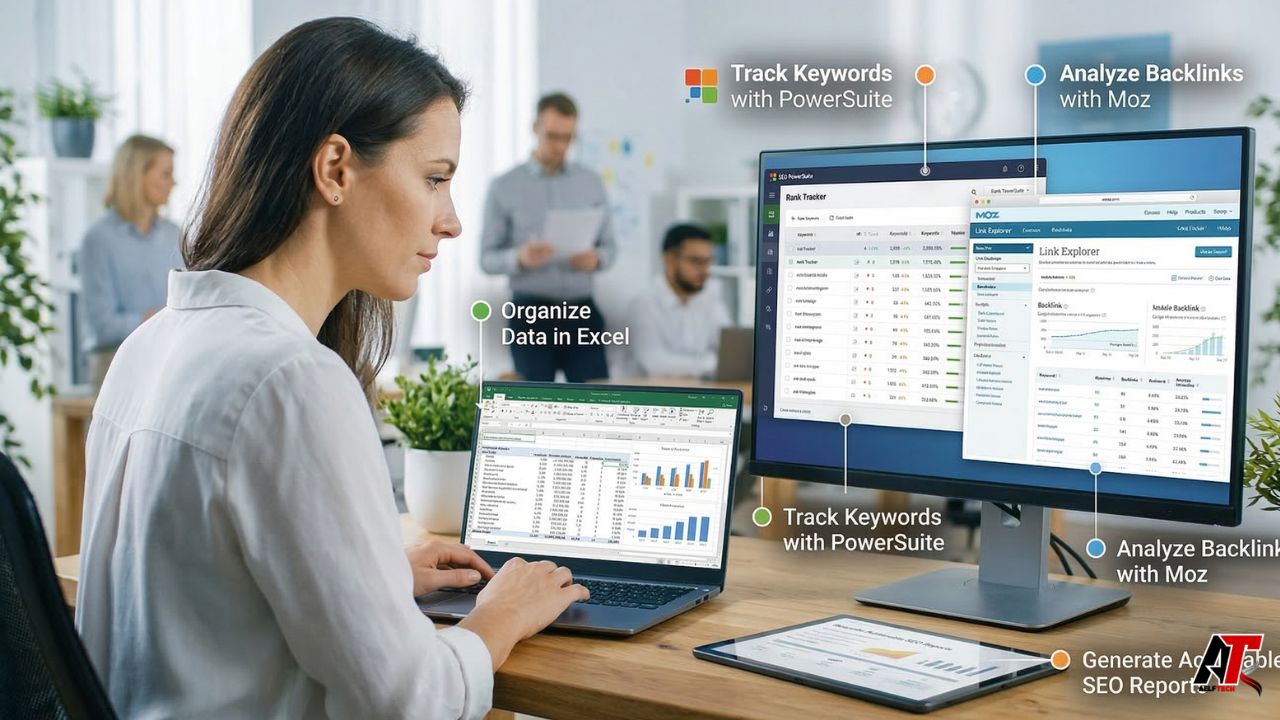
Search engine optimization relies heavily on data, but raw metrics alone do not improve rankings or drive revenue. To make informed business decisions, marketing teams and SEO professionals must transform massive datasets into clear, actionable reports. While many platforms offer beautiful, pre-built dashboards, the reality of deep analysis often leads marketers back to the most powerful data manipulation tool available: spreadsheets. Blending the deep customization of spreadsheet software with the automated capabilities of dedicated platforms like SEO PowerSuite and Moz allows businesses to uncover technical flaws, track historical progress, and communicate ROI effectively. Navigating these tools successfully separates a standard SEO campaign from a highly profitable one.
Integrating an SEO Tool for Excel into Modern Workflows
For data-driven marketers, native platform dashboards sometimes lack the flexibility required to combine complex datasets. This is where utilizing an seo tool for excel becomes incredibly valuable. These tools are typically add-ins or API connectors (such as SeoTools for Excel or Analytics Edge) that pull live data directly from Google Analytics, Google Search Console, Ahrefs, or Majestic straight into your spreadsheet environment.
Using an add-in allows you to bypass the manual process of downloading, formatting, and merging CSV files. More importantly, it empowers you to perform advanced analysis. Modern search marketing requires evaluating semantic SEO—which means looking beyond simple keyword search volumes to analyze topical clusters, entity relevance, and user intent. A dedicated spreadsheet connector allows you to pull all ranking URLs alongside their semantic relevance scores, bounce rates, and conversion data, offering a multi-dimensional view of your content’s true performance.
How an Excel SEO Tool Supports Cross-Channel Reporting
Agencies and in-house teams frequently need to present holistic performance reviews to stakeholders. An excel seo tool is critical when you need to align your organic search data with other marketing channels. For example, you may want to compare your organic keyword rankings directly against the cost-per-click (CPC) data of your Google Ads campaigns to identify areas where you can save on ad spend by leveraging organic visibility.
When you provide comprehensive digital marketing services, your clients do not just want to see SEO in a vacuum; they want to see how organic traffic contributes to overall multi-channel revenue. A spreadsheet-based tool gives you the absolute freedom to build bespoke tables, overlay paid media performance, calculate combined return on ad spend (ROAS), and present a unified growth narrative that rigid, single-channel SaaS dashboards simply cannot provide.
Why a SEO Excel Tool Simplifies Exports, Filters, and Reporting
When conducting a comprehensive site audit, you are often dealing with tens of thousands of rows of data. A seo excel tool simplifies this massive workload. By using built-in functions, pivot tables, and VLOOKUPs, an SEO strategist can instantly filter out branded search terms to see the true growth of non-branded traffic, or rapidly identify URLs that have high impressions but low click-through rates.
Furthermore, spreadsheet tools are excellent for technical SEO. You can import a list of 10,000 URLs from a site crawler and instantly check server response codes, canonical tags, and meta description lengths in bulk. This level of granular, customizable filtering is essential for uncovering the hidden technical bottlenecks that are holding a website back from peak performance.
Dedicated Platforms: Will SEO PowerSuite Run Reports?
While spreadsheets offer unmatched data manipulation, they are heavily manual and lack automation for client delivery. A frequent question from growing agency teams looking to scale their operations is: will seo powersuite run reports automatically for multiple clients? The answer is a definitive yes. SEO PowerSuite is renowned for its robust, highly customizable reporting capabilities across its suite of tools (Rank Tracker, WebSite Auditor, SEO SpyGlass, and LinkAssistant).
The software allows you to generate white-label reports that include your company logo, custom color schemes, and specific data modules. You can set the software to automatically run these reports on a schedule and email them directly to clients or stakeholders. This level of automated reporting is particularly vital when executing Advanced SEO USA campaigns, where you might be tracking hundreds of localized keywords and performing weekly technical crawls across massive enterprise domains. The platform does the heavy lifting, formatting the data so you can focus on strategy.
Historical Data: Can I Go Back Two Months With Moz SEO Reports?
When taking over a new client account or trying to diagnose a recent drop in traffic, historical data is your most valuable asset. A very common question during onboarding is: can i go back two months with moz seo reports to establish a baseline? The answer depends entirely on how the tool was configured.
If a Moz Pro Campaign was previously set up and actively tracking the domain, you can absolutely look back two months—or much further—to view historical keyword rankings, domain authority shifts, and link velocity. Moz stores this campaign data historically. However, if you are just creating a brand-new campaign today, the tool cannot retroactively pull daily keyword ranking histories for your specific custom keyword list from two months ago.
This limitation highlights why setting up proper tracking immediately is a crucial element of your overarching digital strategy. Choosing the right tools and activating your tracking campaigns on day one ensures you always have the historical baseline necessary to prove the ROI of your future optimization efforts.
Comparing SEO Reporting Workflows
To help you decide which reporting setup fits your current business needs, here is a breakdown of how spreadsheet-based reporting compares to dedicated platforms like SEO PowerSuite and Moz.
| Reporting Method | Primary Strengths | Best Used For | Automation Level |
|---|---|---|---|
| Excel / Add-in Tools | Infinite customization, merging cross-channel data, complex formulas. | Deep technical audits, custom multi-channel KPI dashboards. | Low (requires manual refreshing and formatting). |
| SEO PowerSuite | Automated, white-label, highly visual PDF/HTML reporting. | Agencies needing to scale client reporting and technical tracking. | High (can be scheduled and emailed automatically). |
| Moz Pro Campaigns | Clean UI, industry-standard metrics (DA/PA), excellent historical tracking. | In-house teams monitoring long-term keyword and link growth. | Medium (automated tracking, easy dashboard exports). |
Conclusion: Choosing the Right SEO Reporting System
There is no single perfect reporting tool; the best approach is often a hybrid one. Use dedicated platforms like SEO PowerSuite or Moz to handle the heavy lifting of daily rank tracking and automated client updates. Then, leverage spreadsheet connectors for those deep, complex audits where you need to combine search data with broader business analytics.
Building a reporting system that provides clarity rather than confusion takes experience and the right technology stack. If you want to learn more about our agency, you will find that our commitment to transparent, data-driven reporting is the foundation of our client success. Stop guessing about your search performance—contact our team today for a free audit, and let us help you uncover the insights hidden within your data.
Frequently Asked Questions
1. What is an seo tool for excel used for?
It is used to pull live data from platforms like Google Analytics, Search Console, and various SEO software directly into a spreadsheet via APIs, allowing for advanced, custom data manipulation without manual CSV downloads.
2. How is an excel seo tool different from a full SEO platform?
A full SEO platform (like Moz or Ahrefs) provides its own visual dashboards, automated crawling, and proprietary metrics. An Excel tool simply imports that data into a spreadsheet so you can blend it with other data sources and create highly custom, manual reports.
3. What can a seo excel tool automate in reporting?
While the formatting is manual, many Excel add-ins allow you to automate the data-fetching process. With the click of a “Refresh” button, the tool updates all your spreadsheet cells with the latest keyword rankings, traffic numbers, and backlink counts.
4. Will seo powersuite run reports for agencies and teams?
Yes, SEO PowerSuite is built heavily around reporting. It can automatically generate, white-label, and email detailed PDF or HTML reports regarding rankings, website audits, and backlinks directly to clients on a scheduled basis.
5. Can i go back two months with moz seo reports?
If you already had a Moz Pro Campaign running for that website two months ago, yes, you can easily view that historical data. However, if you are setting up a brand-new campaign today, it cannot retroactively pull daily ranking history for custom keywords from the past.
6. Which reporting setup is best for a small business in the USA?
For a small business, setting up a free Google Looker Studio dashboard connected to Google Search Console and Google Analytics is usually the best, most cost-effective way to monitor essential performance without getting overwhelmed by complex tools.
7. When should a team move from Excel to a larger SEO reporting workflow?
A team should move to a dedicated platform when the manual hours spent formatting Excel sheets outweigh the cost of an automated software subscription, or when the sheer volume of keywords and client reports becomes too large to manage manually without errors.
8. How can Aelftech help businesses build better SEO reporting systems?
Aelftech helps businesses by establishing clear KPIs, integrating advanced tracking tools, and building custom, transparent reporting dashboards that clearly connect organic search performance directly to revenue and business growth.
Leave a Reply