
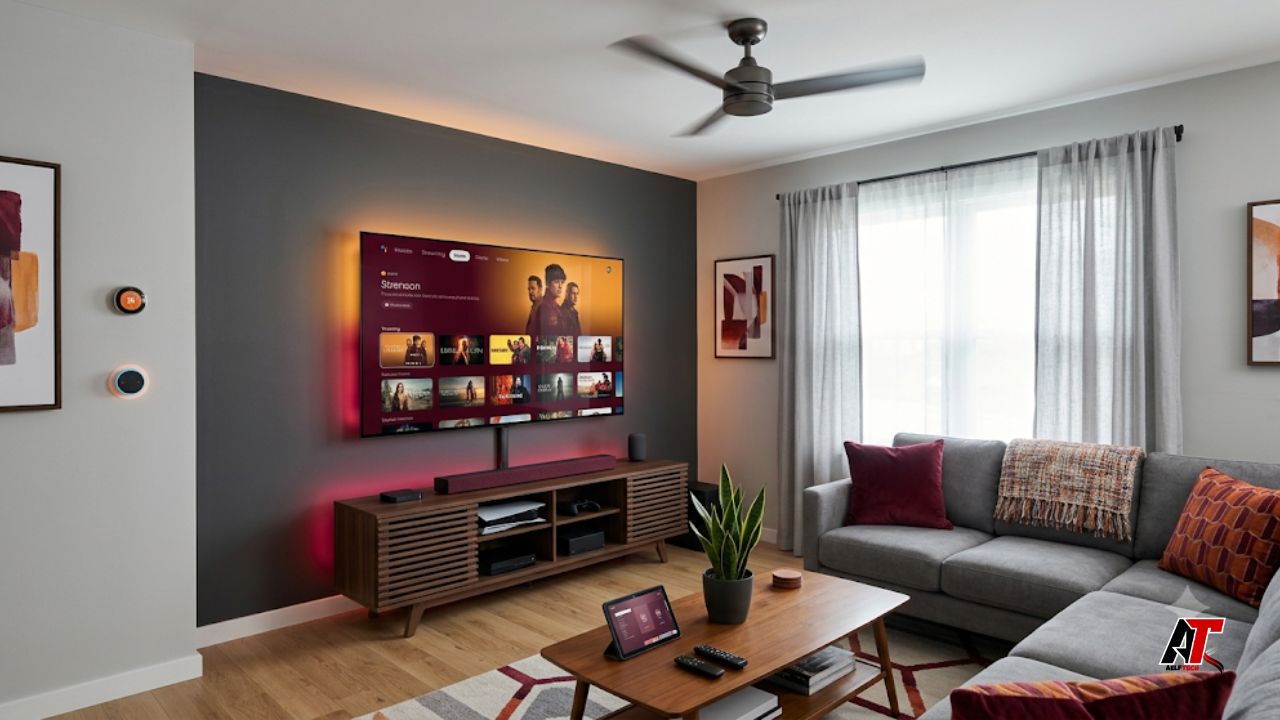
Large televisions and entertainment setups can make a living room feel warmer than the rest of the home. The heat often builds slowly. At first, you may notice the area feels stuffy after a movie night. Then the room stays warm even when the air conditioner is running. This happens because modern entertainment areas combine several heat sources in one place: a big screen, gaming consoles, streaming boxes, speakers, receivers, lights, chargers, and sometimes direct sunlight.
The good news is that you do not always need a major renovation. Small changes in layout, airflow, lighting, window treatment, and device use can make the space feel cooler.
For homeowners who want practical tech-friendly comfort ideas, team aelftech.com recommends looking at the entertainment area as a complete heat zone, not just a TV wall. Once you understand where the heat comes from, you can control it more easily.
Why Large Television Areas Get So Warm
A television does not heat a room like an oven, but it can still add noticeable warmth. Large screens use electricity, and part of that energy turns into heat. The bigger and brighter the screen, the more heat it may release. This is especially true when the TV runs for several hours, uses high brightness settings, or sits in a tight wall cabinet with poor ventilation.
The TV is only one part of the issue. Entertainment areas often include several devices that produce heat at the same time. A gaming console can become very warm during heavy use. An AV receiver can also release heat, especially when powering large speakers. Cable boxes, routers, soundbars, streaming devices, and chargers add smaller amounts of heat, but together they can make the area feel uncomfortable.
Heat also rises and collects near walls, shelves, and ceiling corners. If airflow is weak, that warm air stays near the seating area.
Start With the Room Layout
The first step is to review the layout. A beautiful entertainment wall can still perform badly if devices sit too close together. TVs, consoles, and receivers need breathing space. If they are pushed into a closed cabinet or mounted too close to the wall, heat cannot move away. The equipment then runs hotter, and the room absorbs that heat.
Leave enough clearance behind the television for air to move. If the TV is wall-mounted, use a mount that creates a small gap between the screen and the wall. For media consoles, avoid packing every device into one closed compartment. Open shelves, ventilated doors, and cable gaps help warm air escape naturally.
Also check where people sit. A small change in sofa placement can improve comfort, especially in open-plan living rooms.
Give Every Device Space to Breathe
Electronics need airflow. This sounds basic, but it is one of the most common causes of overheating around entertainment centers. Devices should not be stacked directly on top of each other unless the manufacturer allows it. A receiver under a gaming console, or a console inside a tight shelf, can trap heat and shorten the life of the equipment.
Use small risers or feet to lift devices slightly if they sit on flat shelves. This allows air to pass underneath. Keep vents clear on all sides. Dust also blocks airflow, so clean device vents gently with a soft cloth or low-powered vacuum attachment. Do not cover consoles, speakers, or receivers with decorative cloths while they are running.
Cable management also matters. Use cable clips or sleeves to route wires cleanly, and keep power bricks away from other devices because they release heat too.
Control Sunlight Before It Heats the Room
Sunlight is one of the biggest reasons entertainment rooms become hot. Large windows look great, but they can raise the temperature quickly. When sunlight hits the TV wall, dark furniture, leather seating, or flooring, those surfaces absorb heat and release it back into the room.
Use curtains, blinds, or solar shades during the hottest part of the day. Light-colored window coverings reflect more heat than dark fabrics. Blackout curtains are useful for movie rooms, but they work best when they have a reflective or thermal lining. If privacy is not a problem, window film can reduce heat gain while still letting natural light in.
Avoid placing the TV where sunlight hits the screen directly. A better placement reduces glare, improves picture quality, and helps the room stay cooler.
Lower Screen Brightness and Energy Settings
Most televisions come with picture modes that are brighter than needed for a normal home. Store or vivid mode can look sharp in a showroom, but it often uses more energy and creates more heat. Switching to standard, cinema, movie, or eco mode can lower heat output while still giving a clear picture.
Turn on automatic brightness if your TV supports it. In the evening, the TV does not need to run at full brightness.
Gaming setups need the same attention. High-performance consoles, gaming PCs, and large monitors can produce a lot of heat. Keep performance modes reasonable when you do not need maximum output. Turn off unused screens and accessories instead of leaving everything running in the background.
Replace Hot Lighting With Cooler Options
Lighting can add more heat than people expect. Older bulbs, halogen lamps, and decorative spotlights can warm up a room fast, especially when placed near a TV wall. Entertainment areas often use accent lighting, shelf lighting, and ceiling lights, so the effect can add up.
Use LED bulbs instead of older incandescent or halogen bulbs. LEDs produce less heat, use less energy, and last longer. For a comfortable entertainment space, choose warm white or soft white LEDs rather than very harsh lighting. You can also install dimmers to reduce light output when watching TV.
LED strip lighting behind a TV can improve the viewing experience without adding much heat. Keep the lighting soft and indirect.
Improve Airflow Around the Entertainment Zone
A warm entertainment area often needs better air movement. Start by checking vents and returns. Furniture, rugs, curtains, and TV cabinets should not block supply vents or return air grilles. If air cannot enter or leave the room properly, cool air will not circulate well.
Ceiling fans can help when used correctly. In warm weather, set the fan to rotate counterclockwise so it pushes air downward. This does not lower the room temperature by itself, but it helps people feel cooler. A quiet pedestal fan or tower fan can also help move warm air away from the TV wall.
In closed media rooms, ventilation matters even more. Keep the door open after long sessions, or consider a quiet exhaust fan if heat collects often.
Turn Off Devices That Are Not in Use
Many entertainment devices keep using energy in standby mode. The heat from one device may seem small, but five or six devices can create a steady warm zone. Turn off gaming consoles, receivers, speakers, and streaming devices when you are not using them.
Smart power strips make this easier. Some models cut power to connected devices when the main device turns off. Others allow scheduling through an app. This helps reduce standby heat and unnecessary energy use. It also protects devices from staying warm all day inside a closed cabinet.
Check settings on consoles and cable boxes. Instant-on features are convenient, but lower-power standby modes reduce heat.
Use Furniture That Does Not Trap Heat
Entertainment furniture should support airflow. Solid back panels can trap heat behind devices. Glass doors look neat, but they can also hold warm air inside a cabinet. If you use closed furniture, choose pieces with ventilation holes, mesh panels, or open backs.
Avoid placing subwoofers, consoles, and receivers in the same small compartment. Heat-producing devices need separate space. If you already have a built-in wall unit, a carpenter can often add discreet ventilation slots or small fan openings without changing the look of the room.
Color also plays a role. Dark furniture absorbs more heat from sunlight, while lighter window treatments can help reduce heat gain.
Know When the Air Conditioner Is Part of the Problem
Sometimes the entertainment setup is not the only issue. If one room stays warm while the rest of the home feels fine, the HVAC system may not be balancing air properly. The duct layout, vent size, filter condition, or AC capacity may be affecting comfort. This is common in rooms with large screens, many electronics, high ceilings, or strong afternoon sun.
If a home needs a better cooling setup, a professional service such as air conditioner installation Calgary can help homeowners understand proper sizing, placement, and installation needs for reliable cooling.
If the AC used to cool the room well but no longer does, it may be time to check filters, coils, refrigerant level, or airflow. In that situation, professional AC repair can help find the cause before the problem becomes bigger.
Do a few basic checks first. Replace dirty filters, open vents, and clear furniture away from registers. If the room still feels hot, get the system inspected.
Add Smart Temperature Monitoring
A smart thermostat or room sensor can show whether the entertainment area is truly hotter than other rooms. Many homes have one thermostat in a hallway, so the system may shut off before the media room becomes comfortable. A sensor in the entertainment area gives better information.
You can also use a simple indoor thermometer. Place it near the seating area, not directly behind the TV or under a vent. Check the temperature before turning on the entertainment system and again after two hours. This helps you understand how much heat the room gains during use.
Smart plugs with energy monitoring can also identify devices that use more power than expected.
Create a Cooler Routine for Movie Nights
A cooler entertainment area is not only about equipment. Daily habits matter too. Before a long movie, sports event, or gaming session, close blinds on sunny windows. Turn on the ceiling fan early. Lower the TV brightness to a comfortable level. Keep cabinet doors open if devices are inside closed shelves.
After the session, turn off unused devices and let the room air out. These small steps prevent heat from building up over several hours.
Quick Checklist to Reduce Heat From TV Areas
- Move the TV and devices away from tight walls and closed cabinets.
- Keep console, receiver, and TV vents clean and uncovered.
- Use open shelving or ventilated media furniture.
- Lower TV brightness and avoid vivid or store picture mode.
- Replace hot bulbs with cooler LED lighting.
- Block strong sunlight with blinds, curtains, solar shades, or window film.
- Keep supply vents and return grilles clear of furniture.
- Use ceiling fans or quiet room fans to move air.
- Turn off devices and standby features when not in use.
- Check your AC if the room stays warm even with good airflow.
Final Thoughts
Large television and entertainment areas can make homes feel warmer, but the problem is usually manageable. Start with the simple fixes first. Improve airflow. Give devices space. Reduce sunlight. Use cooler lighting. Adjust screen settings. Turn off equipment that does not need to run.
If the room still feels hot after these changes, look deeper into ventilation and air conditioning performance. A comfortable home is not only about having a powerful cooling system. It is about helping that system work efficiently in every room, including the entertainment area where heat builds up the fastest.
With the right layout and habits, your TV room can stay comfortable during movies, gaming, sports nights, and daily family time. Cooler equipment, better airflow, and smart room planning can make a noticeable difference without taking away from the entertainment experience.
Leave a Reply