
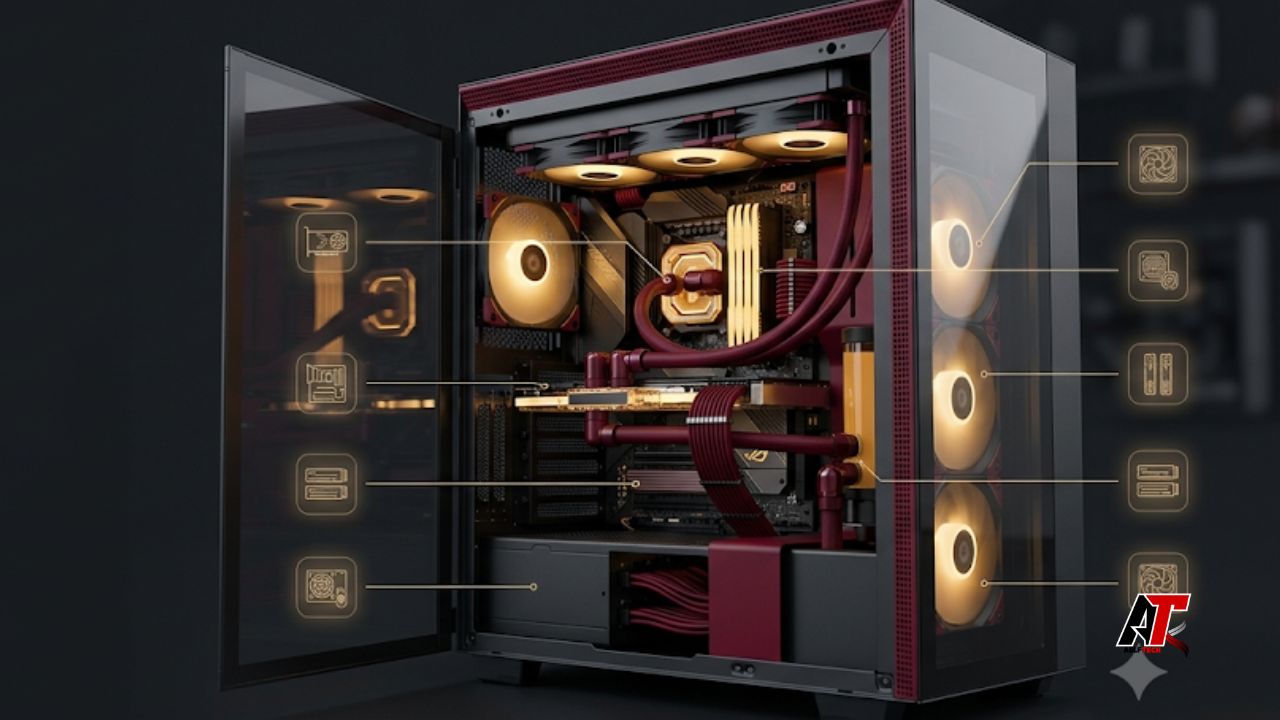
Customizing a gaming PC is exciting because every part can be chosen around the games you play, the resolution you target, and the way you use the computer outside gaming. It can also become confusing very quickly. Product names are full of numbers, specifications do not always translate directly into real-world performance, and spending more on one component may force compromises elsewhere.
The smartest approach is not to chase the most expensive part in every category. A great gaming computer is a balanced system in which the graphics card, processor, memory, storage, power supply, cooling, case, and display all support the same performance goal. Before buying anything, decide whether you want smooth 1080p gaming, high-refresh 1440p, demanding 4K visuals, competitive esports performance, streaming, content creation, or a mixture of these tasks. That decision determines which parts deserve most of the budget.
A guided configurator such as the pc builder by iBUYPOWER can make comparison easier by placing compatible choices in one workflow. Even when using a builder, however, understanding the role of each component helps you avoid paying for features you will not use.
1. The Graphics Card Usually Has the Biggest Gaming Impact
For most gaming-focused builds, the graphics processing unit, or GPU, has the greatest effect on frame rate and visual quality. It renders the game world, textures, lighting, shadows, reflections, and many modern effects. The higher your resolution and graphics settings, the more work the GPU must perform.
This is why the GPU normally receives the largest single share of a gaming PC budget. A player targeting 1080p competitive games may prioritize very high frame rates, while a 4K player needs stronger graphics performance and enough video memory for higher-resolution assets. The correct GPU is therefore not simply the fastest model you can afford; it is the model that suits your monitor, preferred games, and performance expectations.
Pay attention to video memory, power requirements, physical card length, card thickness, and the display outputs you need. Large cards can block expansion slots or fail to fit in compact cases. A powerful card may also require a higher-capacity power supply and better case airflow. Check these dependencies before finalizing the purchase.
2. The CPU Determines How Well the System Feeds the GPU
The central processing unit handles game logic, artificial intelligence, physics, background tasks, operating-system activity, and instructions that keep the graphics card supplied with work. In games that depend heavily on simulation or very high frame rates, CPU performance can be especially important.
A common mistake is creating an extreme imbalance: pairing a premium GPU with an entry-level processor, or buying an expensive high-core-count CPU while using a modest graphics card. For a gaming-first system, strong per-core performance and consistent frame delivery often matter more than purchasing the maximum possible number of cores. Extra cores become more valuable when you also stream, edit video, render, compile code, or run several demanding applications at once.
Think about your target refresh rate. At 4K with maximum visual settings, the GPU often carries more of the workload. At 1080p with a 240 Hz or faster monitor, the CPU may become more influential because it must prepare frames very quickly. The best CPU choice is the one that keeps the GPU busy without consuming money that would produce a larger improvement elsewhere.
3. Motherboard Compatibility Matters More Than Premium Branding
The motherboard connects every major component. It determines which processor socket is supported, which memory generation you can install, how many storage drives and expansion cards fit, what networking features are available, and how easy future upgrades will be.
Start with compatibility rather than appearance. Confirm that the motherboard supports the exact CPU model, the correct RAM type, the number of M.2 drives you plan to use, and the front-panel ports on your case. Check whether a firmware update may be required for the processor. Also review the spacing around the main graphics slot, because a thick GPU can cover smaller expansion slots.
4. RAM Capacity, Speed, and Configuration Affect Smoothness
System memory holds active game data and the information needed by running applications. Too little RAM can cause stuttering, slow application switching, heavy storage usage, and poor multitasking. For a modern general-purpose gaming computer, 16 GB can still handle many games, but 32 GB offers more breathing room for newer titles, browser tabs, voice chat, launchers, streaming tools, mods, and background applications.
Capacity comes first, followed by a sensible speed and latency for the selected platform. Extremely fast memory may cost much more while providing only a small improvement. Choose a stable, officially supported configuration and enable the appropriate memory profile in the firmware so the kit runs at its rated settings.
5. An NVMe SSD Improves the Everyday Experience
Storage does not usually raise the average frame rate as much as a GPU or CPU upgrade, but it strongly affects how responsive the PC feels. A solid-state drive shortens startup times, application launches, game loading screens, file transfers, installations, and updates. An NVMe drive is an excellent primary drive for the operating system and frequently played games.
Capacity is often more important than chasing the highest benchmark number. Modern game libraries can consume hundreds of gigabytes, so a drive that looks affordable may become restrictive after only a few large installations. A 1 TB drive is a practical starting point for many users, while 2 TB or more is easier to live with when you keep several major games installed.
6. The Power Supply Protects Every Other Part
The power supply unit is easy to overlook because it does not directly create more frames. It is still one of the most important parts in the system. A good PSU delivers stable power, includes appropriate electrical protections, supports the required GPU connectors, and operates efficiently under realistic loads.
Do not choose wattage by adding a tiny margin to the estimated load. Leave sensible headroom for short power spikes, component aging, quieter fan operation, and future upgrades. At the same time, an excessively oversized unit is not automatically better. Quality, platform design, warranty, connector support, and reputable independent testing matter more than a huge wattage number printed on the box.
7. Cooling Controls Performance, Noise, and Reliability
Modern processors and graphics cards adjust their operating speed according to temperature, available power, and workload. Effective cooling helps the system maintain performance while reducing unnecessary fan noise. Cooling should be sized for the processor, case layout, room temperature, and your tolerance for noise.
A large air cooler is often simple, dependable, and cost-effective. An all-in-one liquid cooler can offer strong thermal capacity and a clean appearance, but radiator size, pump noise, tube routing, and long-term complexity should be considered. Research into heat-pipe and heatsink design shows why airflow, fin arrangement, surface area, fan speed, noise, and confined case space all interact in a CPU cooler. Bigger is not automatically better if the cooler blocks memory, clashes with the side panel, or receives poor airflow.
Check cooler height, radiator support, socket mounting, and RAM clearance. Apply thermal paste correctly and create a fan curve that responds gradually rather than constantly jumping between loud and quiet operation. For most users, stable temperatures and low noise are more valuable than chasing the lowest possible benchmark temperature.
8. The Case Is an Airflow and Compatibility Component
A case is more than a visual shell. It determines airflow, dust control, component clearance, cable-management space, front-panel connectivity, noise behavior, and how pleasant the PC is to build and maintain.
Look for a clear intake path, unobstructed exhaust, and enough included or planned fans. A solid glass front may look attractive but can restrict airflow if there are no generous side vents. Mesh-front cases are often easier to cool, although the complete design matters more than one material. Positive or balanced airflow can also help reduce dust entering through unfiltered gaps.
9. Your Monitor Defines the Performance You Can Actually See
A custom PC should be planned together with the monitor. A system producing 200 frames per second offers limited benefit on a basic 60 Hz display, while a 4K high-refresh monitor may overwhelm a midrange GPU in demanding games. Resolution, refresh rate, panel quality, adaptive synchronization, screen size, and the games you play should influence the build from the beginning.
Competitive players often value refresh rate and low input delay. Story-driven and visually rich games may benefit more from resolution, contrast, color performance, and high dynamic range. Matching the GPU to the display prevents overspending on performance you cannot see or buying a monitor the computer cannot drive comfortably.
10. Balance the Budget Around Your Real Workload
The best gaming PC is not the build with the highest specification in every row. It is the one that allocates money according to the user’s actual priorities. Begin with the monitor target and the most demanding games or applications. Then choose the GPU, select a CPU that can support it, and build the remaining platform around those two components.
Avoid sacrificing the power supply, cooling, or case to afford a slightly faster graphics card. Those savings may create noise, instability, thermal limits, difficult assembly, or poor upgrade options. On the other hand, avoid spending heavily on decorative lighting, an enthusiast motherboard, extreme memory speeds, or elaborate liquid cooling when the same money could buy a meaningful GPU, CPU, or monitor upgrade.
A useful budget check is to ask what each extra dollar changes. Does it improve frame rate, visual quality, loading time, noise, storage capacity, reliability, connectivity, or upgrade flexibility? If the answer is only that the specification looks more impressive, the money may be better used elsewhere.
11. Plan for Upgrades Without Overpaying for the Future
Upgradeability is valuable, but it should be realistic. A motherboard with an additional M.2 slot, a case with extra GPU clearance, a power supply with sensible headroom, and two free memory slots can make future changes easier. These practical choices are usually more useful than buying expensive features based on upgrades you may never perform.
Consider which components are easiest to replace. Storage and memory upgrades are generally simple. A graphics-card upgrade may require more power capacity and physical space. A major CPU upgrade can depend on socket support, firmware, cooling, and motherboard power delivery. Platform longevity is helpful, but no component is permanently future-proof.
Common Custom Gaming PC Mistakes to Avoid
Several mistakes repeatedly cause disappointing builds. Buyers may choose parts before defining resolution and refresh rate, ignore case clearances, purchase an inadequate power supply, forget motherboard firmware compatibility, install memory in the wrong slots, or focus on RGB while neglecting airflow. Others buy a very fast CPU and weak GPU for a gaming-first system, or install a powerful GPU that their monitor cannot meaningfully use.
Another common problem is evaluating components independently. A part can be excellent yet wrong for a particular build. The graphics card may be too large, the cooler may cover tall memory modules, the motherboard may lack the required internal USB header, or an M.2 slot may share bandwidth with another device. Review the whole system as one connected design before ordering.
Quick Priority Checklist
Before finalizing your custom gaming PC, confirm the following priorities:
- Your target resolution, refresh rate, games, and non-gaming workloads are clearly defined.
- The GPU matches the monitor and receives the largest performance-focused share of the budget.
- The CPU is strong enough for the target frame rate without creating unnecessary cost.
- The motherboard supports the CPU, RAM, storage, ports, and expansion needs.
- RAM capacity is sufficient and the modules form a matched, stable kit.
- Storage capacity fits your real game library, not only the operating system.
- The PSU is high quality, correctly connected, and has reasonable headroom.
- Cooling and case airflow can manage heat without excessive noise.
- Every component physically fits.
- The build leaves a practical, not excessive, upgrade path.
Final Thoughts
When you customize your own gaming PC, the parts that matter most are the ones that work together. The graphics card usually leads gaming performance, the CPU supports frame delivery and multitasking, and the motherboard establishes compatibility. RAM and storage shape smoothness and responsiveness, while the power supply, cooling, and case determine whether the system can deliver that performance reliably and quietly.
Start with your games, monitor, and budget. Build a balanced specification, verify every physical and electrical dependency, and spend extra only where the improvement will be noticeable. This approach produces a gaming PC that feels faster, runs better, and remains useful longer than a build assembled around marketing numbers alone.
For more practical technology, hardware, and digital guidance, explore aelftech.com usa.
Leave a Reply