
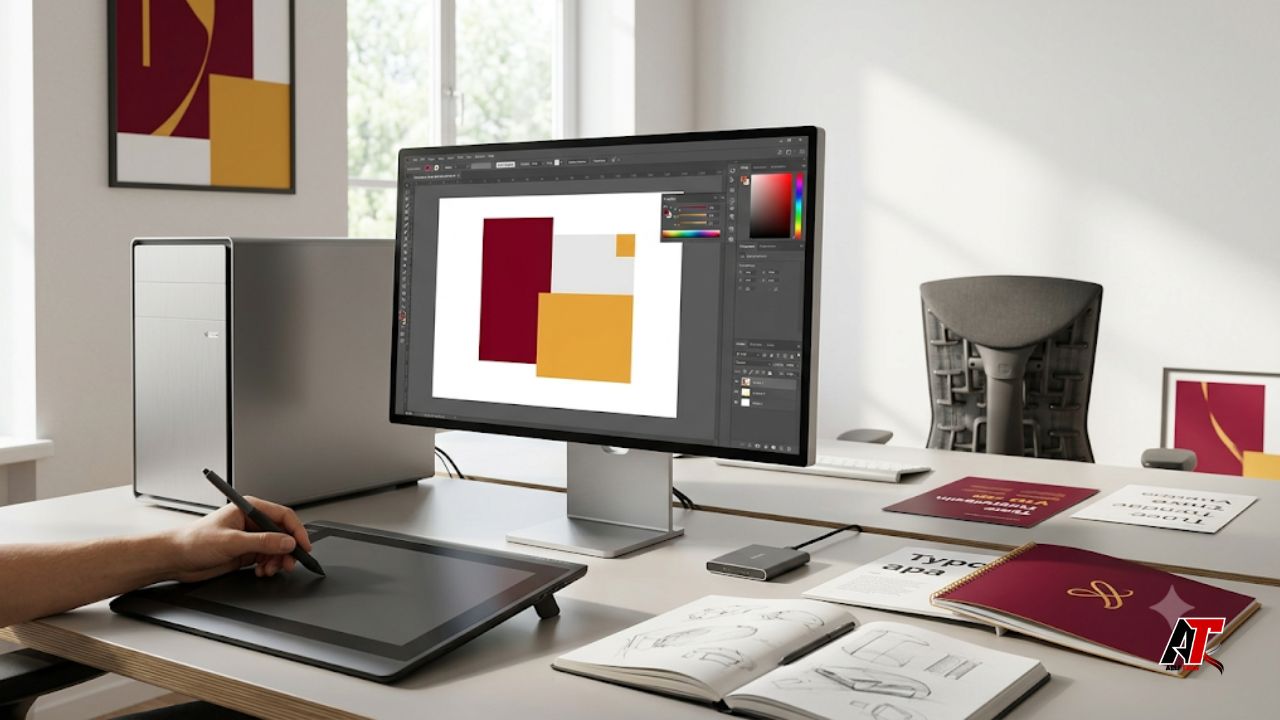
Becoming a successful graphic artist takes more than natural creativity. Good ideas matter, but the tools and systems behind those ideas often decide how quickly, accurately, and professionally you can work. The right investments help you handle larger files, meet deadlines, communicate with clients, protect your work, and stay comfortable during long design sessions. They can also improve the consistency of your output, which is important when clients expect the same quality across logos, packaging, social media graphics, illustrations, websites, and printed material.
You do not need to buy every expensive product immediately. Build a reliable setup in stages and spend where it creates a clear benefit. The seven investments below support creative quality and long-term career growth for beginners, freelancers, and established professionals.
1. A Reliable Computer That Matches Your Workload
Your computer is the center of your design workflow, so it should be the first major investment you evaluate. Graphic design applications can use a large amount of memory and processing power, especially when you work with high-resolution photos, multiple artboards, complex vector files, 3D elements, motion graphics, or several applications at the same time. A slow machine does more than waste a few minutes. It interrupts concentration, increases the chance of crashes, and makes revisions more frustrating.
You do not always need the most expensive model. Start by matching the specifications to the type of work you actually do. For standard branding, page layouts, and social media graphics, a modern processor, sufficient memory, and solid-state storage usually matter more than luxury features. Illustrators, video editors, and motion designers may need stronger graphics performance and more memory. A laptop offers flexibility, while a desktop often provides better performance and easier upgrades for the same budget.
Consider ports, external-display support, battery life, repair options, and replacement parts. A durable computer with a longer useful life may offer better value than a cheaper device that soon needs replacement. Check your software requirements and leave some capacity for future projects.
2. A Color-Accurate Monitor and Calibration Tools
A strong computer cannot solve poor color display. If your monitor shows colors inaccurately, a design that looks perfect on your screen may appear dull, overly bright, or completely different when printed or viewed on another device. This creates extra revisions and can damage client trust. A dependable monitor is therefore one of the most practical investments for any graphic artist who works with branding, photography, packaging, advertising, or print.
Look for good resolution, wide viewing angles, even brightness, and reliable coverage of common color spaces. Enough room to view the canvas, layers, and tools together can improve speed. One accurate main display is more valuable than two average displays.
Calibration is equally important. Screens change over time, and factory settings are not always suitable for professional work. A hardware calibration device can create a more dependable color profile. At minimum, use built-in calibration tools, control the room lighting, and avoid judging colors on a screen set to extreme brightness. For print projects, ask the printer for file and color-profile requirements before final delivery.
3. Professional Software and the Right Creative Tools
Design software is where your concepts become usable files. Investing in dependable applications can improve compatibility, export quality, collaboration, and speed. The right choice depends on your specialty. A brand designer may need vector and page-layout tools, while a digital painter may prioritize illustration software and brush control. A motion artist needs timeline-based applications, and a user-interface designer benefits from tools that support components, prototypes, and team feedback.
Paid software can be worthwhile, but it should earn its place. Compare subscription costs, update policies, file formats, cloud features, and client requirements. Capable low-cost and open-source options also exist. The best tool is the one that produces professional files without compatibility problems.
Include supporting tools in this category. A drawing tablet can make illustration, masking, photo retouching, and handwritten details more natural. A quality mouse, keyboard shortcuts, font-management software, and licensed typefaces can also save time. Build a small, legal library of fonts, templates, mockups, icons, and stock assets rather than downloading unlicensed material. Proper licenses protect both you and your clients from avoidable legal and commercial problems.
4. Secure Storage, Backups, and File Organization
Creative files are business assets. Losing a client project because of drive failure, theft, accidental deletion, or corrupted data can cost far more than a backup system. A graphic artist should invest in fast working storage and at least one separate backup method. An external solid-state drive can make large files easier to move and archive, while cloud storage adds off-site protection and allows access from different devices.
A good backup routine matters more than simply owning extra storage. Organize files by client, project, and date, and use clear version numbers. Store final exports separately from source files, while keeping linked images, fonts, guidelines, and approvals together.
For important work, follow the idea of keeping multiple copies in more than one location. Automate backups where possible, but test them occasionally to confirm that files can actually be restored. Password-protect sensitive client information and use two-factor authentication on cloud accounts. These habits may feel less exciting than buying a new drawing tool, but they protect your income and professional reputation.
5. An Ergonomic and Distraction-Reduced Workspace
Graphic artists often sit for long periods while focusing on small visual details. Poor posture, glare, uncomfortable seating, and repetitive movements can cause fatigue and pain. An ergonomic workspace is therefore a productivity investment, not just a comfort upgrade. When your body is supported, you can work longer with fewer interruptions and make better creative decisions.
Start with the basics: a supportive chair, a desk at a suitable height, and a monitor positioned so you are not constantly bending your neck. Keep your keyboard, mouse, or drawing tablet within comfortable reach. Good task lighting helps you see printed references without creating glare on the screen. Even simple additions such as a laptop stand, external keyboard, wrist support, or footrest can improve a low-budget setup.
A quiet corner, reliable internet, organized cables, and space for sketches can improve concentration. Schedule short movement and eye breaks before discomfort becomes severe. The goal is not a stylish studio, but a space that supports healthy, consistent work.
6. Education, Practice, and Professional Feedback
Design tools change, visual trends evolve, and client expectations grow. Investing in learning helps you stay useful even when software features or popular styles change. Education may include structured courses, books, workshops, tutorials, industry events, or mentorship. The most valuable learning usually combines technical skill with design principles such as hierarchy, typography, composition, color, accessibility, and visual storytelling.
Choose education based on a real gap in your work. Identify one skill that could improve current projects or help you win better work. Apply it in a small project, then seek feedback from experienced designers, trusted peers, or the intended audience.
Feedback is an investment because it helps you see problems that are difficult to notice in your own work. Join professional communities, attend portfolio reviews, or work with a mentor who can explain not only what is weak but why it is weak. Learning how to present ideas, defend design choices, receive criticism, and revise calmly is just as important as learning a new tool.
7. A Strong Portfolio, Personal Brand, and Business System
The final investment is the system that helps people find, understand, and hire you. A strong portfolio should show your best work, but it should also explain your thinking. Include a focused selection of projects, clear images, short case studies, and the role you played in each project. Quality matters more than quantity. A portfolio with six relevant, well-presented projects is often stronger than a large collection of unrelated work.
Your personal brand does not need to be complicated. Use a consistent name, profile image, short description, and visual style across your website and professional platforms. Make it easy for potential clients to contact you and understand the services you provide. A custom domain, professional email address, clean proposal template, and simple invoice system can make a small freelance operation feel dependable.
Business tools also deserve attention. Use written scopes, contracts, deposits, revision limits, timelines, and approval records. Track income, expenses, software renewals, taxes, and project deadlines. If you are planning a major equipment purchase, create a realistic budget before deciding how to fund it. Some professionals compare savings, installment options, or a personal loan with low interest rate in the Philippines as part of their research. Others may need to borrow money. Borrowing should never be treated as free money: check the total repayment amount, fees, eligibility rules, and whether the monthly payment remains manageable during a slow work period. A useful investment should support income without creating unnecessary financial pressure.
How to Prioritize These Investments on a Limited Budget
Begin with the item that removes the biggest problem from your current workflow. If your computer freezes during basic tasks, improve the computer before buying premium accessories. If clients complain about color differences, prioritize the monitor and calibration. If you already own capable equipment but struggle to attract work, direct more of the budget toward your portfolio, education, and business presentation.
Divide purchases into three groups: essential now, useful soon, and optional later. Essentials keep projects safe and deliverable, while useful items improve speed or comfort. Review the list as your skills and client base grow.
Whenever possible, calculate value over the expected life of the purchase. A reliable chair used every day for several years may cost less per working day than repeated low-quality replacements. The same is true for storage, software, monitors, and computers. Buy for your real workload, protect what you own, and upgrade only when a limitation is clear.
Common Spending Mistakes Graphic Artists Should Avoid
One common mistake is buying tools because another designer uses them. Different specialties require different setups, so copy only what matches your own workflow. Another mistake is spending the entire budget on visible equipment while ignoring backups, licenses, education, or client systems. Those less visible investments often prevent the most expensive problems.
Avoid upgrading every time a new model is released. A tool should be replaced when it no longer supports your work reliably, not simply because a newer version exists. Also be careful with long subscriptions that are not used regularly. Review recurring costs and remove services that do not save time, improve quality, or help you earn.
Finally, do not confuse expensive tools with professional results. Strong concepts, careful execution, communication, and dependable delivery remain the foundation of good design. Equipment can support those strengths, but it cannot replace them.
Final Thoughts
The best investments for a graphic artist create a stable foundation for creative work. A capable computer, accurate display, suitable software, secure backups, healthy workspace, continuing education, and professional business system all contribute in different ways. Together, they help you work more efficiently, present yourself with confidence, and protect the projects that support your career.
Build the setup gradually and review each purchase according to the value it brings. You do not need everything at once, and you do not need the most expensive option in every category. By investing with a clear purpose, you can improve both the quality of your work and the sustainability of your career. For more practical guidance on digital tools, creative work, and technology, visit aelftech.com.
Leave a Reply