
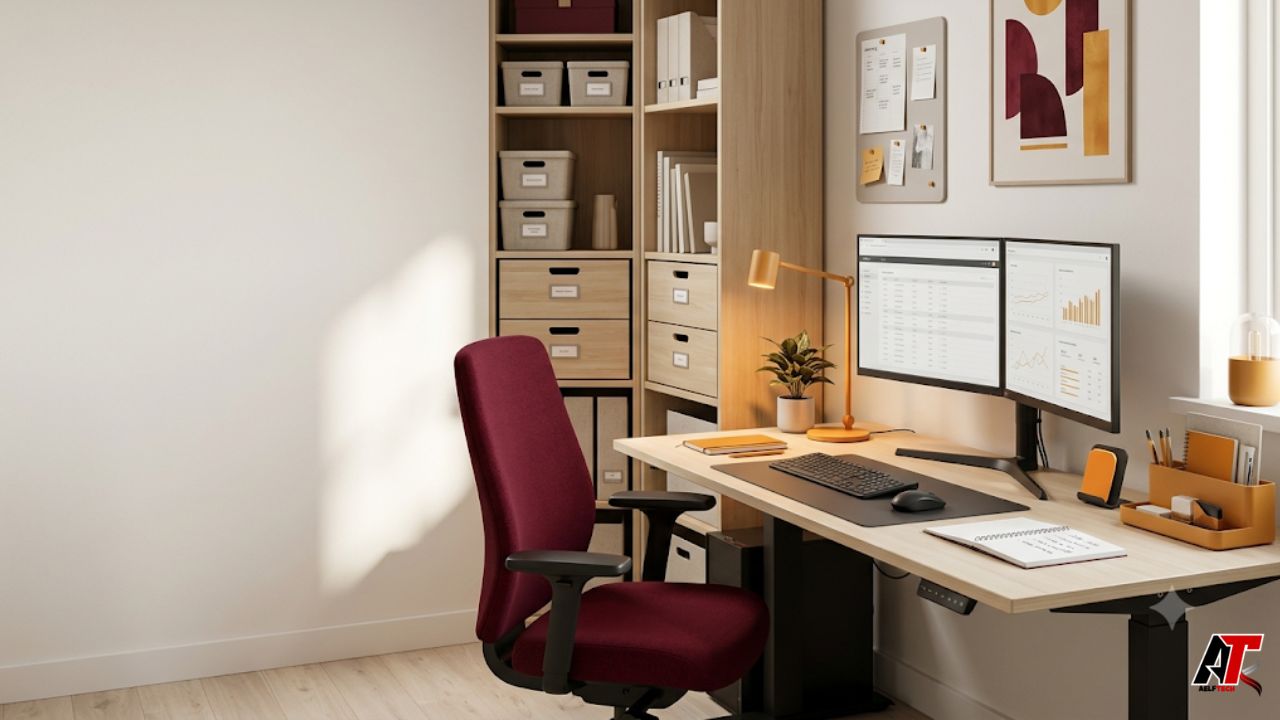
A productive workspace is not simply a desk that looks attractive in photographs. It is an environment that makes useful actions easier, distractions less convenient, and long work sessions more comfortable. When the space supports the way you think and move, you spend less energy searching for items, adjusting your chair, fighting glare, or deciding where each task should happen.
The good news is that transformation does not always require a major renovation or an expensive furniture package. Strategic changes to layout, storage, lighting, sound, technology, and daily routines can improve how a room functions. The best approach is to identify the friction that interrupts your work and redesign the space around real behavior rather than generic office trends.
The following ten workspace productivity ideas can be adapted to a spare bedroom, studio apartment, shared office, creative workshop, or corporate workstation. Each idea combines visual improvement with a practical reason for making the change.
1. Give Every Part of the Workspace a Clear Job
Start by deciding what the workspace must help you accomplish. A writer may need a quiet computer zone, a place to review printed pages, and storage for reference material. A designer may need a large digital workstation, a sample area, and a surface for sketching. When every activity competes for the same small section of desk, unfinished work quickly becomes visual clutter.
Divide the room into simple functional zones, even when space is limited. Your primary zone should contain only the tools used for focused work. A secondary surface, rolling cart, shelf, or wall-mounted ledge can hold supporting materials. A separate communication zone can be as small as one comfortable chair used for calls, reading, or planning.
This arrangement reduces task switching friction. Instead of rebuilding your setup every time the activity changes, you move to the zone that is already prepared. In a shared workplace, visible zones also help colleagues understand where collaborative conversation is welcome and where concentrated work is taking place.
2. Replace Open Clutter With Purpose-Built Storage
Clutter is not only an aesthetic problem. It increases the number of objects competing for attention and makes routine materials harder to retrieve. Begin by removing items that have no current role, then group the remaining supplies by frequency of use. Daily tools belong within arm’s reach, weekly resources can sit in drawers or nearby cabinets, and archival materials should move farther away.
Use vertical space before sacrificing more floor area. Wall shelves, pegboards, shallow cabinets, and labeled document files keep supplies visible enough to find without covering the work surface. Closed storage is particularly useful for visually busy items such as cables, stationery, samples, and paperwork.
For rooms that must support both work and household storage, solutions like custom closet systems in Salt Lake City can create dedicated compartments that fit the available dimensions. The underlying principle applies everywhere: storage should match the objects you own and the sequence in which you use them. A drawer full of mixed supplies is technically storage, but it does not create an efficient workflow.
3. Build a Layered Lighting Plan
Good lighting should make the room comfortable throughout the day without producing screen reflections or harsh contrast. Relying on one bright ceiling fixture often leaves some areas dim while creating glare in others. A layered plan combines general room lighting, focused task lighting, and softer ambient light.
Position the desk so windows are generally to the side of the screen rather than directly in front of or behind it. Add blinds or shades that control strong sunlight without eliminating natural light completely. An adjustable desk lamp should illuminate papers and hands while keeping the bulb out of your direct line of sight.
Poor lighting can cause eye strain, especially when the room is very dim, overly bright, or affected by glare. Match screen brightness to the surrounding room and clean the display regularly. If discomfort continues after reasonable environmental changes and breaks, professional eye advice may be appropriate. Lighting is not decorative finishing; it is part of the workstation’s functional design.
4. Treat Ergonomics as a Flexible System
An ergonomic workspace should support neutral, relaxed postures, but no single position remains comfortable forever. Set the chair so your feet are supported and your shoulders can stay relaxed. Place the keyboard and mouse close enough that your elbows remain near your body. The monitor should be directly in front of you, with the top of the screen around eye level or slightly below, depending on your vision and equipment.
Laptop users often benefit from a separate keyboard and mouse because raising the laptop screen otherwise raises the keyboard too. A monitor arm, sturdy riser, or docking station can free desk space and make adjustments easier. Small users may need a footrest, while taller users may need a higher desk or chair configuration.
Do not treat ergonomic guidance as a demand to remain perfectly still. Change position, stand occasionally, and adjust the setup when a task requires a different viewing angle. The goal is not a rigid pose. It is a workstation that reduces unnecessary strain while allowing natural movement.
5. Design an Acoustic Strategy for Your Work Style
Sound affects people differently. Some workers need near silence for analytical tasks, while others focus better with steady background sound. Begin by identifying the noise that causes the most disruption: conversation, street traffic, appliances, notification sounds, or echoes within the room.
Soft materials can reduce reflected sound. Rugs, curtains, upholstered furniture, acoustic panels, and even full bookshelves help a hard room feel quieter. In a shared office, a small divider or high-backed seating area can create a psychological and acoustic boundary without closing the room completely. Headphones can help, but they should complement the environment rather than compensate for every design problem.
Create simple sound rules for shared spaces. For example, calls may happen in one zone, while focused work takes place in another. A visible sign or status light can communicate when interruption is unwelcome. The objective is predictable sound, because unexpected noise is usually more disruptive than a consistent background level.
6. Simplify the Visual Field Around Your Screen
Your eyes repeatedly scan whatever sits behind and beside the monitor. A crowded noticeboard, stacks of unfinished documents, and constantly changing visual reminders can pull attention away from the current task. Keep the primary field of view calm, then place planning information where it can be checked intentionally.
Use one central task system rather than covering the room with competing notes. A small whiteboard, weekly planner, or three-column board for “To Do,” “Doing,” and “Done” can make workload visible without becoming chaotic. Limit the board to active priorities and archive completed material regularly.
Choose wall finishes and desk accessories with low glare. Matte surfaces are usually easier around screens than highly polished ones. Personal objects can remain, but curate them. A photograph, meaningful print, or small collection can make the workspace feel human. The difference between inspiration and distraction is often quantity, placement, and whether the object supports the atmosphere you want.
7. Use Color and Natural Elements With Intention
Color can define zones and influence how a room feels, but it should not be treated as a guaranteed productivity formula. Begin with the work itself. Calm neutral backgrounds can reduce visual competition in analytical spaces, while a controlled accent color may energize a creative zone or highlight storage categories.
Use stronger colors in smaller doses through a chair, pinboard, shelf backing, artwork, or accessories. This makes the room easier to update and prevents the workspace from feeling visually exhausting. Consistent color coding can also support organization: one color for urgent documents, another for reference material, and another for personal administration.
Natural elements such as a view, wood texture, daylight, or a manageable plant can make a workspace feel less sterile. Choose plants based on the actual light and care available rather than appearance alone. The goal is not to fill the desk with decoration. It is to create a balanced environment that feels pleasant enough to use every day.
8. Create a Friction-Free Technology and Cable Setup
Technology should be ready when work begins. Loose chargers, hidden outlets, unstable internet equipment, and tangled cables create small delays that accumulate. Start by identifying the devices used daily, then give each one a permanent charging or connection point.
Mount a power strip safely under or behind the desk, use reusable cable ties, and label similar cords at both ends. Leave enough slack for monitor arms and sit-stand movement. Keep frequently connected ports accessible rather than forcing yourself to crawl under the desk. A simple charging tray can prevent phones, earbuds, and adapters from spreading across the work surface.
Digital organization belongs in the same transformation. Standardize file names, create a small number of clear folders, remove unnecessary desktop icons, and silence nonessential notifications. Physical and digital clutter often reinforce each other. A tidy desk loses much of its value when the computer opens to dozens of alerts and an unsearchable file system.
9. Make Movement Part of the Layout
A productive workspace should encourage brief changes in posture without making them disruptive. Place the printer, water bottle refill point, or reference shelf a short walk away rather than keeping everything within seated reach. Use a standing-height surface for quick reviews, calls, or brainstorming sessions.
Build transitions into natural task boundaries. Stand after finishing a document, stretch before a meeting, or walk while listening to a call when privacy and safety allow. Eye breaks are also useful during screen-heavy work. Looking away from the display at a more distant object gives the visual system a different demand and creates a mental pause.
Avoid turning movement into another complicated productivity target. The workspace only needs to make healthy variation easy. A clear path, enough room to change position, and a few reliable cues can be more sustainable than equipment that occupies space but is rarely used.
10. Install a Five-Minute Reset and Shutdown System
Even a carefully designed workspace will deteriorate without a maintenance routine. End the day with a short reset: return tools to their assigned places, discard waste, capture loose notes, close unnecessary browser tabs, and write the first priority for the next session. This creates a clear starting point and reduces the temptation to begin tomorrow with low-value organizing.
Add a weekly review for tasks that do not need daily attention. Wipe screens and surfaces, empty the paper tray, restock supplies, check cables, archive completed documents, and remove items that migrated into the room. Review whether the layout still matches the work. A new project may require a temporary zone or different storage arrangement.
A shutdown ritual also creates a boundary between work and personal time, especially in a home office. Turn off the task light, close the laptop, or cover the work surface when space serves multiple purposes. Productivity improves when the environment helps you begin deliberately and stop completely.
Build a Workspace That Supports the Way You Work
Transforming a workspace for maximum productivity is less about copying a fashionable office and more about removing repeated obstacles. The most effective improvements make materials easier to find, screens easier to view, movement more natural, and priorities more visible. Begin with the problem that interrupts you most often, make one change, and observe whether work becomes smoother.
A small room can become highly functional when it has clear zones, controlled clutter, comfortable lighting, flexible ergonomics, predictable sound, and reliable reset habits. Larger offices benefit from the same principles at a different scale. For additional practical ideas on digital work, business operations, and organized systems, visit aelftech.com. A productive environment should continue evolving as your responsibilities, tools, and routines change.
Frequently Asked Questions
What is the easiest workspace improvement to make first?
Clear the primary work surface and assign permanent locations to daily tools. This creates an immediate visual improvement and reveals whether you need better storage, lighting, or equipment placement.
How can I improve productivity in a very small home office?
Use vertical storage, choose one main work zone, keep only active materials nearby, and add flexible pieces such as a rolling cart or wall-mounted shelf. A small space works well when every item has a defined role.
Does a standing desk automatically improve productivity?
No. A standing option can support posture changes, but productivity depends on comfort, task fit, and consistent use. The best setup allows you to alternate positions without interrupting your workflow.
How often should I reorganize my workspace?
Perform a brief reset daily and a deeper review weekly. Reconsider the overall layout whenever your projects, equipment, or work habits change significantly.
What should I remove from my desk?
Remove duplicate tools, inactive project materials, unrelated household items, empty packaging, and visual reminders that are no longer actionable. Keep the items required for your current work and store everything else by frequency of use.
Leave a Reply