
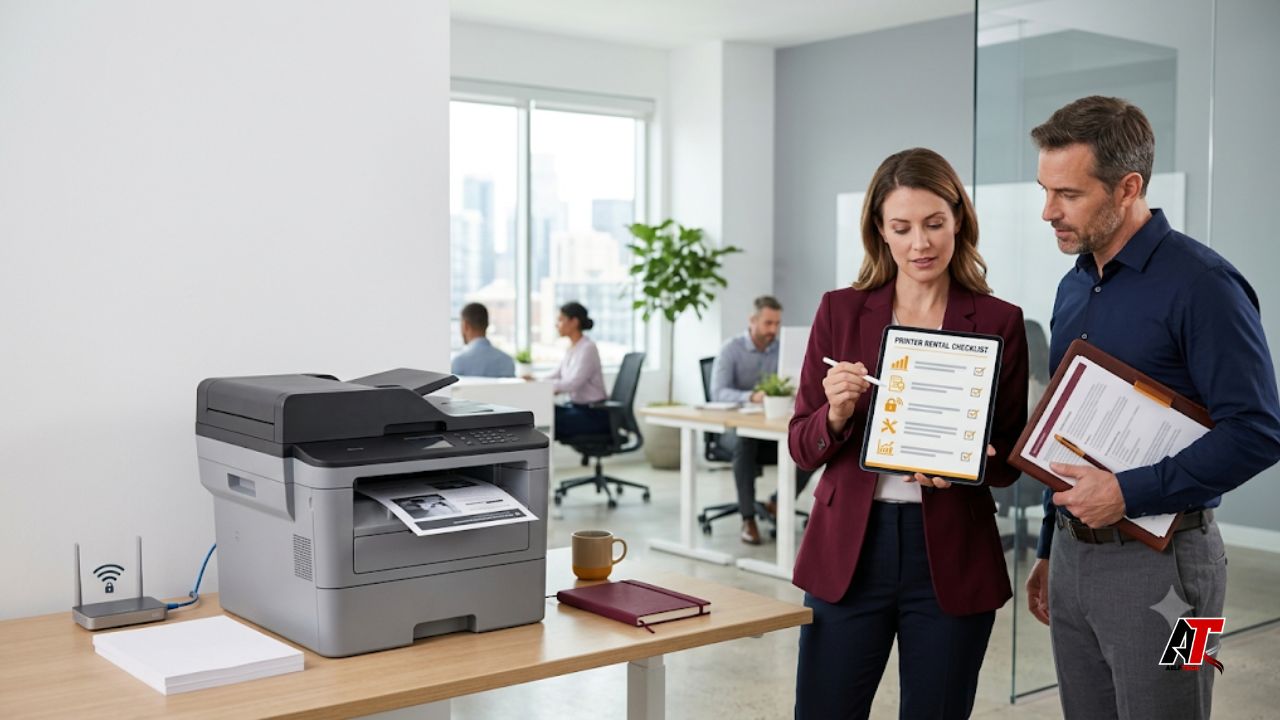
Renting a printer can be a practical choice for an office that wants dependable equipment without paying a large purchase price upfront. It can also make budgeting easier because maintenance, toner, replacement parts, and technical support may be included in one predictable agreement. However, not every rental offer provides the same value. A low monthly rate can become expensive when page limits, service fees, delivery charges, or unsuitable hardware are added later.
Before signing a contract, your team should evaluate how the printer will be used, which features are genuinely necessary, how quickly support will respond, and what the full cost will be over the rental period. This guide explains what to check before renting a printer for office use so you can select equipment that matches your workload, protects business information, and supports employees without creating unnecessary costs or delays.
1. Start With Your Office Printing Requirements
The right rental decision begins with a clear picture of your normal printing activity. Do not choose a printer only because it is a popular model or because the provider recommends it first. Review your current monthly print volume, the number of employees who will use the device, and the types of documents your office produces.
Estimate how many black-and-white and color pages are printed in a typical month. Include busy periods such as financial reporting, client onboarding, training, audits, or seasonal campaigns. Also note whether employees regularly print contracts, marketing materials, labels, envelopes, invoices, or confidential records. These details affect the required print technology, paper handling, finishing options, and service plan.
2. Choose the Correct Printer Type
Office printers generally fall into laser, inkjet, and multifunction categories. Laser printers are often a strong fit for offices that produce large quantities of text documents because they are fast, consistent, and efficient at higher volumes. Business inkjet printers may be suitable when color quality is important and monthly volume is moderate. Multifunction printers combine printing, scanning, copying, and sometimes faxing in one device.
A multifunction model can reduce the number of separate devices in the office, but only choose functions your team will actually use. Ask whether scanning supports searchable PDF files, direct email delivery, cloud folders, automatic two-sided scanning, and secure user authentication. For departments that print presentations or customer-facing materials, request sample color output before deciding.
3. Check Print Speed, Duty Cycle, and Paper Capacity
Printer speed is normally shown in pages per minute, but the advertised number does not tell the whole story. First-page-out time, warm-up time, file complexity, network traffic, color settings, and duplex printing can all affect real performance. A printer that appears fast on a product sheet may still create queues if many employees send large files at the same time.
Ask about the recommended monthly print volume rather than relying only on the maximum duty cycle. The maximum figure is a technical limit, while the recommended range is a better guide for regular use. Running a printer near its maximum capacity every month may increase wear, service calls, and downtime.
4. Calculate the Total Rental Cost
The monthly rental fee is only one part of the total cost. Request a written breakdown that shows the base charge, included page allowance, cost per additional page, delivery, installation, collection, consumables, maintenance, replacement parts, taxes, and any administration fees. Color pages usually cost more than black-and-white pages, so ask how the provider counts mixed-color documents.
Some agreements include toner but exclude paper, staples, specialty media, or high-yield consumables. Others use a minimum monthly page commitment, which means you may pay for pages even when the office prints less. Find out whether unused allowances roll over and whether volume can be adjusted during the agreement.
5. Review Contract Length and Flexibility
Printer rental terms may range from a few days to several years. Match the agreement to the reason you need the equipment. A short-term rental can work for a temporary office, event, project, seasonal team, or emergency replacement. A longer agreement may provide a lower monthly cost, but it can also limit your ability to change devices.
Read the early termination terms carefully. Check cancellation fees, notice periods, automatic renewal clauses, and charges for damage or excessive wear. Ask whether you can upgrade, downgrade, relocate, or exchange the printer when staffing levels or print volume changes. For growing businesses, flexibility may be more valuable than the lowest possible monthly rate.
6. Confirm Maintenance and Support Coverage
Reliable support is one of the main reasons businesses rent instead of buy, so the service terms deserve close attention. Ask which maintenance tasks are included, how faults are reported, and whether support is provided remotely, on-site, or through both channels. Confirm service hours and whether help is available outside standard business times.
Request a clear response-time commitment. A provider may promise to respond within a few hours, but that does not always mean the printer will be repaired within that period. Ask for the expected resolution time and the conditions for receiving a replacement device. Critical offices should look for a backup or swap-out policy that prevents long interruptions.
7. Verify Connectivity and Network Compatibility
A rental printer must work smoothly with your current computers, servers, Wi-Fi, mobile devices, and document systems. Confirm support for Ethernet, secure wireless connections, USB, mobile printing, and the operating systems used in your office. Ask whether employees can print from Windows, macOS, iOS, Android, virtual desktops, and remote work environments where applicable.
The rental provider should explain who is responsible for driver installation, print server configuration, user permissions, scan-to-email setup, and troubleshooting after deployment. Even though office printer setup is much simpler than telecom testing, the principle behind network integration remains useful: connected components should be verified together before the equipment is accepted.
8. Assess Printer Security and Data Privacy
Modern multifunction printers are connected devices that may store print jobs, scanned files, email addresses, network settings, and user information. Security should therefore be part of the rental decision, especially for healthcare, finance, legal, education, government, and professional service offices.
Ask whether the printer supports secure print release, PIN codes, user authentication, access controls, encrypted communication, firmware updates, audit logs, and automatic deletion of stored jobs. Check whether administrative passwords are changed from factory defaults and whether unnecessary services can be disabled.
9. Test Print and Scan Quality
Specifications do not always show how documents will look in everyday use. Ask for sample prints using files similar to those your office produces. Check small text, fine lines, charts, logos, skin tones, gradients, and double-sided pages. Look for smudging, banding, faded areas, inaccurate color, misalignment, or paper curling.
Scanning should also be tested. Review text clarity, file size, color accuracy, automatic document feeder performance, two-sided scanning, and optical character recognition if searchable documents are needed. A high scan resolution is not useful if the workflow is slow or the resulting files are too large for email and storage systems.
10. Consider Energy Use and Environmental Features
A printer may remain powered on throughout the workday, so energy use can affect operating costs. Check sleep-mode performance, wake-up speed, automatic shutdown settings, duplex printing, toner-saving modes, and energy-efficiency certifications. The most efficient machine is not always the smallest; it is the one that handles the required workload without being overworked.
Ask whether the provider collects used toner cartridges and whether remanufactured consumables are permitted under the agreement. Review the availability of recycled paper settings and default two-sided printing. These options can reduce waste without creating extra work for employees.
11. Check Size, Placement, and Ease of Use
Measure the planned installation area before ordering. Allow space for ventilation, open trays, service access, document feeders, and employees collecting prints. Confirm floor strength and power requirements for larger multifunction devices. A printer placed too far from the main users may reduce productivity, while a noisy unit near meeting rooms can become disruptive.
Ease of use is equally important. Ask for a demonstration of the control panel, paper loading, toner replacement, scanning shortcuts, error messages, and secure printing. Employees should be able to complete common tasks without repeated support calls.
12. Research the Rental Provider
The quality of the provider can matter as much as the printer. Check how long the company has supplied business equipment, which locations it serves, and whether it has technicians in your area. Review customer feedback, but focus on comments about response times, billing accuracy, equipment condition, and replacement support rather than star ratings alone.
Ask whether the provider owns and maintains its rental fleet or relies on third parties. Request confirmation that the device will arrive tested, clean, updated, and supplied with the correct accessories. Businesses comparing options to rent printer equipment should also ask for references from organizations with similar print volumes or compliance needs.
13. Compare Renting, Leasing, and Buying
Renting is often suitable for temporary requirements, uncertain growth, pilot programs, and businesses that want service included without a large upfront purchase. Leasing may suit longer-term use and can offer predictable payments, although the agreement may be harder to exit. Buying gives the organization full ownership but also transfers responsibility for maintenance, repairs, consumables, and eventual replacement.
Compare the total cost over the expected period rather than focusing only on monthly payments. Include the value of support, downtime risk, equipment depreciation, internal IT time, and flexibility. A business with stable, high-volume needs may find ownership economical, while a fast-changing team may benefit more from a rental that can be adjusted.
14. Use a Final Pre-Rental Checklist
Before signing, confirm the following points in writing:
- Expected monthly black-and-white and color volume
- Printer type, model, age, condition, and included accessories
- Print speed, recommended volume, paper capacity, and supported media
- Monthly fee, page allowance, overage rates, and all additional charges
- Contract length, renewal, cancellation, upgrade, and collection terms
- Maintenance coverage, support hours, response time, and replacement policy
- Toner supply process and responsibility for other consumables
- Compatibility with computers, mobile devices, servers, and office applications
- Security controls, firmware updates, storage handling, and end-of-rental data removal
- Installation, testing, employee training, and acceptance process
Do not rely on verbal promises. If a feature, price, or service commitment affects your decision, include it in the final agreement or order confirmation.
Final Thoughts
The best office printer rental is not simply the cheapest machine available. It is a well-matched combination of capacity, print quality, connectivity, security, support, and flexible contract terms. By reviewing your workload first and comparing the complete cost of each offer, you can avoid underpowered equipment, unexpected fees, and costly downtime.
A careful selection process also gives your IT and operations teams time to verify installation, user access, data protection, and service responsibilities before the printer becomes part of daily work. For more practical guidance on business technology, digital systems, and online growth, visit aelftech.com USA.
Frequently Asked Questions
Is renting a printer better than buying one for a small office?
Renting can be better when a small office wants predictable payments, included maintenance, and the option to change equipment as needs evolve. Buying may be more economical when printing needs are stable and the business can manage repairs and replacement costs.
What is normally included in an office printer rental?
Coverage varies by provider. It may include the printer, delivery, installation, maintenance, replacement parts, remote support, on-site service, and toner. Paper, staples, specialty media, and excess-page charges are often separate, so request a complete written breakdown.
How many pages per minute does an office printer need?
The required speed depends on the number of users and how often they print. A small team with light use may be comfortable with a moderate-speed device, while a busy department needs faster output, a short first-page time, and larger paper trays to prevent queues.
Can a rented printer connect to an office network?
Yes, most business rental printers support Ethernet and may also support Wi-Fi, mobile printing, print servers, and scan-to-email. Compatibility, security settings, drivers, and responsibility for configuration should be confirmed before delivery.
What happens if a rental printer breaks down?
The response depends on the service agreement. A good contract states how faults are reported, the expected response and resolution times, which repairs are included, and when a temporary or permanent replacement will be provided.
What hidden charges should I check in a printer rental contract?
Look for delivery, installation, collection, minimum page commitments, color page rates, overage charges, toner delivery, damage fees, early termination, relocation, network setup, training, and automatic renewal. Ask the provider to confirm that all charges are listed in writing.
Leave a Reply