

Traditional 3D Modeling Versus AI Tools
Making 3D models used to take a lot of time and skill. Think of traditional 3D modeling like sculpting with digital clay. You’d spend hours, maybe days, shaping every curve and surface. This required specialized software and a good amount of training. Even simple text, like a name for a keychain, meant manually creating each letter and giving it depth. It was precise work, but slow.
Now, AI tools are changing the game. Instead of manual sculpting, you can describe what you want. The AI then builds the model for you. This is a big shift. It means people without years of 3D design experience can now create models. It’s like going from hand-painting a mural to using a high-tech printer that can do it in minutes. The text to 3D process is becoming much more accessible.
The core difference is the approach: manual creation versus AI-assisted generation. While traditional methods offer fine-grained control, AI tools provide speed and ease of use, especially for simpler or conceptual models. This opens up 3D creation to a wider audience, making it less intimidating and more immediate. It’s a powerful combination of human ideas and machine execution.
The Power of Generative AI in 3D Creation
Generative AI is the engine behind modern text to 3D tools. These systems are trained on vast amounts of 3D data. They learn patterns, shapes, and how different elements fit together. When you give them a text prompt, they use this knowledge to construct a 3D object that matches your description. It’s not just about making shapes; it’s about understanding context and intent.
This technology allows for rapid iteration. You can try a prompt, see the result, tweak the words, and generate again. This cycle is much faster than re-sculpting a model from scratch. For example, if you need a specific type of chair for a virtual room, you can describe it and get a usable model quickly. This speed is a major advantage for many projects.
The ability of generative AI to interpret natural language and translate it into complex 3D geometry is a significant leap forward. It democratizes creation, allowing ideas to take physical or digital form with unprecedented ease.
Key Considerations for Choosing Text To 3D Platforms
When looking at text to 3D platforms, a few things really matter. First, how well does it understand what you’re asking for? Some tools are better than others at interpreting complex or nuanced prompts. You want a system that doesn’t just give you a generic shape but tries to capture the details you mention.
Second, think about what you’ll do with the model afterward. Does the platform export in formats you need, like STL for 3D printing or OBJ for game development? The output format is critical for making the model usable in other software or for physical creation. You don’t want to get a great model only to find you can’t use it.
Finally, consider the quality of the generated mesh. Is it clean and optimized for printing, or will it need a lot of cleanup? Some platforms produce models that are ready to go, while others might require significant editing to be print-ready. Checking these features will help you pick the right tool for your specific needs.
Leveraging AI Tools for Text To 3D Models
Generating Models with Meshy
Meshy is a tool that takes your text descriptions and turns them into 3D models. It’s pretty straightforward. You type what you want, and Meshy makes it. This is great for getting ideas into a 3D format quickly. It can also turn images into 3D models, which is a nice bonus. Meshy aims to speed up the 3D asset creation process, cutting down time from days to just minutes. It’s designed for people who don’t have a lot of 3D modeling experience.
The core idea is to make 3D content creation easier for everyone. Meshy can help create thousands of assets fast, which is much cheaper than doing it the old way. It’s used by different companies for making 3D stuff. The process is simple: upload an image or type a prompt, watch it become a 3D model, and then download it for your use. This text to 3D generation is a big part of what they offer.
Meshy also has features for AI texturing, which means you can improve your 3D models using text prompts. They also have a tool to turn 3D models into video. It’s all about making 3D design more accessible and faster. The speed of creation is a major selling point, turning concepts into models in seconds.
Creating Designs with Alpha3D
Alpha3D is another platform that uses AI to convert text into 3D models. Similar to Meshy, you describe your desired object, and Alpha3D generates it. This tool is useful for both individuals and businesses that need to create many 3D designs quickly. The process involves signing up on their website, starting a new project, and then providing a name and description for your asset. You can add more details to refine the output.
Once you’ve entered your prompt, Alpha3D generates the 3D model. The time it takes varies; simpler models appear in seconds, while more complex ones might take a few minutes. After generation, you can download the model. This text to 3D capability is central to Alpha3D’s function, aiming to simplify the creation of 3D assets from simple descriptions.
Alpha3D is built to handle a range of requests, from basic shapes to more detailed objects, depending on the prompt’s complexity. It’s a tool for rapid idea visualization and asset generation without needing deep technical skills in 3D modeling.
Utilizing Luma AI for Photorealistic Models
Luma AI focuses on generating photorealistic 3D models from text. You provide a text description, and the AI interprets it to create a 3D representation. Luma AI allows users to specify details like color and material, aiming for accurate visual results. While it might not match the precision of specialized CAD software, it offers a fast way to preview 3D concepts.
To use Luma AI, you create an account and then enter your text prompt. The system typically generates four different versions of the model. If you’re not happy with the initial results, you can ask it to try again. This iterative process helps users find a model that meets their needs.
After selecting the best option, you can further refine the design. Luma AI also lets you choose the file format before downloading. This text to 3D tool is particularly useful for quickly visualizing ideas and creating assets that look realistic without extensive manual work.
Exploring Text To 3D Capabilities in Software
Extruding Text in Blender
Blender, a free and powerful 3D creation suite, offers a straightforward way to turn typed text into 3D objects. This method involves adding a text object directly within the software, customizing its appearance with various fonts and sizes, and then giving it depth through extrusion. It’s a hands-on approach that gives users direct control over the initial text-based model.
Once the text is extruded, further refinements are possible. Users can add bevels to soften edges or adjust the geometry for a more polished look. This process allows the text to be converted into a mesh, opening up possibilities for more detailed modifications and complex designs. It’s a good starting point for simple text-based 3D models.
This direct manipulation within Blender provides a solid foundation for creating text-based 3D assets. While it requires more manual input than AI-driven tools, it offers precision for those who know exactly what they want. The ability to extrude text is a basic but effective feature for many projects.
Text Generation within SelfCAD
SelfCAD presents another avenue for incorporating text into 3D models, often integrated within a broader modeling environment. While specific details on its text-to-3D generation might vary, the general idea is to allow users to input text and then transform it into a 3D shape. This can be useful for adding labels, titles, or decorative text elements to larger models.
Similar to Blender’s extrusion, SelfCAD likely provides tools to manipulate the 3D text, such as adjusting its size, position, and orientation. The goal is to make text a functional part of a 3D design, whether for visual appeal or informational purposes. This approach is about embedding text directly into the modeling workflow.
Using text generation features in software like SelfCAD can streamline the process of adding textual elements. It moves beyond simple typing to creating actual 3D geometry from characters. This capability is particularly handy for projects that require clear lettering or stylized text.
Evaluating Text To 3D Platform Features
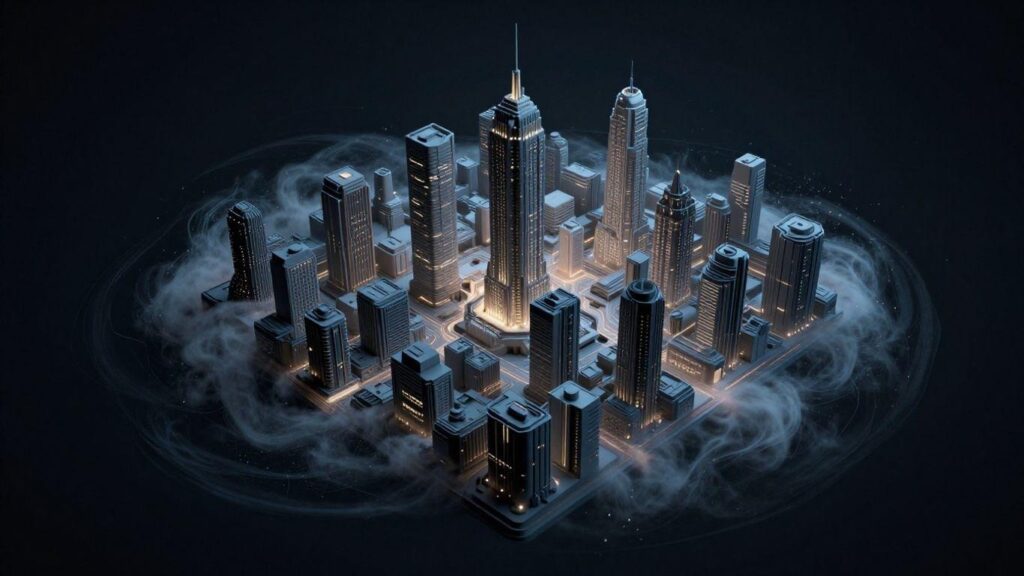
When picking a text-to-3D tool, it’s not just about what looks cool. For teams needing to produce actual, usable models, several features really matter. You need to look past the flashy demos and focus on what makes a platform practical for your workflow.
Prompt Input Quality and Understanding
The first hurdle is how well the tool understands what you’re asking for. Can it take a simple phrase like “a bolt with a hexagonal head” and actually make a bolt? The best platforms go beyond basic descriptions. They can interpret more technical terms, which is a big deal if you’re not just making toys. A good text-to-3D platform should grasp nuances in your prompts. This means less time spent rephrasing and more time getting the model you actually need.
Export Formats for 3D Printing
Once you have a model, you need to get it out of the software. For 3D printing, this usually means formats like STL or OBJ. These are standard files that slicing software can read. Some tools claim to be “print-ready,” but this can be a bit of a gamble. Always check what export options are available. If a tool only spits out proprietary formats, it might not be very useful for actual manufacturing.
Mesh Optimization and Print-Readiness
This is where many AI tools stumble. A model that looks good on screen might have holes, thin walls, or other issues that prevent it from printing. A truly useful text-to-3D tool will produce a watertight mesh. This means it’s a solid, closed object with no gaps. Some platforms offer tools to clean up or optimize the mesh after generation, which is a big plus. You want a model that’s ready to go straight to the slicer, not one that needs hours of repair work.
The difference between a concept model and a printable model is significant. Always verify the output’s suitability for your intended use, especially for physical creation.
Here’s a quick look at what to check:
- Watertight Meshes: No holes or gaps.
- Wall Thickness: Sufficiently thick for printing.
- Manifold Geometry: Clean, non-self-intersecting surfaces.
- Standard Export: STL, OBJ, or similar formats.
Advanced Text To 3D Functionality
Dimensional Control and Refinement
While AI tools are getting better, getting exact dimensions from a text prompt can still be tricky. You might describe a “10cm cube,” but the generated model might be slightly off. This is where refinement comes in. Many platforms allow you to tweak the generated model. You can adjust sizes, change proportions, or even add details that the initial text prompt didn’t fully capture. Precision is key for functional prints.
Getting the exact size and shape you need often requires a bit of back-and-forth. Don’t expect perfection on the first try.
Think of it like sculpting. You start with a rough shape and then chip away or add material until it’s just right. Advanced text to 3D tools are starting to offer more control over these finer points, letting users specify tolerances or even edit the underlying mesh directly. This level of control is what separates a cool-looking model from one that’s actually usable.
Workflow Integration with Existing Tools
Generating a 3D model from text is just the first step for many projects. The real power comes when these AI-generated assets can be easily brought into your existing 3D software. Whether you’re using Blender, Maya, or a CAD program, the ability to import and edit these models is vital. Look for platforms that export in common formats like OBJ, STL, or FBX. This makes the transition smooth, allowing you to combine AI-generated elements with your own custom designs.
- Import/Export Flexibility: Check supported file types.
- Editability: Can the model be easily modified?
- Compatibility: Does it work with your current software?
This integration means you can use text to 3D generation for quick concept models or even complex parts of a larger project, without starting from scratch every time. It speeds up the entire design process.
Scaling Creation and Cost Efficiency
For businesses or individuals needing many 3D assets, the ability to scale is a major advantage of text to 3D technology. Instead of hiring multiple modelers or spending weeks creating each asset, AI can generate dozens or even hundreds of variations quickly. This dramatically cuts down on production time and cost. The cost efficiency is a big draw, especially for game development, VR/AR content, or large-scale product visualization where numerous assets are required.
| Task | Traditional Method | Text to 3D AI Method | Savings |
| Asset Generation | Days/Weeks | Minutes/Hours | High |
| Cost per Asset | High | Low | High |
| Iteration Speed | Slow | Fast | High |
This scalability means that even small teams or solo creators can produce a large volume of 3D content that was previously out of reach. It democratizes 3D asset creation, making it more accessible and affordable.
Specific Use Cases for Text To 3D
Interior Design Assets from Text
Creating realistic 3D models for interior design used to take a lot of time. Now, with text-to-3D tools, designers can quickly generate furniture, decor, and architectural elements just by describing them. Imagine typing “a mid-century modern armchair with velvet upholstery” and getting a usable 3D model in minutes. This speeds up the visualization process significantly.
These AI tools can take simple text prompts and turn them into detailed assets. This allows for rapid iteration of design concepts. Designers can experiment with different styles and pieces without the usual manual modeling effort. The ability to generate specific items, like “a rustic wooden dining table with four chairs,” makes mood boards and client presentations much more dynamic.
This approach to generating interior design assets from text is changing how professionals work. It makes complex visualizations accessible and faster. The focus shifts from manual creation to curation and refinement, making the design process more efficient and creative.
3D Content Creation for VR/AR
Virtual and augmented reality experiences need a lot of 3D content. Text-to-3D technology offers a way to populate these virtual worlds quickly. Developers can describe objects, characters, or environments, and the AI can generate them. This is a big help for creating immersive VR/AR applications.
For example, a developer could describe “a futuristic cityscape with flying cars” or “a medieval fantasy forest with glowing mushrooms.” The text-to-3D tools can then produce the necessary assets. This dramatically cuts down the time and cost associated with building detailed virtual spaces. The speed of generation is key here.
This makes creating 3D content for VR/AR much more accessible. It means smaller teams or even individuals can build richer experiences. The ability to generate varied assets from simple text prompts is a game-changer for the industry.
Rapid Prototyping and Product Visualization
When developing new products, visualizing them in 3D is important. Text-to-3D tools allow engineers and designers to create quick prototypes. They can describe a product idea, like “a sleek, ergonomic wireless mouse” or “a compact drone with four propellers,” and get a 3D model to review.
This process is much faster than traditional CAD modeling for initial concepts. It helps identify design flaws or potential improvements early on. The ability to generate multiple variations from text prompts aids in exploring different design directions. This rapid prototyping capability saves time and resources.
Using text to generate these visualizations means that even non-3D experts can contribute ideas. It democratizes the design process. This makes it easier to get a tangible 3D representation of a product idea quickly, speeding up the entire development cycle.
Wrapping Up Your Text-to-3D Journey
So, we’ve seen how typing a few words can actually lead to a 3D model you can hold. Tools like Meshy, Alpha3D, and Luma AI make it pretty straightforward to go from a text idea to something tangible. While these AI tools are great for getting started quickly or making simple shapes, they might not be the final answer for super complex or precise designs. For those really detailed projects, you might still need to jump into software like Blender or SelfCAD for some extra work. But for anyone wanting to quickly visualize an idea or create basic models for 3D printing, these text-to-3D options are definitely worth checking out. It’s a neat way to bring digital concepts into the physical world without needing years of design training.
Leave a Reply