
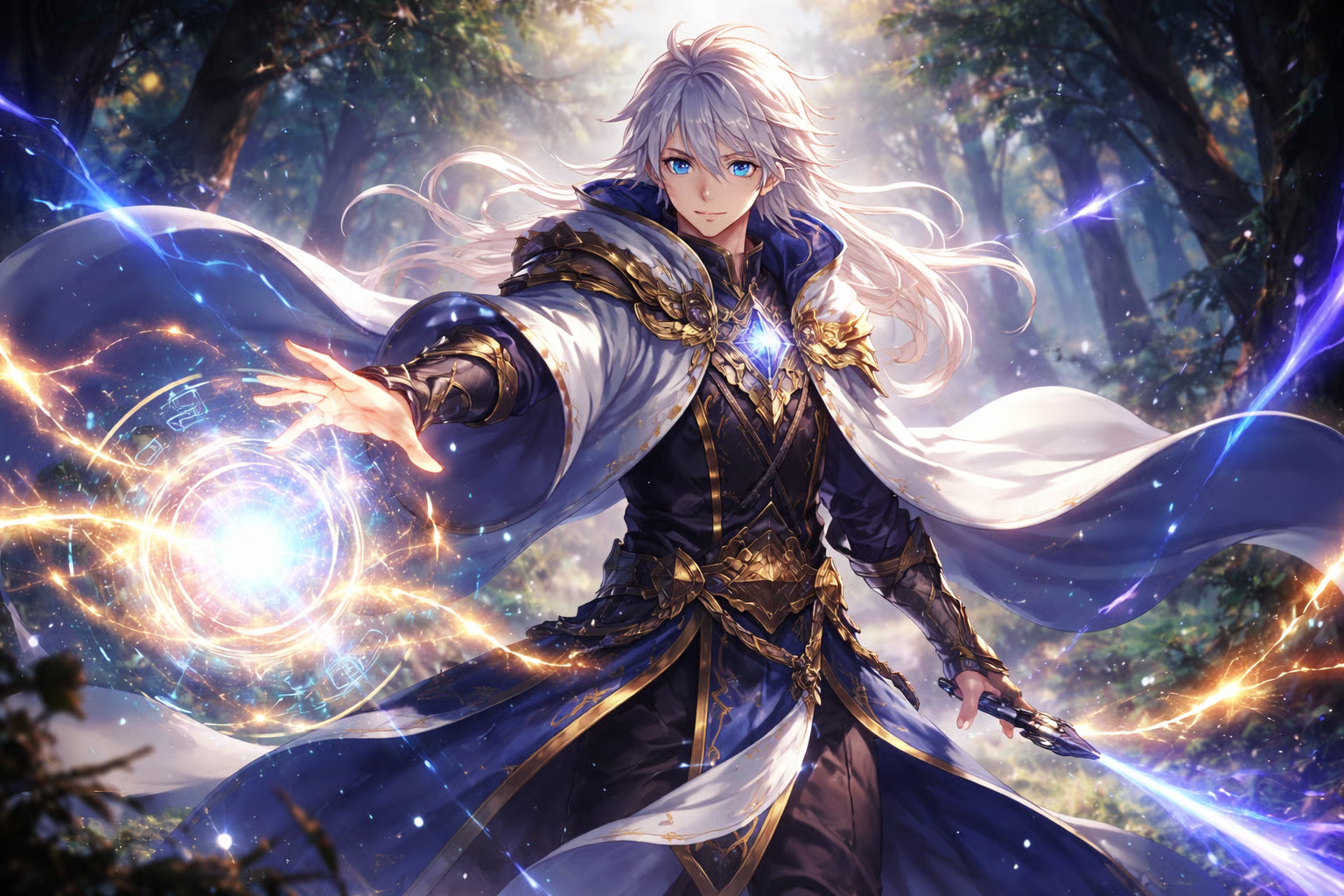
Sharpness and resolution of images are crucial for producing visually stunning anime art. High-quality image generation makes fine facial expressions, clean linework and detailed backgrounds more appealing. Choosing the appropriate dimensions also aids in the presentation of the product on various platforms and creative projects. By leveraging cutting-edge image generation models and offering flexible size options, Framia Pro empowers creators to generate high-quality anime images for various digital and print media, ensuring visual consistency throughout the creative journey.
Why High-Resolution Anime Images Matter
High-resolution anime art will contain more details that can be lost in smaller or compressed images. Distinct linework, subtle shading, and expressive eyes are clearly visible with no visible pixelation. More clarity also enhances the overall art presentation when showing your portfolio, marketing and professional publishing. This means that a single artwork can be used across various platforms such as websites, wallpapers, social media graphics, printed posters, and promotional materials, eliminating the need for multiple versions. Larger resolutions also help with the flexibility of cropping, as character details are retained after cropping. The high-quality images provide a better view of the image on various types of screens and ensure that the colors are balanced, the gradients are smooth, and the proportions are accurate throughout the painting.
Framia Pro’s AI Technology Behind Sharp Anime Generation
Framia Pro offers a fusion of various sophisticated AI image models, creating detailed anime illustrations in various resolutions. When creating images, the intelligent detail reconstruction technology restores the facial features, clothing textures and environmental elements. Resolution optimization ensures that the image remains crisp and free from any unwanted artifacts or visual inconsistencies. The advanced scaling techniques retain outlines without any blurring of edges in larger exports. Details such as texture enhancement are also added to enhance hair strands, lighting effects and elaborate costume details, leaving it with a polished look. These features also integrate seamlessly with creative processes such as AI picture to video, ensuring that the AI-generated art remains high quality prior to animation. The outcome is that it creates professional-quality anime pictures suitable for a diverse range of creative uses.
Choosing the Right Image Size for Different Projects
The decision on which image size to use is based on the purpose of the image rather than the highest resolution possible. The smaller square sizes are perfect for pics to use as a profile picture, as the face expression is still the main focus. Wide resolutions are best for wallpapers on desktops and mobile devices and for maintaining the scenic composition. For large posters or printed displays, large verticals are great. Social media images need to be formatted to the size of the social media platform where it will be displayed so that it doesn’t get cropped. Character illustrations are often better served with more resolution, as detailed costumes require more clarity. Marketing visuals are also clearer through various marketing channels. Even if you’re creating art for a lyric video generator, you can still take advantage of the correct size anime art.
AI-Powered Workflow Management for Marketing Creators
Framia Pro also enables more creative production, with an intelligent canvas that is oriented towards connected AI workflows. Rather than using multiple applications, creators use natural language to describe a marketing objective. The platform automatically organizes creative tasks into linked production stages. It also creates copy based on the brand. It produces a variety of visuals, makes matching videos, adds realistic voiceovers and background music, and assembles everything using built-in editing tools. Several top AI models are involved in the process to help with various tasks all the way through the workflow—no need to use separate creative editing software to create the entire promotional content.
Steps to Generate Sharp Anime Images at Any Size with AI Anime Generator
Step 1: Select an image model for high-quality output
- First, you need to sign up for Framia Pro. Next, go to the “Home” tab present in the left vertical menu bar.
- Later, click on “Design” from the drop-down menu option present in the bottom-left corner of the dialogue box.
- Next, choose the model that suits your preferred anime image quality.
- Under the “Select models” menu, choose the “Image” option.
- You can select from a range of models like “Seedream”, “GPT”, “Nanobanana”, “Flux Max” or “Qwen”.
Step 2: Upload your reference and configure the output
- Now click on the “+” tab and choose a photo from your device to provide as a reference.
- Next, in the dialogue box, enter the text prompt and explain the sharp anime style and image appearance you want.
- Later, select the aspect ratio from the “Settings” tab.
- Finally, click the “Generate” tab to begin photo-to-video creation.
Step 3: Improve image quality and download the final file
- You can “Preview” your image. If you want to edit your image further, you can do so either in the storyboard or via chat.
- You can “Quick Edit”, “Regenerate image”, or use “AI Erase” etc.
- Once satisfied, click on the “Download” tab present on the menu below the video to save the file to your local device.
Prompt Optimization for Sharper Anime Results
The quality of the final image can be greatly affected by the effectiveness of the prompts, as AI models rely on descriptive instructions. When prompting the anime generator for extremely detailed art, crisp facial lines, expressive eyes, and clean linework tend to yield better results. Describe detailed environments and talk about realistic texture quality of hair, clothing, and lighting. Be sure to state the preferred anime style, such as fantasy, cyberpunk, manga, realistic anime, or chibi. Uniform descriptions eliminate conflicting visual instructions that are detrimental to image quality. Balanced prompts enable AI models to capture the artist’s vision more accurately, ensuring that the proportions, composition, and intricate visual details are maintained in the created artwork.
Factors That Influence Image Sharpness
Several technical and creative factors affect final image sharpness beyond selecting higher resolution alone.
- Quality source images lead to cleaner sources and enable AI models to retain more visual details.
- Descriptive instructions, or detailed prompts, help to increase precision as they guide the texture, lighting, facial expression, and composition.
- Using correct aspect ratios ensures that no extra stretching happens, and that the characters are balanced in different ratios.
- The use of the right AI model can affect the quality of detail, as each model has its own strengths and weaknesses in terms of artistic styles.
- Post-generation editing is the process of making overall appearance corrections and improvements to small imperfections, all while maintaining visual consistency.
Practical Uses for High-Resolution Anime Artwork
Many creative industries are supported by high-quality anime artwork, as one quality image can be used for many different publishing formats. Professionally rendered illustrations are an asset to a digital portfolio as they convey artistic talent in a more professional manner. Wallpapers look great on bigger displays without any degradation in quality. Content creators craft captivating thumbnails with detailed characters and vibrant compositions. Publishers employ sophisticated anime artwork for book covers, promotional graphics and editorial content that demands uniformity in picture quality. Marketing teams use detailed character artwork in ads, banners and campaign materials. Clear anime visuals also make for more engaging presentations, conveying ideas through the image while keeping the professional visual standards throughout various display settings.
Conclusion
Enhanced anime art with greater clarity, meticulous details, and a polished aesthetic, both online and offline. Picking the right image sizes ensures that quality is maintained and assists with various creative goals. Advanced image generation, intelligent scaling, and flexible resolution options combine to make Framia Pro an easy-to-use tool for creating high-quality anime. By aligning image sizes with project requirements, creators can deliver refined artwork that meets the standards for professional portfolios, promotional materials, social media graphics, wallpapers, illustrations, and various other creative applications.
Leave a Reply