

Smartphones now store banking apps, private chats, personal photos, and work files, so a weak unlock method can expose your entire digital life. Many people rely on fingerprint or face unlock and forget that most devices still use a PIN as the foundation of their security. When biometrics fail, update, or reset, the phone falls back to that PIN. If it is easy to guess, anyone who gets hold of your device can unlock it and view almost everything. A strong PIN acts as the last line of defence against theft, snooping, and many online threats. Understanding why PIN strength matters and how to combine it with other security tools helps keep your smartphone, and the data on it, much safer every day.
Why a Strong PIN Remains Essential
How PINs Protect Your Personal Information
A PIN may look simple, but it controls direct access to your smartphone’s system. When you lock your device with a strong PIN, you block strangers from opening banking apps, reading messages, or resetting security settings. Many mobile operating systems encrypt stored data and tie that protection to the lock screen. The PIN becomes the key that unlocks this encrypted information. If the code is short or obvious, attackers can guess it or use simple tools to try common combinations. A complex PIN with more digits and no easy patterns makes these attempts much harder. It also slows down brute-force attacks because most phones limit the number of wrong attempts. By choosing a strong PIN, you greatly reduce the chance of someone breaking into your personal information.
Why Biometrics Still Rely on PIN Security
Fingerprint and face unlock feel fast and secure, but they still sit on top of your PIN or passcode. When you set up biometric unlock, your phone first asks for the PIN to confirm your identity. If the sensor fails, the phone restarts, or you change security settings, the system falls back to that PIN. Law enforcement or some apps may also require the PIN instead of biometrics for added certainty. Attackers know this, so they often try to guess the PIN rather than bypass the biometric hardware. If your PIN is weak, the whole setup becomes easier to crack, even if the fingerprint or facial data stay safe. A strong PIN therefore supports biometrics and keeps your overall smartphone security more robust.
Additional Ways to Improve Smartphone Security
Enable Updates and Two-Factor Authentication
Regular software updates close security gaps that hackers try to exploit. Turn on automatic updates for your operating system and apps so you receive the latest patches without delay. Many attacks target outdated software because it is easier to break. You should also enable two-factor authentication for key accounts like email, banking, and cloud storage. With two-factor authentication, logging in needs both your password and a second step, such as a code sent to your phone or generated in an app. Even if someone steals your password, they cannot access the account without that extra code. When you combine updated software, strong PINs, and two-factor authentication, you create several layers of security that protect your smartphone from both local and online threats.
Protect Your Device in Public and Online
Good security habits in daily use matter as much as technical features. In public places, keep your phone within sight and avoid leaving it on tables unattended. Adjust screen timeout settings so the phone locks quickly when not in use, and disable lock screen previews for sensitive notifications. Online, avoid installing apps from unknown sources or links in messages. Use official app stores and check app permissions before you grant access to contacts, location, or storage. When on public Wi‑Fi, avoid handling sensitive tasks like mobile banking unless you use a trusted VPN. These simple steps lower the risk of theft, shoulder‑surfing, and malware. Together with a strong PIN, they reduce chances that someone can access or misuse your personal data.
HONOR 70 Security and User Protection Features
Security Features That Help Safeguard Data
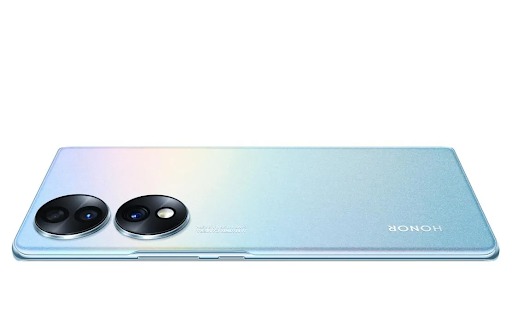
The HONOR 70 includes several features that help protect user data at the device level. Its operating system supports secure screen lock options, including strong PINs, patterns, and biometrics, which complement built‑in encryption to safeguard stored files and app data. App permission controls let you manage which apps can access your camera, microphone, and location, reducing unnecessary data exposure. The phone also offers secure payment environments through certified security modules, adding extra protection for transactions and banking apps. Regular system and security updates help patch vulnerabilities and keep defences current. These integrated tools work together so that, when paired with a robust PIN, the HONOR 70 smartphone provides a more secure environment for daily smartphone use.
Smart Features for a Safer Mobile Experience
Beyond core security, the HONOR 70 delivers smart features that support safer everyday usage. Privacy settings allow you to limit notification content on the lock screen so sensitive messages stay hidden when the phone is locked. You can manage app launch behaviour to prevent unknown apps from running in the background without consent. Built‑in tools help monitor battery and performance, making it easier to spot unusual activity that may signal a problematic app. Network and Wi‑Fi settings offer options to control how the device connects to unfamiliar networks, which can reduce exposure to unsafe hotspots. By using these smart controls alongside a strong PIN and careful habits, users can enjoy a smoother, more secure mobile experience with the HONOR 70.
Conclusion
Strong smartphone security starts with a solid PIN, even when you use fingerprint or face unlock daily. The PIN protects encrypted data, controls access to key apps and settings, and serves as the backup whenever biometrics are unavailable. Weak or predictable codes undo much of the protection that modern phones provide. By choosing a longer, unique PIN and combining it with regular updates, two‑factor authentication, and smart habits in public and online, you significantly reduce the risk of data theft. Devices like the HONOR 70 add helpful layers through encryption, permission controls, and privacy features, but they still depend on users setting up secure lock methods. Take time to review your PIN, adjust your settings, and turn your smartphone into a safer place for your personal information.
READ ALSO: How a Cleaning Company CRM Helps Cleaning Businesses Stay Organized
Leave a Reply