
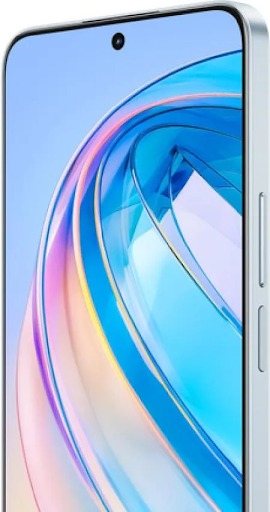
Smartphones now sit at the center of modern work. Employees check emails, join meetings, share files, and manage projects without opening a laptop. Teams rely on mobile tools to respond faster, support customers, and keep business moving after office hours. Companies also design workflows with mobile users in mind, from cloud storage to messaging platforms. This shift has blurred the line between office and remote work, giving people more freedom while raising new expectations about availability. At the same time, hardware keeps improving. Larger displays, better cameras, and stronger processors turn smartphones into powerful work devices. As a result, workers now expect their phones to handle documents, calls, and apps as smoothly as traditional computers.
Smartphones Have Transformed Workplace Communication
Faster Communication Through Messaging and Email
Messaging and email on smartphones have reduced the time it takes to share information and get answers. Instead of waiting until they return to their desks, employees can reply during short breaks, while commuting, or between meetings. This keeps projects moving and prevents bottlenecks.Instant messaging apps let teams create groups for specific clients, products, or tasks. People share updates, send quick questions, and attach files in seconds. Email apps provide full inbox access, so staff can read, search, and respond to messages from anywhere. Push notifications alert them to urgent items, while filters and labels keep mail organized. Together, mobile messaging and email help businesses maintain momentum, respond to clients quickly, and keep everyone informed without long delays.
Video Meetings and Real-Time Collaboration
Video meeting apps on smartphones make collaboration possible even when teams cannot sit in the same room. Employees join Zoom, Google Meet, or Microsoft Teams calls with a single tap. Built‑in microphones, speakers, and cameras allow face‑to‑face conversations that feel more personal than voice calls or emails. This helps build trust with clients and keeps remote colleagues connected.Real‑time collaboration goes beyond talking. Screen sharing lets presenters show slides, demos, or reports directly from their phones. Participants can view documents, ask questions in chat, or react instantly. Many apps also sync notes, whiteboards, and recordings to the cloud, so everyone can review key points later.
Smartphones Have Improved Productivity and Flexibility
Accessing Work Apps and Cloud Tools Anywhere
Cloud-based tools and mobile apps allow employees to take their work environment wherever they go. With secure logins, they can open documents, CRM systems, project boards, and shared drives directly from their smartphones. This is useful for sales teams on the road, managers visiting sites, or staff working from home.Platforms like Google Workspace, Microsoft 365, and project management tools such as Trello, Asana, or Monday.com offer full-featured mobile apps. Users can edit files, assign tasks, leave comments, or upload photos to shared folders. Automatic syncing ensures that every change appears in real time for the entire team.This constant access reduces downtime. Time spent waiting in lobbies, airports, or between meetings can turn into productive work sessions.
Managing Tasks, Schedules, and Daily Workflows
Smartphones help workers manage their tasks and schedules in a more organized way. Calendar apps display meetings, deadlines, and travel plans in one place. People can add events, invite colleagues, and receive reminder alerts before important appointments. This reduces the chance of missed calls or forgotten commitments.Task management apps such as Todoist, Microsoft To Do, or Google Tasks break down large projects into smaller steps. Users can set due dates, add notes, and tag tasks by priority or project. Notifications prompt them to complete items on time. Note-taking tools like Google Keep, OneNote, or Evernote capture ideas, meeting notes, and checklists on the go.By combining these features, smartphones act as personal assistants. They guide workers through their day, help them stay focused on the right tasks, and provide quick access to the information they need to move forward efficiently.
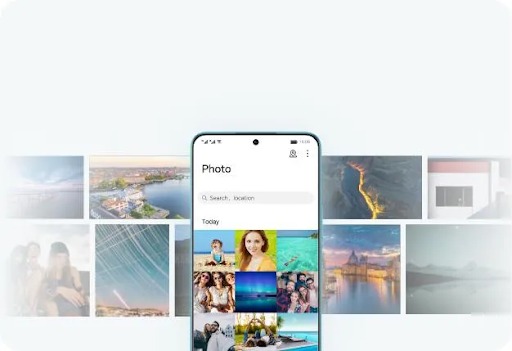
HONOR X8a and the Growing Need for Work-Friendly Smartphones
Features That Support Everyday Productivity
The HONOR X8a phone includes several features that support daily work tasks. Its large, high‑resolution display provides enough space to read emails, review documents, and scroll through reports comfortably. This reduces eye strain compared with smaller screens.The phone runs a user‑friendly interface that supports popular productivity and communication apps. Workers can install office suites, project management tools, and collaboration platforms and switch between them with ease. Ample storage space lets users save files, photos, and offline documents for times without a strong network connection.The camera system also contributes to productivity. Employees can scan paper documents, capture whiteboard notes after meetings, or take clear photos during site visits. These images can be shared instantly with colleagues or clients, helping teams keep records and reference materials organized.
Battery Life, Display, and Performance for Mobile Work
Battery life, display quality, and performance determine how well a smartphone supports mobile work. The HONOR X8a offers a large battery that helps workers make calls, attend video meetings, and use apps throughout the day without frequent charging. This is vital for people who move between meetings or travel often.Its display provides sharp visuals and generous screen space, which makes reading, editing, and multitasking more comfortable. Clear text and vivid colors help when reviewing presentations or visual content.Performance-wise, the HONOR X8a handles common work apps, web browsing, and multitasking smoothly. Users can keep several apps open, switch between chats and documents, and join online meetings with minimal lag. Together, these features enable a reliable mobile experience for professionals who depend on their phones for everyday work.
Conclusion
Smartphones have reshaped how people communicate, collaborate, and manage their work. Instant messaging, email, and video meetings keep teams connected and responsive, whether they sit in the office or work remotely. Access to cloud tools, calendars, and task managers helps employees stay organized and productive throughout the day.As mobile work becomes standard, hardware plays a bigger role. Devices like the HONOR X8a show how modern smartphones support productivity with strong performance, long battery life, and displays designed for reading and multitasking. When workers pair these tools with healthy boundaries and clear workflows, smartphones become powerful allies. They enable flexible, efficient work without tying people to a desk, helping businesses adapt to a faster, more connected world.
READ ALSO: How a Cleaning Company CRM Helps Cleaning Businesses Stay Organized
Leave a Reply